Latest Version
Latest
August 27, 2026
Zoho Corporation
BUSINESS
Android
105
Free
com.zoho.workplace
Report a Problem
More About Zoho Workplace – All‑in‑One Office Suite for Android
What is Zoho Workplace?
Zoho Workplace is a collection of cloud‑based productivity tools that are bundled into a single Android application. The suite includes email, instant messaging, file storage, document creation, spreadsheets, presentations, online meetings and an internal social network. By consolidating these services, the app lets users switch between tasks without leaving the mobile environment.
Main features
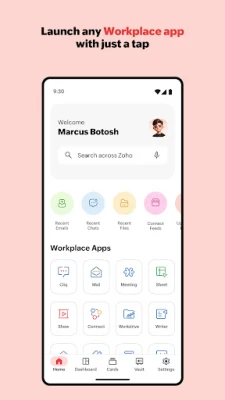
- Unified launcher – All Zoho apps appear in one place, so you can open Mail, Cliq, Writer, Sheet, Show, WorkDrive, Meeting and other components with a single tap.
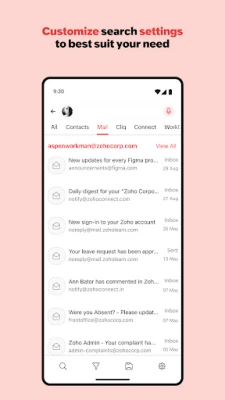
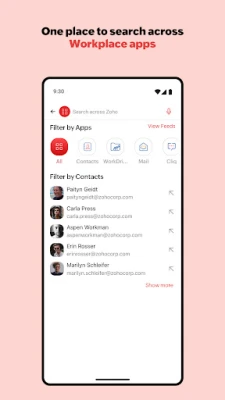
- Cross‑app search – A single search bar looks for keywords across emails, chats, documents and files, returning results grouped by the originating app.
- Quick previews – Search results show a short preview of messages, documents or files, allowing you to confirm relevance without opening the full item.
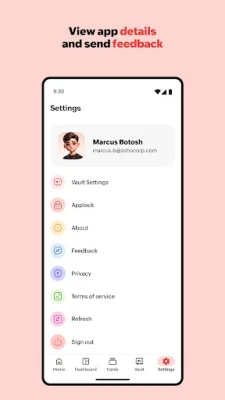
- Customizable search settings – You can reorder the apps that appear in search, set a default app, and adjust other preferences to match your workflow.
- Integrated collaboration – Create or edit documents, spreadsheets and presentations directly on the device, then share them via email or chat.
- Meeting tools – Join or schedule video meetings, and access meeting recordings stored in the suite.
How it works
After installing the app, you sign in with your Zoho account. The login synchronizes your data across all components, so any email, chat thread, file or document you have in the web version is instantly available on your phone. The home screen presents icons for each service; tapping an icon opens the corresponding module while preserving the overall navigation context.
When you use the search bar, Zoho Workplace queries each service in parallel. Results are displayed with a label indicating the source (e.g., Mail, Writer) and a short excerpt. You can tap a result to open it in the native editor or viewer, edit it, and save changes back to the cloud.
Practical uses
- Respond to client emails while traveling, then switch to a quick chat with a colleague to clarify details.
- Review a spreadsheet during a meeting, make a note in a document, and instantly share the updated file through the same app.
- Store project files in WorkDrive, tag them, and retrieve them later with a single keyword search.
- Schedule a video conference from the Meeting module and send the invitation via Zoho Mail or Cliq.
Installation information
The app is available for free on the Google Play Store. Installation follows the standard Android process: tap “Install,” wait for the download, and launch the app. Because the suite relies on cloud storage, an active internet connection is required for initial synchronization and for most collaborative actions.
Things to know before installing
- A Zoho account is required; the app does not provide a standalone registration flow.
- Features such as document editing or video meetings depend on the permissions granted to the app (e.g., access to storage, microphone, camera).
- Performance may vary based on device specifications and network speed, especially when handling large files or high‑definition video streams.
Who may find it useful?
Small businesses, remote teams, and individual professionals who already use Zoho’s web services will benefit from having the entire suite on their mobile device. The app is also handy for users who need to stay connected to email, chat and documents while away from a desktop.
Frequently asked questions
Do I need a paid Zoho subscription?
Zoho Workplace offers a free tier with basic functionality. Additional features may require a paid plan, but the Android app itself is free to download.
Can I use the app offline?
Some content, such as previously opened documents, can be viewed offline, but editing or syncing changes requires an internet connection.
Is my data secure?
Data is stored in Zoho’s cloud infrastructure and transmitted over encrypted connections. Specific security details are managed by Zoho and are not disclosed within the app description.
Rate the App
User Reviews















Popular Apps










 Games
 Entertainment
 Communication
 E-mail
 Security
 Tools
 Media
 Internet
 Finance
 Design
 Education
 Android Firmwares
 Travel & Local
 Android
 Windows
 Linux