
Latest Version
September 07, 2026
Zoho Corporation
BUSINESS
Android
7
Free
com.zoho.work.drive
Report a Problem
More About Zoho WorkDrive – Cloud Storage & Team Collaboration
What is Zoho WorkDrive?
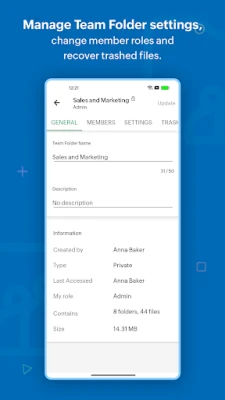
Zoho WorkDrive is a cloud‑based file storage service that focuses on both personal file management and collaborative work for teams. The Android app provides a mobile gateway to your cloud library, letting you keep documents, photos, and other files at hand wherever you go.
Main features
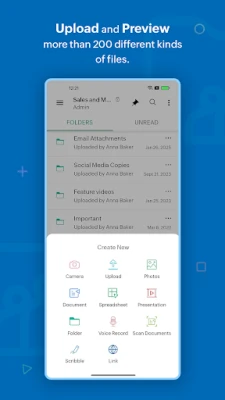
- File upload and capture – Add photos, recordings, or any document from your device. The app also supports scanning paper documents with the camera, turning them directly into cloud files.
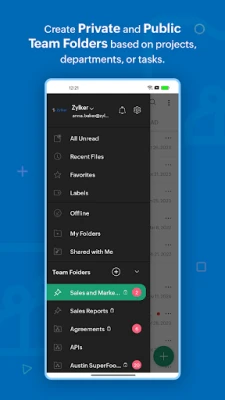
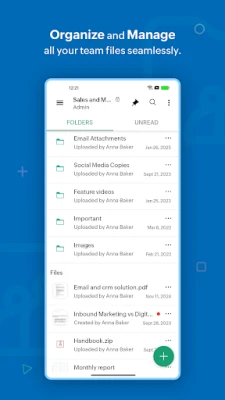
- Organise with folders and labels – Create a folder structure that matches your workflow. Labels let you tag files for quick categorisation and later filtering.
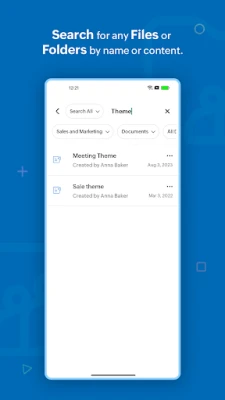
- Search and filter – Locate files by name, type, or date using the built‑in search bar and filter options.
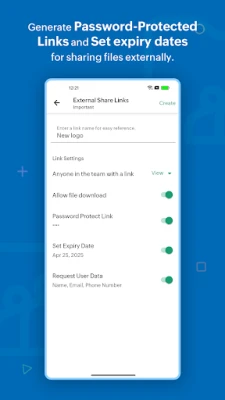
- Sharing controls – Share a file or folder via email and set basic permissions such as view‑only or edit access.
- Offline access – Mark files for offline use so you can view or edit them without an internet connection.
- Comments and preview – Open most common file types for preview and add comments to start a discussion directly on the document.
How it works
After installing the app, sign in with your Zoho account. Your cloud storage appears as a familiar file explorer. Use the “+” button to upload new items, choose a destination folder, and optionally apply a label. The search field at the top lets you type keywords to find files instantly. When you open a file, a preview pane shows the content, and a comment icon lets you add notes that are synced for all collaborators.
Practical uses
- Remote work – Keep project documents in a shared folder, grant teammates edit rights, and discuss changes through comments.
- Personal organization – Store receipts, photos, and personal notes in private folders, and mark the most important items as favourites.
- On‑the‑go access – Download a presentation before a meeting, edit it offline, and the changes sync automatically when you reconnect.
Who may find it useful?
Anyone who needs a reliable way to keep files accessible across devices will benefit. Small business teams, freelancers, students, and anyone who already uses Zoho’s suite of productivity tools will find the integration especially convenient.
Things to know before installing
- The app requires a Zoho account; a free tier is available.
- Storage limits depend on the plan you choose within Zoho WorkDrive.
- Internet connectivity is needed for initial sync, but offline mode works for files you mark beforehand.
Rate the App
User Reviews














Popular Apps










 Games
Games Entertainment
 Communication
 E-mail
 Security
 Tools
Tools Media
Media Internet
 Finance
 Design
 Education
 IT Tools
 Travel & Local
 Android
 Windows
 Linux
Linux