

Latest Version
Latest
September 06, 2026
Zoho Corporation
BUSINESS
Android
7
Free
com.zoho.webinar
Report a Problem
More About Zoho Webinar – Attend and Host Online Webinars on Android
What is Zoho Webinar?
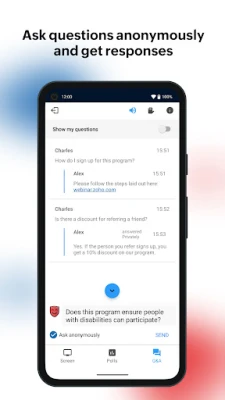
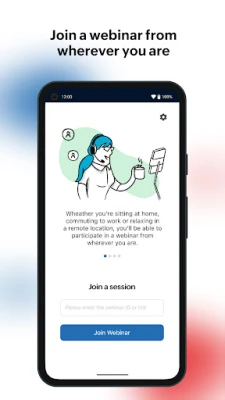
Zoho Webinar is a mobile companion for the Zoho Webinar platform, enabling participants and co‑organizers to connect to live online events directly from their Android phones or tablets. The app focuses on real‑time interaction, allowing users to view presentations, ask questions, and engage with polls without needing a desktop.
Main capabilities
- Live attendance – Enter a session with a simple link or session ID and watch the broadcast as it happens.
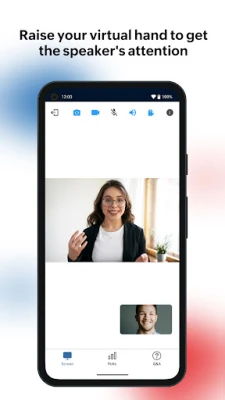
- Audio and video participation – When permitted by the host, you can turn on your microphone and camera to speak or be seen.
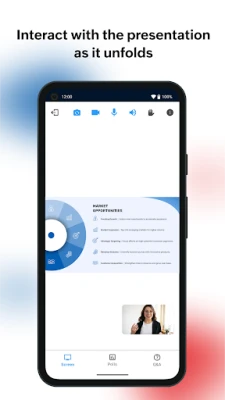
- Screen and file sharing – Co‑organizers can display slides, PDFs, or other media to all attendees.
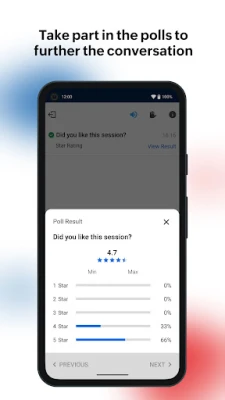
- Interactive tools – Use Q&A, raise‑hand, and poll features to contribute to the discussion.
- Picture‑in‑Picture mode – Keep the webinar visible while you multitask on other apps.
How it works
After installing the app, you can join a webinar by tapping a shared link or manually entering the session identifier. The interface presents the video feed, a sidebar for shared materials, and a toolbar for interaction options. If the host enables it, you can switch to audio‑video mode, submit questions, vote in polls, or raise your hand to request speaking time. Co‑organizers have the same tools plus the ability to launch polls and manage Q&A entries.
Practical uses
- Professional training sessions that require participant engagement.
- Product demos where presenters need to show live screen content.
- Educational webinars for students who prefer mobile access.
- Community meet‑ups that rely on real‑time Q&A.
Installation information
The app is available for free on the Google Play Store. Search for Zoho Webinar or use the package name com.zoho.webinar to locate it. Installation follows the standard Android process: tap Install, wait for the download, and open the app once the installation completes.
Things to know before installing
- The app does not require a separate account; access is granted through the webinar link or ID provided by the organizer.
- Audio‑video participation depends on the host’s settings; you may join as a viewer only if the organizer restricts it.
- Internet connectivity is essential for a smooth experience; a stable Wi‑Fi or cellular connection is recommended.
Who may find it useful?
Anyone who needs to attend or help run live online events while away from a computer can benefit from Zoho Webinar. This includes corporate trainers, educators, sales teams, and community organizers who want a mobile‑first way to stay connected.
Frequently asked questions
- Do I need a Zoho account to use the app? No. Access is granted through the webinar invitation link or session ID.
- Can I record a webinar on my device? Recording capabilities are controlled by the host; the app itself does not provide a built‑in recorder.
- Is the app compatible with tablets? Yes, the interface adapts to larger screens, making it suitable for both phones and tablets.
- What should I do if I experience audio lag? Check your network connection, switch to a stronger Wi‑Fi network if possible, and close other background apps that may consume bandwidth.
Rate the App
User Reviews














Popular Apps










 Games
Games Entertainment
 Communication
 E-mail
 Security
 Tools
Tools Media
Media Internet
 Finance
 Design
 Education
 IT Tools
 Travel & Local
 Android
 Windows
 Linux
Linux