

Latest Version
Latest
September 13, 2026
Zoho Corporation
BUSINESS
Android
3
Free
com.zoho.solopreneur
Report a Problem
More About Zoho Solo – Business Management for Solo Professionals
What is Zoho Solo?
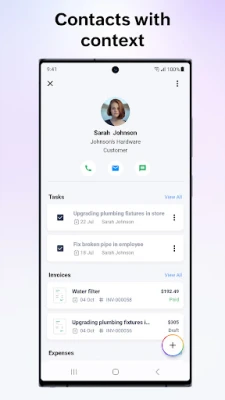
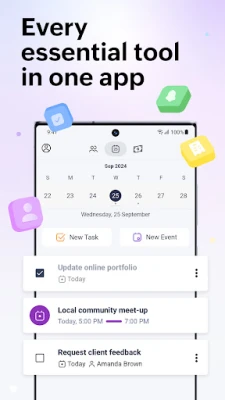
Zoho Solo is a mobile tool built for independent professionals who need a single place to manage the core aspects of their business. Whether you are a freelancer, consultant, or a small‑scale service provider, the app brings together contact management, task scheduling, invoicing and expense tracking so you can focus on delivering your work instead of juggling multiple apps.
Main features
- Contact manager – Store client and partner details, add notes and categorize contacts for quick reference.
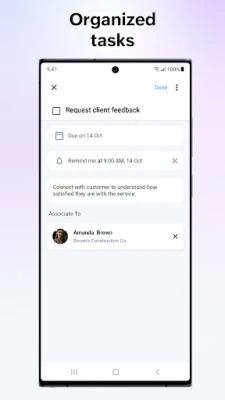
- Task organizer – Create, schedule and set reminders for daily tasks, ensuring nothing falls through the cracks.
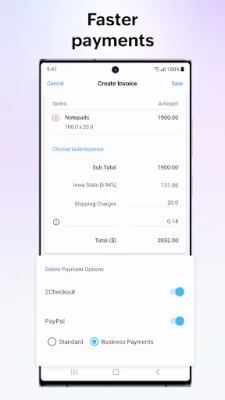
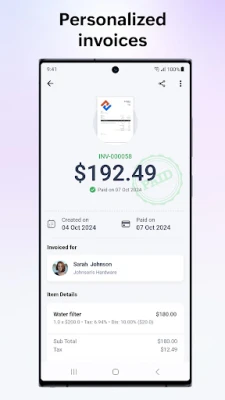
- Invoice generator – Build professional invoices with your branding, set payment terms and share them directly from the app.
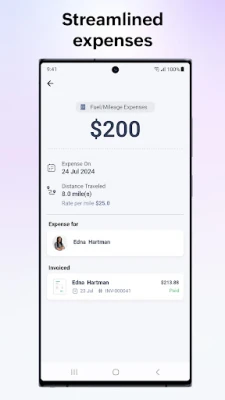
- Expense tracker – Record business expenses, assign categories and link them to specific clients when needed.
How it works
All data is stored locally on your device and synchronized with Zoho’s cloud services when you choose to enable it. Adding a new contact or expense is a matter of a few taps, and the app automatically groups related information, such as linking an expense to an invoice or a client record. The interface is designed for quick navigation, with separate tabs for contacts, tasks, invoices and expenses.
Practical uses
Freelancers can use Zoho Solo to keep client details up to date, schedule project milestones, generate invoices after completing work, and track travel or material costs. Consultants may find the task reminders helpful for meeting preparation, while service‑based entrepreneurs can quickly scan expenses and turn them into billable items.
Installation information
The app is available for free on the Google Play Store. Search for the package name com.zoho.solopreneur or the title “Zoho Solo – To do, CRM, bills” and tap Install. The download size and Android version requirements are listed on the store page.
Things to know before installing
- The core functionality is free; additional premium features may be offered through in‑app purchases.
- Internet connectivity is required for cloud sync and for sending invoices via email.
- Data privacy follows Zoho’s standard policies, which you can review within the app’s Settings.
Who may find it useful?
Anyone who runs a business without a dedicated administrative team can benefit from Zoho Solo. This includes freelancers, independent consultants, handymen, photographers, and small‑scale e‑commerce sellers who need a lightweight solution for everyday business tasks.
Frequently asked questions
Is there a cost to use Zoho Solo?
The basic version is free. Optional premium upgrades may be offered for advanced reporting or additional integrations.
Can I export my data?
Yes, the app provides options to export contacts, invoices and expense records in common formats such as CSV.
Does the app work offline?
Core features like adding contacts or creating tasks work offline; synchronization occurs when you reconnect to the internet.
Rate the App
User Reviews













Popular Apps










 Games
Games Entertainment
 Communication
 E-mail
 Security
 Tools
Tools Media
Media Internet
 Finance
 Design
 Education
 IT Tools
 Travel & Local
 Android
 Windows
 Linux
Linux