

Latest Version
Latest
August 26, 2026
Zoho Corporation
BUSINESS
Android
102
Free
com.zoho.salesiq
Report a Problem
More About Zoho SalesIQ – Live Chat & Visitor Tracking
What is Zoho SalesIQ?
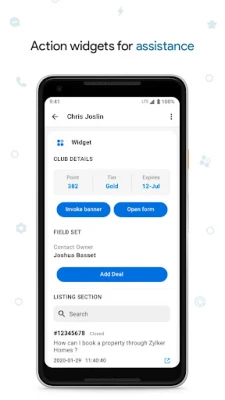
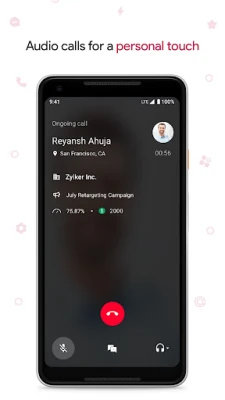
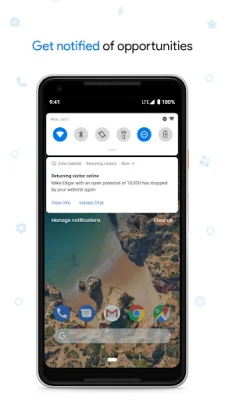
Zoho SalesIQ is a live‑chat solution that combines real‑time messaging with visitor tracking for both websites and mobile apps. Developed by Zoho Corporation, the app helps businesses engage visitors, gather insights, and prioritize leads without requiring a separate desktop tool.
Main features
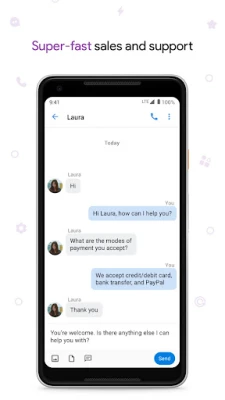
- Live chat interface – Communicate instantly with visitors who are browsing your site or using your app.
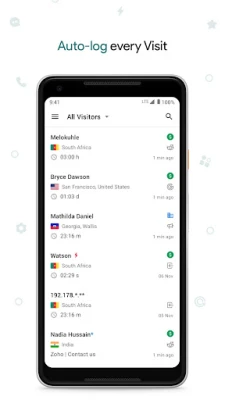
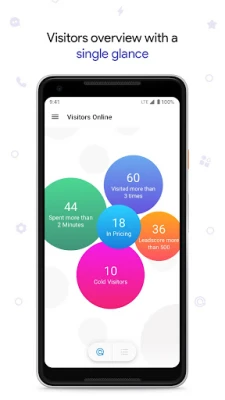
- Visitor tracking – See which pages or screens a visitor has viewed, how long they stayed, and what actions they took.
- Lead scoring – Assign scores based on visitor behavior to identify high‑intent prospects.
- Automated invitations – Trigger chat invitations based on predefined criteria such as time on page or exit intent.
- Multilingual support – Chat can be translated into dozens of languages, helping you serve a global audience.
- Post‑chat feedback – Collect short surveys after a chat session to gauge satisfaction.
How it works
After installing the app, you embed a small code snippet into your website or integrate the SDK into your Android app. Once active, the widget appears to visitors, allowing them to start a conversation. Behind the scenes, the platform records navigation data, which appears in the dashboard for you to review. You can set rules that automatically invite visitors to chat when they meet certain conditions, such as spending more than a minute on a pricing page.
Practical uses
- Sales teams can spot visitors who are deep in the funnel and start a conversation to answer questions or offer a demo.
- Customer support agents can resolve issues instantly, reducing the need for email tickets.
- Marketing analysts can review visitor paths to understand which content drives engagement.
Installation information
Zoho SalesIQ is available as a free download from the Google Play Store. After installing, follow the in‑app guide to link the app with your Zoho account and obtain the required code snippet or SDK key. The initial setup typically takes only a few minutes.
Things to know before installing
- You will need a Zoho account to access the dashboard and configure chat settings.
- The app requires internet connectivity to sync visitor data and deliver messages.
- Permissions requested are limited to network access and, if you enable mobile chat, the ability to run in the background for push notifications.
Who may find it useful?
Small and medium‑size businesses that want a unified view of website and app interactions will benefit most. E‑commerce sites, SaaS providers, and service‑oriented apps often use live chat to shorten sales cycles and improve support response times.
Frequently asked questions
Is Zoho SalesIQ free to use?
The core live‑chat and visitor‑tracking features are offered at no cost. Additional advanced capabilities may be part of Zoho’s paid plans.
Can I customize the chat widget?
Yes, you can adjust colors, greetings, and placement to match your brand’s look and feel.
Does the app work offline?
Live chat requires an active internet connection. Visitor data is cached locally and synced when connectivity is restored.
Rate the App
User Reviews















Popular Apps










 Games
 Entertainment
 Communication
 E-mail
 Security
 Tools
 Media
 Internet
 Finance
 Design
 Education
 Android Firmwares
 Travel & Local
 Android
 Windows
 Linux