

Latest Version
Latest
September 07, 2026
Zoho Corporation
BUSINESS
Android
4
Free
com.zoho.people
Report a Problem
More About Zoho People – HR Management
What is Zoho People?
Zoho People is a mobile extension of Zoho’s cloud‑based human resources platform. It lets HR teams, managers, and employees access core HR functions directly from their Android phones, making routine processes faster and more transparent.
Main features
- Employee self‑service – staff can view and update personal details, request time off, and check payslips without needing to contact HR.
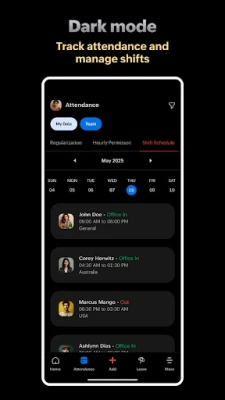
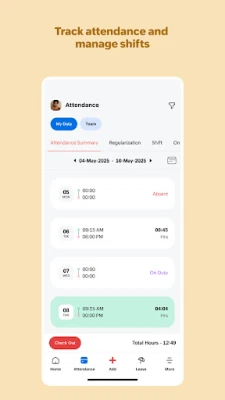
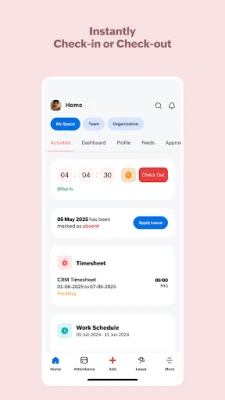
- Attendance tracking – the app records check‑in and check‑out times, supporting remote or field workers.
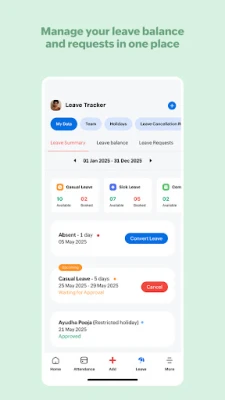
- Leave management – submit, approve, and monitor leave requests, with automatic accrual calculations.
- Performance and goals – set objectives, capture feedback, and conduct appraisals within the same interface.
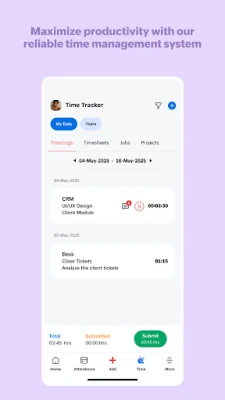
- Time tracking – log billable and non‑billable hours for projects, then generate timesheets for review.
- Case and task management – raise HR queries, track their status, and assign tasks to keep processes moving.
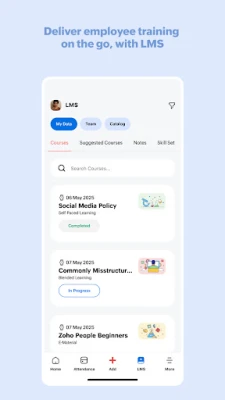
- Learning resources – provide access to training materials and online sessions for employee development.
How it works
After installing the app, users sign in with their existing Zoho People credentials. The dashboard presents a concise view of pending items—such as leave requests awaiting approval or upcoming attendance logs—so users can act quickly. Data entered on the device syncs automatically with the cloud, ensuring that the web portal and mobile app always show the same information.
Practical uses
- HR managers can approve leave, monitor attendance trends, and generate reports without switching to a desktop.
- Team leaders can assign tasks, track project hours, and give performance feedback on the go.
- Employees gain a single place to manage their HR needs, reducing email traffic and paperwork.
Installation information
The app is available for free on the Google Play Store. Search for Zoho People – HR Management or use the package name com.zoho.people to locate it. Installation follows the standard Android process: tap “Install,” grant the requested permissions, and launch the app.
Things to know before installing
- The app requires an active Zoho People subscription for the organization; the mobile client itself is free.
- Internet connectivity is needed for initial sign‑in and for syncing data.
- Permissions requested are limited to those needed for account access, device storage for optional document uploads, and location services for attendance logging.
Who may find it useful?
Small to medium businesses that already use Zoho People, as well as larger enterprises looking for a mobile companion to their HR system, will benefit from the app. It is also helpful for remote teams that need a reliable way to record attendance and manage leave while away from the office.
Frequently asked questions
Do I need a separate Zoho account for the app?
No. Use the same credentials you use for the Zoho People web portal.
Can I access the app offline?
Basic information stored on the device remains available offline, but any changes will sync only when an internet connection is restored.
Is the app compatible with all Android versions?
The app supports the range of Android versions listed on its Play Store page. Check the store listing for the minimum required version.
Rate the App
User Reviews














Popular Apps










 Games
Games Entertainment
 Communication
 E-mail
 Security
 Tools
Tools Media
Media Internet
 Finance
 Design
 Education
 IT Tools
 Travel & Local
 Android
 Windows
 Linux
Linux