

Latest Version
Latest
September 04, 2026
Zoho Corporation
BUSINESS
Android
8
Free
com.zoho.zohoone
Report a Problem
More About Zoho One Admin – Mobile Management for Your Zoho One Organization
What is Zoho One Admin?
Zoho One Admin is a mobile tool from Zoho Corporation that brings core administrative functions of the Zoho One suite to Android phones and tablets. It is designed for IT administrators, team leads, or anyone responsible for overseeing a Zoho One deployment. The app provides a streamlined interface for common tasks such as onboarding new users, reviewing device registrations, and approving application access requests.
Main Features
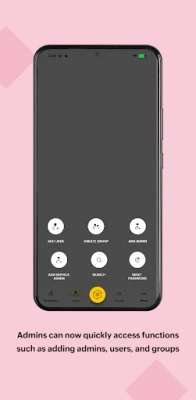
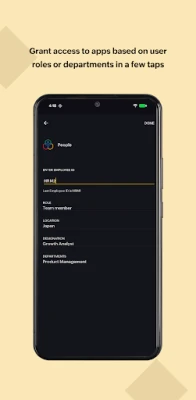
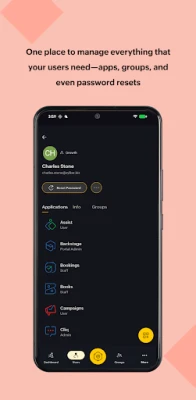
- User onboarding and management – Add new employees, edit profile details, and assign them to the appropriate Zoho apps.
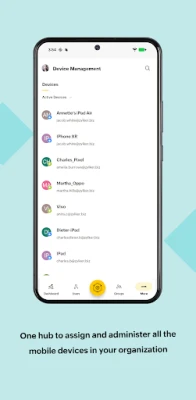
- Device oversight – View a list of devices linked to your organization, see their status, and take actions like revoking access if needed.
- Access request handling – Receive notifications for app or permission requests and approve or deny them on the go.
- Customizable home screen – Rearrange tabs and shortcuts to match the workflow that matters most to you.
How It Works
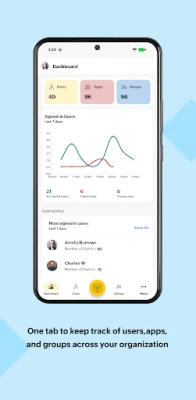
After installing the app, administrators sign in with their Zoho credentials. The home screen presents a dashboard that aggregates recent activity, pending approvals, and quick links to the most frequently used sections. From there, you can navigate to user lists, device inventories, or request queues. All actions performed in the app are synchronized with the cloud, ensuring that changes are reflected across the entire Zoho One environment instantly.
Practical Uses
- Onboard a new hire while traveling, assigning the required apps before the employee’s first day.
- Respond to a sudden surge of device registration requests during a remote‑work rollout.
- Reset a forgotten password or adjust a user’s permissions without needing a desktop computer.
- Monitor compliance by reviewing which devices are active and which have been deactivated.
Installation Information
The app is available for free on the Google Play Store. Search for “Zoho One Admin” or use the package name com.zoho.zohoone to locate it. Installation follows the standard Android process: tap Install, grant the requested permissions, and launch the app.
Things to Know Before Installing
- The app requires a Zoho account with administrative privileges for the Zoho One subscription you wish to manage.
- Internet connectivity is needed for sign‑in and for syncing changes with the Zoho cloud.
- Permissions requested typically relate to device information and network access; they enable the app to display device inventories and communicate securely with Zoho services.
Who May Find It Useful?
Any organization that uses Zoho One and needs a mobile way to keep its admin tasks up to date will benefit. This includes small‑to‑medium businesses, remote teams, and larger enterprises with distributed IT staff.
Frequently Asked Questions
Do I need a separate Zoho One license for the admin app?
No. The app works with the existing Zoho One subscription; it does not require an additional purchase.
Can I manage multiple Zoho One organizations from the same device?
Yes, you can switch between accounts that have administrative rights, provided each account is added separately within the app.
What happens if I lose my device?
Because the app does not store sensitive data locally, you can simply remove the device from the Zoho One admin console using another device or the web portal.
Rate the App
User Reviews












Popular Apps










 Games
Games Entertainment
 Communication
 E-mail
 Security
 Tools
Tools Media
Media Internet
 Finance
 Design
 Education
 IT Tools
 Travel & Local
 Android
 Windows
 Linux
Linux