

Latest Version
Latest
August 14, 2026
Zoho Corporation
BUSINESS
Android
209
Free
com.zoho.meeting
Report a Problem
More About Zoho Meeting – Secure Virtual Meetings
What is Zoho Meeting?
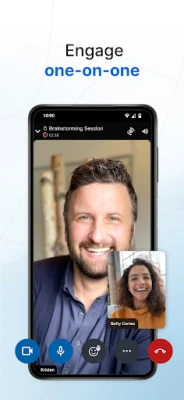
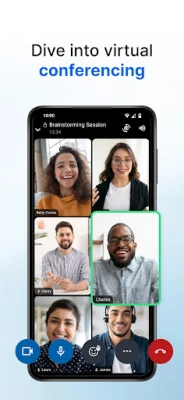
Zoho Meeting is a mobile client for Zoho’s web‑based video‑conferencing platform. It lets you start a meeting, invite participants, and collaborate in real time using your phone’s camera, microphone and screen.
Main capabilities
- Instant or scheduled meetings – Create a meeting on the fly or set a future time and share a link or ID with attendees.
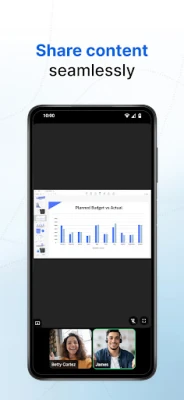
- Video, audio and screen sharing – Switch between front and rear cameras, broadcast your screen, or present a specific app while others watch.
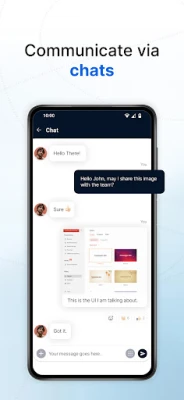
- In‑meeting chat – Send text messages, emojis and files without leaving the conference.
- Participant control – Mute individuals or everyone, lock the room, and add password protection for added privacy.
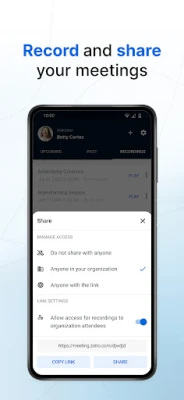
- Recording (host only) – The meeting host can capture video, audio and shared content for later review.
How it works
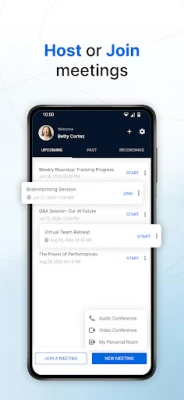
After installing the app, you sign in with your Zoho account (or create one). To start a meeting, tap the “New Meeting” button, set optional parameters such as a password, and send the generated link or meeting ID to participants. Guests can join directly from the link; they do not need to install the app unless they want a richer experience.
During a session, the toolbar lets you toggle video, mute audio, share your screen, or open the chat panel. The host has additional controls for removing participants, locking the room, or starting a recording.
Practical uses
- Team stand‑ups and project updates when members are remote.
- Client presentations that require screen sharing of slides or demos.
- Training sessions or webinars where participants can ask questions via chat or raise a hand.
- Quick ad‑hoc discussions that need no formal scheduling.
Installation and setup
Search for “Zoho Meeting – Meet Virtually” in the Google Play Store, download, and grant the usual permissions for camera, microphone and storage. After launching, follow the on‑screen prompts to log in or register. No additional configuration is required to start using the core features.
Compatibility notes
The app runs on Android devices that support the standard camera, microphone and network APIs. Because it relies on Zoho’s cloud services, an active internet connection (Wi‑Fi or cellular data) is required for all meeting activities.
Who will benefit?
Small businesses, freelancers, educators, and any team that needs a reliable way to meet online without installing heavyweight desktop software will find Zoho Meeting useful. Its mobile‑first design makes it especially handy for users who travel frequently.
Frequently asked questions
Do participants need a Zoho account?
No. Attendees can join using the meeting link or ID without creating an account. Only the host must be signed in.
Can I record a meeting on my phone?
Recording is available to the meeting host. The recorded file is stored in the Zoho cloud and can be shared from the web portal.
Is there a limit on the number of participants?
The app supports large meetings; the exact limit depends on the Zoho plan you are using.
What happens if my connection drops?
The app attempts to reconnect automatically. If reconnection fails, you can re‑enter the meeting using the same link or ID.
Rate the App
User Reviews















Popular Apps










 Games
Games Entertainment
 Communication
 E-mail
 Security
 Tools
Tools Media
Media Internet
 Finance
 Design
 Education
 Android Firmwares
 Travel & Local
 Android
 Windows
 Linux
Linux