

Latest Version
Latest
September 03, 2026
Zoho Corporation
BUSINESS
Android
6
Free
com.zoho.learn
Report a Problem
More About Zoho Learn – Knowledge & Learning Management for Teams
What is Zoho Learn?
Zoho Learn is a cloud‑based platform designed to help organisations capture, organise and deliver internal knowledge and training. It brings together manuals, articles, courses and assessments so that employees can find the information they need and develop new skills without leaving the app.
Main features
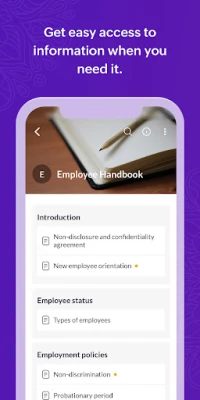
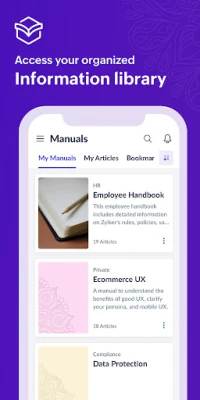
- Structured manuals – Content is grouped into hierarchical manuals, making it easy to browse topics that belong together.
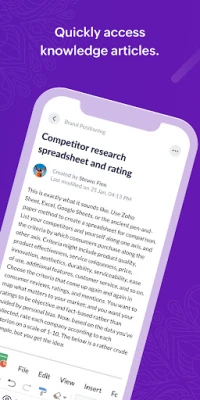
- Article library – Individual articles live within manuals and can be accessed quickly from a mobile device.
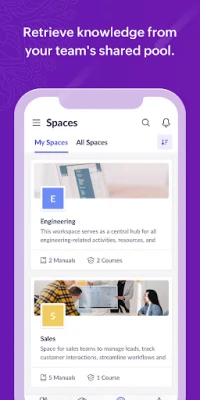
- Spaces for teams – Dedicated spaces let departments or project groups create their own knowledge hubs while still sharing across the organisation.
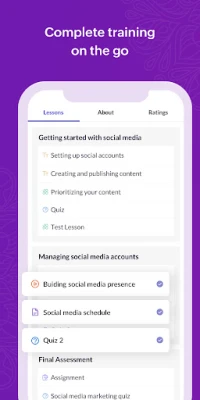
- Course creation and consumption – Instructors can build courses that include lessons, quizzes and assignments; learners can progress at their own pace.
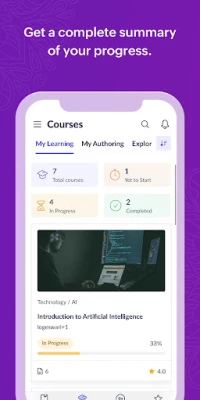
- Assessments and progress tracking – Quizzes and assignments provide immediate feedback, and results can be reviewed to gauge learning outcomes.
- Discussion threads – Learners can start conversations on lesson topics, ask questions and share insights directly with instructors.
How it works
Administrators set up manuals and courses within the web console. Content can be uploaded as text, PDFs or embedded media. Once published, the material syncs to the Android app, where users can browse manuals, read articles, enrol in courses and complete assessments. All interactions are stored in the cloud, so progress is preserved across devices.
Practical uses
- Onboarding new hires with a single source of company policies and procedures.
- Providing product training for sales and support teams.
- Maintaining technical documentation that evolves over time.
- Running compliance courses that require quizzes and certificates.
Installation information
The app is available for free on the Google Play Store. After installing, users sign in with their Zoho account or the credentials provided by their organisation. No additional configuration is required on the device.
Things to know before installing
- The app requires an active internet connection for initial sync and for accessing the latest content.
- All content is managed by the organisation; the app does not host any public library of courses.
- Data usage depends on the amount of media in manuals and courses; consider a Wi‑Fi connection for large downloads.
Who may find it useful?
Zoho Learn is suited for small to medium businesses, educational departments, and any team that needs a centralised place for internal documentation and training. Managers, HR professionals, product trainers and support staff often use it to keep knowledge up‑to‑date and accessible.
Frequently asked questions
Is Zoho Learn free to use?
The Android client is free to download. Access to the full platform depends on the Zoho subscription plan chosen by the organisation.
Can I access content offline?
Articles and courses can be viewed offline after they have been opened once while online, but new or updated material requires a connection.
Does the app support multimedia?
Yes. Manuals and courses can include images, videos and PDFs, which are displayed within the app.
How are assessments graded?
Quizzes are automatically scored, while assignments may be reviewed manually by instructors within the web console.
Rate the App
User Reviews














Popular Apps










 Games
Games Entertainment
 Communication
 E-mail
 Security
 Tools
Tools Media
Media Internet
 Finance
 Design
 Education
 IT Tools
 Travel & Local
 Android
 Windows
 Linux
Linux