Latest Version
September 06, 2026
Zoho Corporation
BUSINESS
Android
9
Free
com.zoho.iot.client
Report a Problem
More About Zoho IoT – Customer Portal
What is Zoho IoT – Customer Portal?
Zoho IoT – Customer Portal is an Android client that lets employees and partners connect to their organization’s Internet of Things (IoT) environment. The app provides a single place to view device status, submit operational data, and receive alerts that are configured by the organization’s administrators.
Main features
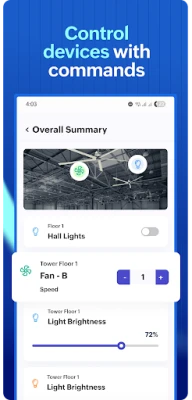
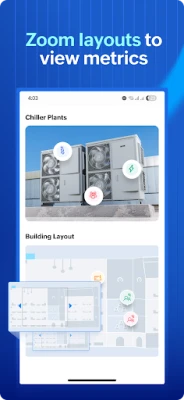
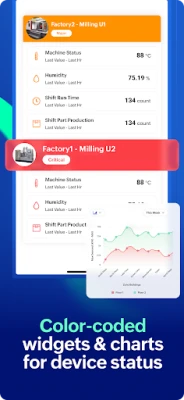
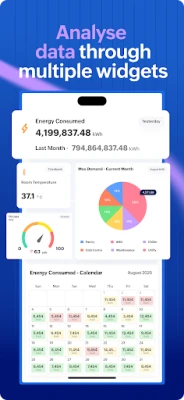
- Role‑based dashboards – Real‑time charts and metrics are displayed according to the user’s role, whether that’s a field technician, quality inspector or manager.
- Report access – Pre‑generated reports can be opened directly on the device, eliminating the need to search through separate systems.
- Custom forms – Users can fill out inspection, maintenance or quality‑check forms that have been set up by the organization.
- Alerts & notifications – Push notifications inform users of critical events such as device failures, threshold breaches or scheduled maintenance.
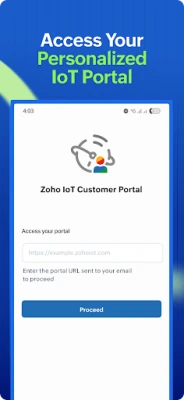
- Secure sign‑in – Access is granted through a unique portal URL and credentials supplied by the organization, ensuring that only authorized personnel can view the data.
How it works
After installing the app, the user enters the organization‑specific portal URL and logs in with the credentials received via email. Once authenticated, the server delivers the dashboard layout, reports and forms that have been assigned to that user’s profile. All data is transmitted over encrypted connections, and the app respects the permission settings defined by the organization’s IoT administrator.
Practical uses
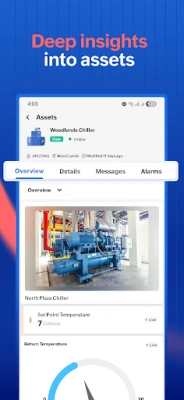
- Field service – Technicians can check device health, record maintenance actions, and receive immediate alerts when a sensor reports an anomaly.
- Quality assurance – Inspectors submit checklists and inspection logs without leaving the site, keeping records synchronized with the central system.
- Operations management – Managers monitor key performance indicators in real time, enabling quick decisions based on up‑to‑date IoT data.
Installation information
The app is distributed as a free download from the Google Play Store. Search for Zoho IoT – Customer Portal or use the package name com.zoho.iot.client to locate it. Installation follows the standard Android process: tap Install, grant any required permissions, and launch the app.
Things to know before installing
- The app does not function as a standalone IoT platform; it requires a pre‑configured portal URL and user credentials supplied by your organization.
- Device compatibility depends on the Android version supported by the organization’s backend. If you encounter login issues, verify that your device meets the minimum Android version required by your IT department.
- All data displayed in the app reflects the configuration set by the organization, so the available dashboards, reports and forms may differ between users.
Who may find it useful?
Any employee who needs quick, secure access to IoT information while away from a desktop computer can benefit from this app. Typical users include field technicians, maintenance crews, quality inspectors, and operational managers who rely on real‑time device data to perform their duties.
Frequently asked questions
Do I need an internet connection?
Yes. The app retrieves dashboards, reports and form definitions from the organization’s server, and it sends completed forms back to the same endpoint.
Can I use the app on multiple devices?
Each device requires its own login credentials. If you need access on more than one device, request additional credentials from your administrator.
What kind of data is stored on the phone?
The app caches only temporary data needed for smooth navigation. Sensitive information remains on the server and is transmitted securely each time you log in.
Is the app compatible with older Android versions?
Compatibility is determined by the organization’s server configuration. If your device runs an older Android release, check with your IT team to confirm support.
Rate the App
User Reviews













Popular Apps










 Games
Games Entertainment
 Communication
 E-mail
 Security
 Tools
Tools Media
Media Internet
 Finance
 Design
 Education
 IT Tools
 Travel & Local
 Android
 Windows
 Linux
Linux