

Latest Version
September 16, 2026
Citrix
BUSINESS
Android
90
Free
com.citrix.mail.droid
Report a Problem
More About Citrix Secure Mail – Enterprise Email on Android
What is Citrix Secure Mail?
Citrix Secure Mail is an Android client designed for business users who need to access corporate email from their mobile devices. It focuses on delivering a reliable, secure experience for Exchange‑based mailboxes while keeping personal data separate.
Main features
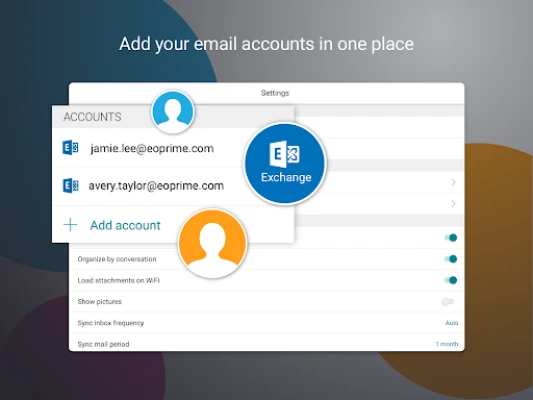
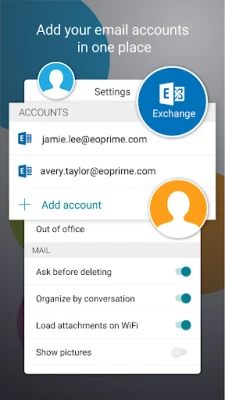
- Multiple Exchange accounts – Add and switch between several corporate accounts without logging out.
- Phishing‑report tool – Quickly flag suspicious messages for your IT team.
- Attachment folder – Attachments are saved to a dedicated location, making them easy to find.
- Samsung DeX support – Use the app on a DeX dock for a desktop‑like layout.
- Single sign‑on (SSO) – Leverage existing corporate credentials for a seamless login.
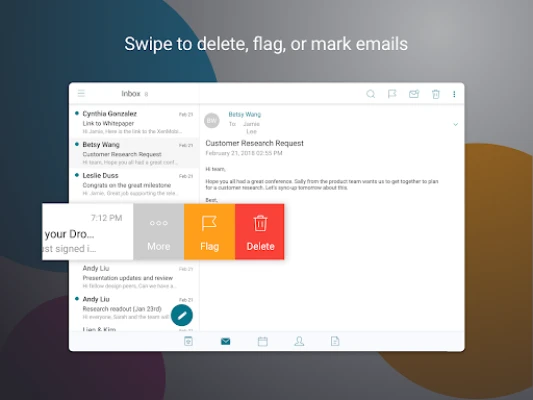
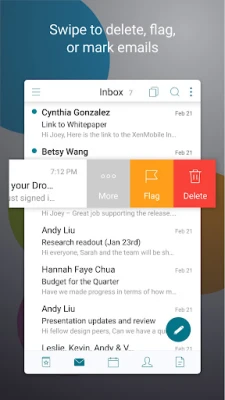
- Triage view – Sort and prioritize messages with a quick‑scan interface.
- Personal contact groups – Organise contacts for faster email composition.
How it works
The app connects directly to Microsoft Exchange Server, Office 365, or IBM Lotus Notes environments using standard protocols. After entering your corporate credentials, the client synchronises mail, calendar entries and contacts. All data is stored in an encrypted container managed by Citrix Endpoint Management, if your organisation uses that service.
Practical uses
Whether you are travelling, working from home, or in a BYOD (bring‑your‑own‑device) scenario, Citrix Secure Mail lets you stay on top of important messages without exposing personal apps to corporate policies. The integration with other Citrix tools such as Citrix Files and Citrix QuickEdit means you can open attachments, edit documents, and share files without leaving the secure environment.
Installation information
The application is offered as a free download from the Google Play Store. Installation follows the standard Android process: tap “Install,” grant the requested permissions, and launch the app. Initial setup requires your corporate email address and password; additional configuration may be handled automatically by your organisation’s mobile device management (MDM) system.
Compatibility and requirements
Citrix Secure Mail runs on Android devices that meet the minimum version required by the underlying Citrix Endpoint Management policies. Because the exact Android version is not published, it is advisable to check with your IT department or try installing on a device running Android 8.0 (Oreo) or later.
Who may find it useful?
- Employees of enterprises that use Microsoft Exchange or Office 365 for email.
- IT administrators who need a mobile client that respects security policies.
- Users who prefer a dedicated work email app separate from personal accounts.
Things to know before installing
- Access may be restricted by your organisation’s MDM solution; you might need to enroll the device first.
- The app stores attachments in a specific folder; ensure you have sufficient storage.
- Some features, such as Samsung DeX support, depend on hardware capabilities.
Frequently asked questions
Do I need a Citrix account to use the app?
No. You only need valid credentials for the supported mail servers (Exchange, Office 365, or Lotus Notes). A Citrix account is only required if your organisation uses Citrix Endpoint Management for policy enforcement.
Can I use the app with personal email services like Gmail?
The client is focused on corporate Exchange‑based services and does not support consumer email providers.
Is my data encrypted?
When managed by Citrix Endpoint Management, the app stores data in an encrypted container. Encryption details follow the policies set by your IT department.
Rate the App
User Reviews















Popular Apps










 Games
Games Entertainment
 Communication
 E-mail
 Security
 Tools
Tools Media
Media Internet
 Finance
 Design
 Education
 Android Firmwares
 Travel & Local
 Android
 Windows
 Linux
Linux