

Latest Version
Latest
August 21, 2026
Zoho Corporation
BUSINESS
Android
112
Free
com.zoho.invoice
Report a Problem
More About Zoho Invoice – Simple Invoicing for Small Businesses
What is Zoho Invoice?
Zoho Invoice is a mobile invoicing solution from Zoho Corporation. Designed for freelancers, contractors, and small businesses, it lets you generate invoices, record expenses, and monitor payments directly from your Android device. The app focuses on ease of use, so you can spend more time on your work and less on paperwork.
Main Features
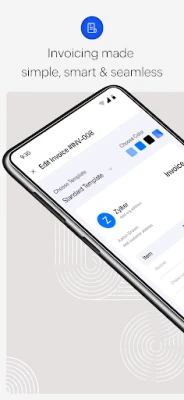
- Invoice creation – Build clean, printable invoices in a few taps. Add client details, line items, taxes, and discounts.
- Expense tracking – Log business expenses, attach photos of receipts, and categorize spending for later reference.
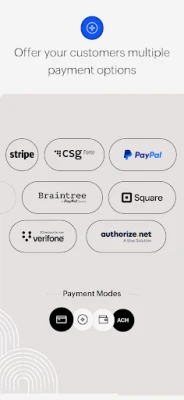
- Payment options – Offer customers multiple ways to pay, including credit/debit cards and bank transfers.
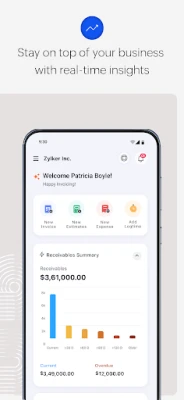
- Reports and dashboards – View summary charts that show outstanding balances, total revenue, and expense breakdowns.
- Client portal – Give clients a secure space to view, approve, or pay invoices without leaving the app.
- Project time‑tracking – Record billable hours on projects and convert them into invoices.
How It Works
After installing the app, you create a profile for your business by entering basic information such as your company name, logo, and preferred currency. From there, you can add clients manually or import them from contacts. When you need to bill a client, select the client, add the services or products you provided, set any applicable taxes, and preview the invoice. The app can send the invoice via email or generate a PDF that you can share through any messaging app.
Expenses are captured by tapping the expense button, selecting a category, entering the amount, and optionally attaching a photo of the receipt. All entries are stored locally and synced with Zoho’s cloud service, allowing you to access the data from other devices or the web dashboard.
Practical Uses
- Freelancers who need to invoice clients after each project.
- Small service businesses such as consultants, designers, or repair technicians.
- Teams that bill hourly work and want to track time directly on the phone.
- Anyone who wants a quick way to record business expenses while on the go.
Installation Information
The app is available for free on the Google Play Store. Installation requires standard Android permissions for storage (to save PDFs) and network access (to sync data). No additional purchase is needed to start creating invoices.
Things to Know Before Installing
- While the core invoicing functions are free, some advanced integrations with other Zoho services may require a separate subscription.
- Data is stored in Zoho’s cloud; an internet connection is needed for backup and multi‑device sync.
- The app does not replace a full accounting system but works well as a lightweight invoicing and expense tool.
Who May Find It Useful?
Entrepreneurs, independent contractors, and small teams that need a straightforward way to bill clients and keep track of expenses will benefit most from Zoho Invoice. The interface is simple enough for users without accounting background, yet it provides enough detail for professionals who need accurate records.
Frequently Asked Questions
Is Zoho Invoice free to use?
Yes, the mobile app can be downloaded and used without charge. Certain premium features or integrations may require a paid Zoho plan.
Can I customize the look of my invoices?
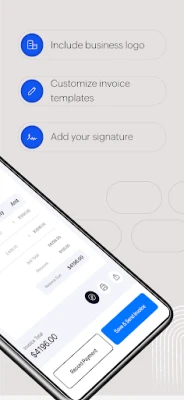
Yes, you can add your logo, choose a template style, and adjust basic formatting such as font size and colors.
How are payments collected?
The app supports common online payment methods. When you send an invoice, a payment link is included, allowing clients to pay directly from the email or portal.
Is my data secure?
Zoho uses standard encryption for data transmission and storage. Your invoices and expense records are synced to Zoho’s secure servers.
Rate the App
User Reviews















Popular Apps










 Games
 Entertainment
 Communication
 E-mail
 Security
 Tools
 Media
 Internet
 Finance
 Design
 Education
 Android Firmwares
 Travel & Local
 Android
 Windows
 Linux