Latest Version
September 06, 2026
Zoho Corporation
BUSINESS
Android
11
Free
com.zoho.crm.analyticsstudio
Report a Problem
More About Zoho CRM Analytics – Mobile Business Intelligence
What is Zoho CRM Analytics?
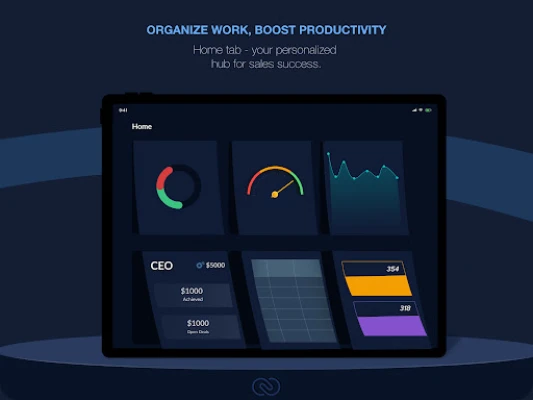
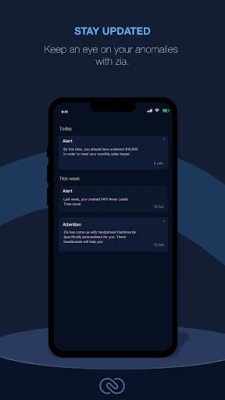
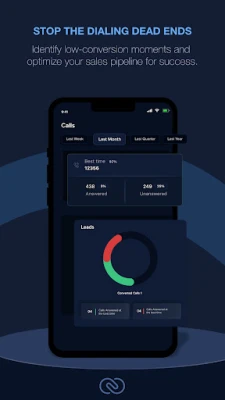
Zoho CRM Analytics is a mobile extension of Zoho’s cloud‑based CRM platform. It lets users open the dashboards, reports and visualisations they have built in the web version directly on an Android device. The app is intended for sales teams, managers and analysts who need to stay informed about their pipeline, performance indicators and customer interactions without being tied to a desktop.
Main features
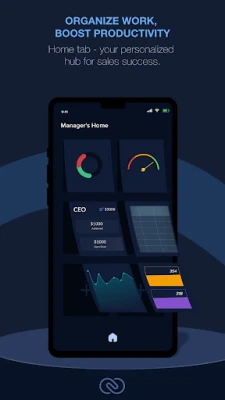
- Dashboard view – A compact, touch‑friendly layout that shows the most important widgets and charts in one screen.
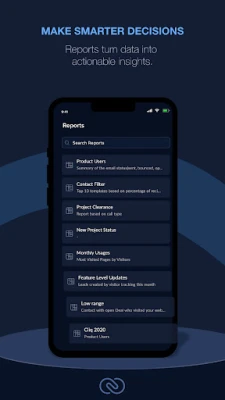
- Interactive reports – Tap to drill down into details, apply filters and explore data in real time.
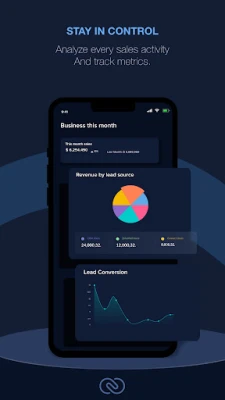
- Custom widgets – Add the charts that matter most to you, such as sales‑by‑region, lead conversion rates or activity trends.
- Offline access (limited) – The last‑synced data remains viewable when the device is temporarily offline.
- Secure login – Uses the same authentication mechanisms as the Zoho CRM web service, including two‑factor authentication if enabled.
How it works
After installing the app, you sign in with the same credentials you use for Zoho CRM. The app synchronises with your cloud account and pulls the dashboards and reports that you have permission to see. Because the data lives in Zoho’s servers, the mobile app does not store any business data locally beyond the temporary cache needed for offline viewing.
Practical uses
- Check daily sales figures before a client meeting.
- Monitor lead conversion trends while traveling.
- Review team performance metrics during a field visit.
- Identify spikes in support tickets or opportunities in real time.
Installation information
The application is available for free from the Google Play Store. Search for the package name com.zoho.crm.analyticsstudio or the title “Zoho CRM Analytics”. Tap Install and wait for the download to complete. The app requires an internet connection for the initial sync and for most interactions.
Things to know before installing
- The app does not replace the full Zoho CRM web interface; it is focused on viewing and light interaction with existing reports.
- All data displayed is subject to the permissions set in your Zoho CRM account.
- Performance depends on the speed of your mobile data or Wi‑Fi connection.
Who may find it useful?
Sales representatives who spend time away from the office, regional managers overseeing multiple teams, and analysts who need quick access to visual data can all benefit from the mobile experience. The app is also handy for executives who want a high‑level snapshot of key metrics during travel.
Frequently asked questions
Do I need a separate Zoho CRM license?
No. The app uses the same subscription you already have for Zoho CRM. Access to specific dashboards depends on the permissions granted to your user account.
Can I edit reports from the mobile app?
The mobile version is primarily for viewing and filtering. Creating new reports or modifying existing ones must be done through the web interface.
Is my data secure?
All communication between the app and Zoho’s servers is encrypted using standard HTTPS protocols. The app respects the security settings configured in your Zoho account, including two‑factor authentication.
What Android versions are supported?
The app runs on devices that meet the minimum requirements defined by the Google Play Store. Specific version numbers are not published, but the app is compatible with recent Android releases.
Rate the App
User Reviews












Popular Apps










 Games
Games Entertainment
 Communication
 E-mail
 Security
 Tools
Tools Media
Media Internet
 Finance
 Design
 Education
 IT Tools
 Travel & Local
 Android
 Windows
 Linux
Linux