
Latest Version
Latest
August 29, 2026
Zoho Corporation
BUSINESS
Android
124
Free
com.zoho.creator.portal
Report a Problem
More About Zoho Creator Portal – Access Your Custom Apps on the Go
What is Zoho Creator Portal?
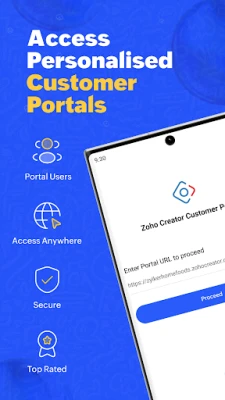
Zoho Creator Portal is a mobile client that lets you connect to the customer portals you have set up in Zoho Creator. It provides a streamlined way to interact with the custom applications you or your organization have built, without needing a desktop browser.
Main features
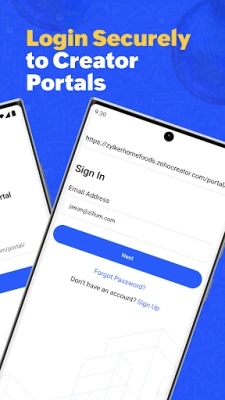
- Secure login – Sign in with the same credentials you use for your Zoho Creator portal.
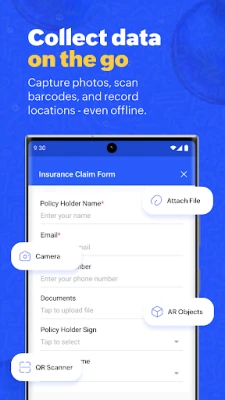
- Form access – Open any form that has been shared with you, fill in new records, and submit them instantly.
- Record management – View, edit, or delete the entries you have created. Bulk actions let you modify several records at once.
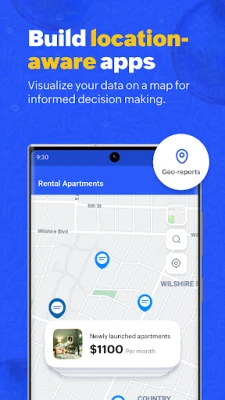
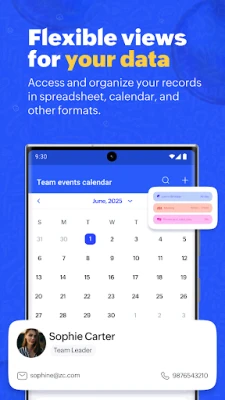
- Report and page browsing – Navigate through reports, dashboards, and custom pages that are part of the portal.
- Search and filter – Quickly locate specific records using built‑in search, filter, grouping, and sorting tools.
- Custom actions – Trigger any custom actions that have been defined in the portal, such as sending notifications or running workflows.
How it works
After installing the app, you enter your portal URL and credentials. The app establishes a secure connection to Zoho’s servers and retrieves the list of applications and data you are authorized to see. From there, the interface mirrors the layout of the web portal, allowing you to interact with forms and reports as if you were on a desktop.
Practical uses
- Field staff can submit data directly from the site, reducing the need for later data entry.
- Managers can review real‑time reports while traveling.
- Teams can collaborate on shared records, making updates on the move.
Installation information
Search for "Zoho Creator Portal" in the Google Play Store, tap Install, and grant the permissions required for network access. The app is free to download and use.
Things to know before installing
- You need an existing Zoho Creator customer portal; the app does not create portals.
- Access to specific forms and reports depends on the permissions set by your portal administrator.
- An active internet connection is required for data synchronization.
Who may find it useful?
Anyone who regularly works with custom Zoho Creator applications—sales teams, field technicians, project managers, and administrators—will benefit from the ability to interact with their data from an Android device.
Frequently asked questions
Do I need a Zoho account?
Yes. The app uses the same login credentials as the web portal.
Can I use the app offline?
The app requires an internet connection to fetch and submit data. Offline capabilities are not provided.
Is my data secure?
All communication between the app and Zoho servers is encrypted using standard HTTPS protocols.
Rate the App
User Reviews















Popular Apps










 Games
 Entertainment
 Communication
 E-mail
 Security
 Tools
 Media
 Internet
 Finance
 Design
 Education
 Android Firmwares
 Travel & Local
 Android
 Windows
 Linux