

Latest Version
Latest
September 05, 2026
Zoho Corporation
BUSINESS
Android
11
Free
com.zoho.creator.onpremise
Report a Problem
More About Zoho Creator On-premise – Build and Run Custom Apps on Your Own Servers
What is Zoho Creator On-premise?
Zoho Creator On-premise is a platform that lets organizations design and run custom applications while keeping all data inside their own data centers. It combines the low‑code development approach of Zoho Creator with the control of an on‑site deployment, helping businesses meet internal data‑privacy policies.
Main capabilities
- Low‑code app builder: Drag‑and‑drop components let users create forms, workflows, and dashboards without extensive coding.
- Data residency: All information is stored on the organization’s servers, giving full ownership and compliance with local regulations.
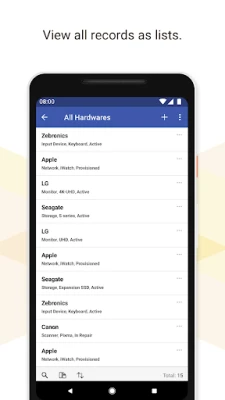
- Device access: Built apps can be accessed from Android devices, allowing field staff to capture and view data on the go.
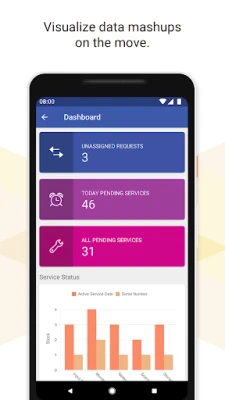
- Reporting and analytics: Generate basic reports and visualizations from the collected data directly within the app.
- Native gestures: Interact with apps using familiar touch gestures supported by Android.
How it works
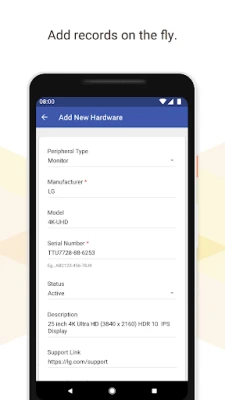
Administrators install the Zoho Creator On-premise runtime on their own servers. Using a web‑based designer, they assemble applications by selecting data fields, defining business rules, and arranging UI elements. Once published, the apps are served to Android devices through a secure connection, where users can create, edit, and review records.
Practical uses
- Field service teams logging service calls and equipment status.
- HR departments tracking employee onboarding or leave requests.
- Inventory managers recording stock movements without exposing data to external clouds.
- Compliance officers gathering audit evidence while keeping records on‑premise.
Installation information
The Android client is available as a free download. After installing, users sign in with credentials provided by their organization’s Zoho Creator On-premise instance. No additional configuration is required on the device beyond an internet or intranet connection to the server.
Things to know before installing
- The app requires network access to the organization’s on‑premise server; offline functionality is limited.
- Device compatibility depends on the server’s supported protocols; typical Android smartphones and tablets are supported.
- Since the platform is free, there are no purchase costs, but the organization must manage its own server licensing and maintenance.
Who may find it useful?
Businesses that need to keep sensitive data within their own infrastructure—such as finance, healthcare, or government agencies—can benefit from Zoho Creator On-premise. It also suits companies that already use Zoho’s cloud services and want a hybrid approach for specific applications.
Frequently asked questions
Is any programming required?
No. The platform is designed for users with minimal coding experience, though developers can add custom scripts for advanced logic.
Can I share apps with external partners?
Sharing is possible only if the external party can connect to the organization’s on‑premise server and has appropriate user permissions.
Is the Android client secure?
Security depends on the organization’s server configuration and network policies. The client itself uses standard HTTPS connections for data transmission.
Rate the App
User Reviews















Popular Apps










 Games
Games Entertainment
 Communication
 E-mail
 Security
 Tools
Tools Media
Media Internet
 Finance
 Design
 Education
 IT Tools
 Travel & Local
 Android
 Windows
 Linux
Linux