

Latest Version
Latest
August 28, 2026
Zoho Corporation
BUSINESS
Android
225
Free
com.zoho.creator.a
Report a Problem
More About Zoho Creator: Low‑code Platform – Build and Run Apps on Android
What is Zoho Creator?
Zoho Creator is a low‑code development platform that lets individuals and teams design custom applications without writing extensive code. The Android app extends this capability to mobile devices, allowing you to access, modify, and visualize the data stored in the apps you build or install.
Main features
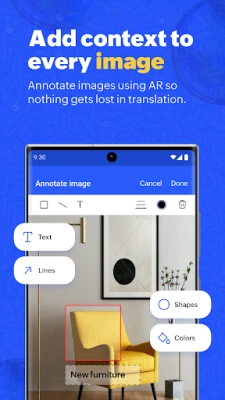
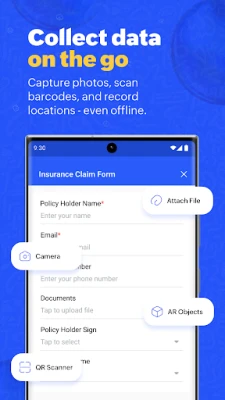
- Data entry on the go – Use forms to capture text, images, video, or scan barcodes and QR codes directly from your phone.
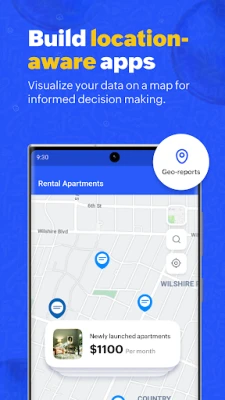
- Location awareness – Geo‑tagging and geo‑location fields let you attach a map coordinate to records, useful for field‑service tasks.
- Visual reports – View data through Kanban boards, charts, or map‑based reports that update in real time.
- Dashboards – Consolidate key metrics in a single view to monitor business performance while away from the desk.
- Push notifications – Receive alerts when records are updated, when approvals are needed, or when scheduled events occur.
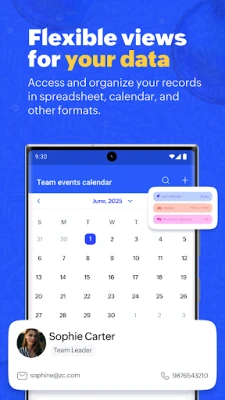
- Calendar and timeline – Track events, tasks, and deadlines using built‑in calendar and timeline reports.
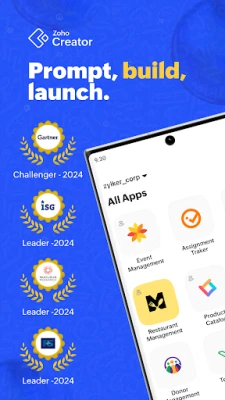
- App gallery – Choose from a collection of pre‑built, industry‑specific apps that can be installed with a few taps.
How it works
After installing the app, you sign in with your Zoho account. Once logged in, any apps you have created or added from the gallery appear in a list. Selecting an app opens its forms, reports, and dashboards exactly as they are configured on the web version. Changes you make on the device sync back to the cloud, ensuring that all collaborators see the latest information.
Practical uses
- Field service – Technicians can log service calls, attach photos of completed work, and capture customer signatures without returning to an office computer.
- Inventory management – Warehouse staff can scan barcodes to update stock levels, record locations, and generate real‑time inventory reports.
- Sales tracking – Sales reps can enter leads, update opportunity stages, and view pipeline charts while traveling.
- Project coordination – Teams can assign tasks, monitor progress on Kanban boards, and receive notifications when milestones are reached.
Installation information
The app is available for free on the Google Play Store. Search for “Zoho Creator” or use the package name com.zoho.creator.a to locate it. Tap Install, wait for the download to complete, and then open the app to begin the sign‑in process.
Things to know before installing
- You need an active Zoho account; the app does not provide a standalone account creation flow.
- Internet connectivity is required for initial sign‑in and for syncing data. Some offline access is possible for forms, but full functionality depends on a network connection.
- The app respects the permissions it requests, such as camera access for scanning and location services for geo‑tagging. Review these permissions during installation.
Who may find it useful?
Small‑to‑medium businesses, field teams, and anyone who needs a quick way to capture and view structured data on a mobile device will benefit from Zoho Creator. Developers who prefer a visual, drag‑and‑drop interface for building apps also appreciate the seamless transition from desktop to mobile.
Frequently asked questions
Do I need a paid Zoho subscription?
The Android client itself is free, but access to Zoho Creator’s full feature set depends on the plan you have with Zoho. A free tier is available for limited usage.
Can I create new apps directly on the phone?
App creation is primarily done through the web interface. The mobile app focuses on using and managing existing apps, though you can edit records and trigger workflows.
Is my data secure?
Data is stored in Zoho’s cloud infrastructure and transmitted over encrypted connections. Security settings are managed through your Zoho account.
Rate the App
User Reviews















Popular Apps










 Games
 Entertainment
 Communication
 E-mail
 Security
 Tools
 Media
 Internet
 Finance
 Design
 Education
 Android Firmwares
 Travel & Local
 Android
 Windows
 Linux