

Latest Version
August 21, 2026
Zoho Corporation
BUSINESS
Android
132
Free
com.zoho.creator.a.intune
Report a Problem
More About Zoho Creator Intune – Build and Manage Custom Business Apps
What is Zoho Creator Intune?
Zoho Creator Intune is the Android client for Zoho’s low‑code application development platform, packaged with Microsoft Intune SDK support. It lets users run custom‑built business apps on their mobile devices, while the Intune integration provides enterprise‑grade security features such as app locking and screenshot protection.
Main capabilities
- Low‑code app execution – Run any Zoho Creator app that your organization has built, without needing to write native Android code.
- Secure data handling – Intune‑based controls help keep corporate data safe, including optional app lock and restriction of screen captures.
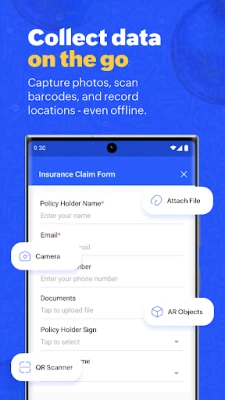
- Rich data entry – Forms support a variety of field types, image and video capture, barcode/QR scanning, and location tagging.
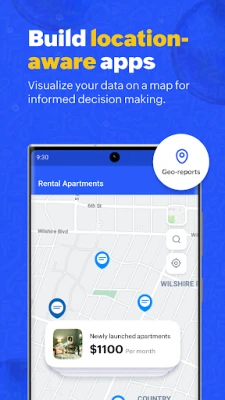
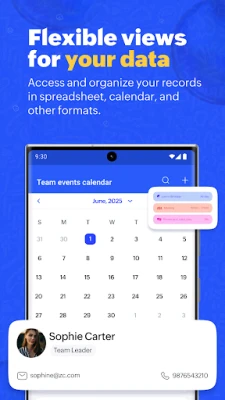
- Real‑time dashboards – View interactive charts, kanban boards, maps and other visual reports directly on the device.
- Offline capability – Work without an internet connection; changes sync automatically when connectivity returns.
- Push notifications – Receive timely alerts for updates, approvals or other workflow events.
How it works
After installing the app, users sign in with their Zoho credentials. The app then pulls the list of Creator applications that the user is authorized to access. Each app runs inside a secure container managed by Intune, which enforces policies defined by the organization’s IT admin. Data entered on the device is stored locally until a network connection is available, at which point it synchronizes with Zoho’s cloud services.
Practical uses
Because the platform is low‑code, businesses can create apps for a wide range of processes, such as:
- Employee onboarding and HR record‑keeping.
- Field service ticketing and asset tracking.
- Inventory management with barcode scanning.
- Customer appointment scheduling.
- Expense reporting with photo receipts.
Any workflow that benefits from mobile data capture and instant reporting can be built and deployed through Zoho Creator Intune.
Installation information
The app is available as a free download from the Google Play Store. No additional purchase is required to run apps that your organization has already created. Installation follows the standard Android process: tap Install, grant any permissions requested during first launch, and sign in with your Zoho account.
Things to know before installing
- The app relies on Microsoft Intune policies; your organization must have Intune configured for the device to use the security features.
- Access to specific Creator applications depends on the permissions assigned by your Zoho admin.
- Internet connectivity is needed for initial sign‑in and for synchronizing data, though offline work is supported.
Who may find it useful?
IT administrators seeking a managed mobile solution for custom business apps, line‑of‑business users who need to collect data on the go, and developers who want to deliver low‑code solutions without building native Android code will all benefit from Zoho Creator Intune.
Frequently asked questions
Do I need a separate Zoho Creator license?
The Android client itself is free, but access to specific Creator apps depends on the licensing arrangement your organization has with Zoho.
Can the app be used on personal devices?
Yes, provided the device is enrolled in Microsoft Intune and meets any security requirements set by your IT department.
What happens to data if I uninstall the app?
All data is stored in Zoho’s cloud. Uninstalling the client removes only the local cache; your information remains accessible when you reinstall and sign in again.
Rate the App
User Reviews















Popular Apps










 Games
 Entertainment
 Communication
 E-mail
 Security
 Tools
 Media
 Internet
 Finance
 Design
 Education
 Android Firmwares
 Travel & Local
 Android
 Windows
 Linux