Latest Version
Latest
August 13, 2026
Zoho Corporation
BUSINESS
Android
222
Free
com.zoho.campaigns
Report a Problem
More About Zoho Campaigns – Email Marketing for Android
What is Zoho Campaigns?
Zoho Campaigns is the Android extension of Zoho Corporation's email marketing service. It lets you manage newsletters, promotional mailings and automated messages directly from your smartphone or tablet, giving you flexibility to stay connected with your audience wherever you are.
Main features
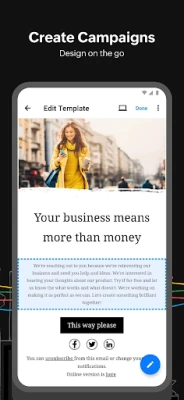
- Campaign creation – Choose from a variety of ready‑made templates or start from scratch to design professional‑looking emails.
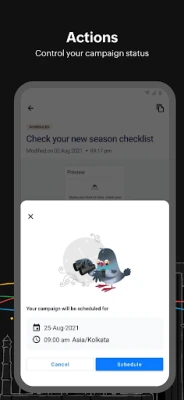
- Scheduling – Set a future send time, adjust for time zones or pause and resume campaigns as needed.
- Contact management – Import and organize your subscriber lists, with bulk import options for larger address books.
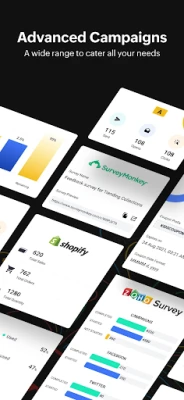
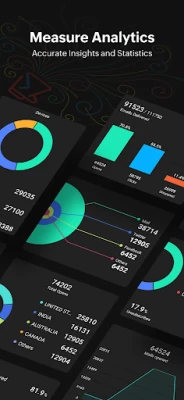
- Performance tracking – View open rates, click‑through statistics and other key metrics through built‑in charts.
- Multi‑device support – Optimized layouts for phones and tablets ensure a comfortable editing experience on larger screens.
- Dark mode – Switch to a dark theme to reduce eye strain during extended use.
How it works
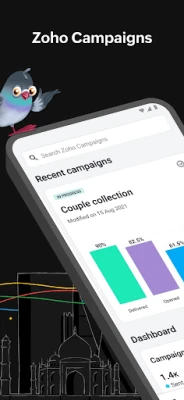
After installing the app, you sign in with your Zoho account. The dashboard presents an overview of recent campaigns and quick actions for creating a new mailing. When you start a campaign, you can select a template, edit text and images, and define the recipient list. The scheduling screen lets you pick an exact date and time, or send the campaign immediately. Once a campaign is sent, the app gathers engagement data and displays it in easy‑to‑read charts, helping you assess the effectiveness of each mailing.
Practical uses
- Small businesses can launch promotional offers while attending a trade show.
- Non‑profits can send updates to donors without needing a desktop.
- Marketing teams can monitor real‑time performance during a product launch.
Installation information
The app is available for free on the Google Play Store. Search for the package name com.zoho.campaigns or the title “Zoho Campaigns – Email Marketing” and tap Install. The download size is modest, and the app requires a standard Android environment; specific version requirements are not listed, so it should run on most modern devices.
Things to know before installing
- You need an existing Zoho Campaigns account; the app does not create a new account on its own.
- Internet connectivity is required for sending emails and syncing statistics.
- All data is stored in Zoho’s cloud services, so privacy is governed by Zoho’s privacy policy.
Who may find it useful?
Anyone who already uses Zoho’s email marketing platform and wants mobile access will benefit. This includes small‑to‑medium business owners, marketers, event organizers and community managers who need to launch or adjust campaigns while away from a computer.
Frequently asked questions
Do I need a paid Zoho subscription to use the app?
The Android app itself is free, but access to Zoho Campaigns features depends on the plan you have with Zoho.
Can I edit a campaign after it has been sent?
Once a campaign is dispatched, you can’t modify its content, but you can pause or cancel a scheduled campaign before it goes out.
Is there support for multiple languages?
The app follows the language settings of your device, offering the interface in the languages supported by Zoho’s platform.
Rate the App
User Reviews















Popular Apps










 Games
Games Entertainment
 Communication
 E-mail
 Security
 Tools
Tools Media
Media Internet
 Finance
 Design
 Education
 Android Firmwares
 Travel & Local
 Android
 Windows
 Linux
Linux