

Latest Version
Latest
September 12, 2026
Workvivo
BUSINESS
Android
4
Free
com.workvivo.android
Report a Problem
More About Workvivo – Employee Engagement & Communication
What is Workvivo?
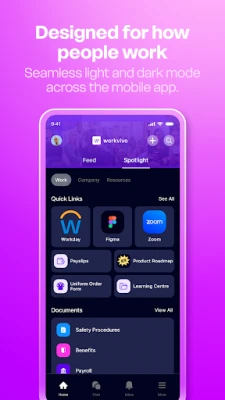
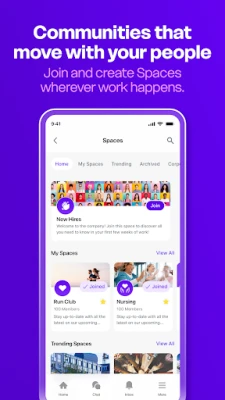
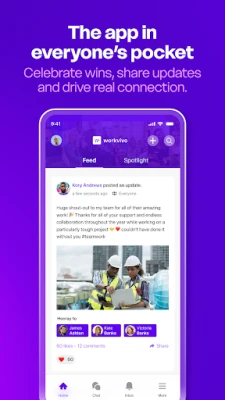
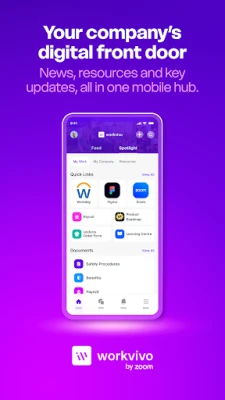
Workvivo is a mobile platform designed to help organisations keep their workforce informed and engaged. It provides a central hub where employees can view company updates, share content, recognise peers and participate in quick surveys that capture the overall mood of the team.
Main features
- Company feed – A scrolling feed shows announcements, project highlights and multimedia posts from across the organisation.
- Content sharing – Users can create posts with text, photos or short videos to celebrate milestones or share ideas.
- Goal tagging – Activities can be linked to specific corporate objectives, making it easier to see how everyday work contributes to larger targets.
- Peer recognition – A built‑in shout‑out function lets colleagues acknowledge each other’s contributions publicly.
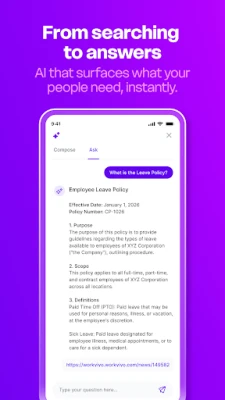
- People directory – A searchable directory provides basic profile information, helping employees discover who does what within the company.
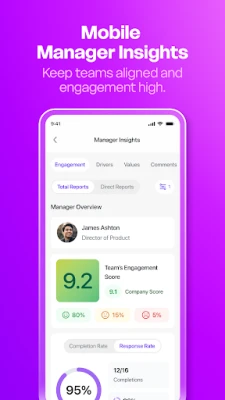
- Pulse surveys – Short, recurring surveys give leadership a real‑time sense of employee sentiment.
How it works
After installing the app, users sign in with their corporate credentials. The home screen presents the latest items from the company feed, and a navigation bar gives quick access to the directory, recognition tools and survey sections. Posting is straightforward: tap the compose button, add text and optional media, then choose any relevant goal tags before publishing. Notifications alert users to new shout‑outs, survey invitations and important announcements.
Practical uses
- Keeping remote teams aligned by delivering the same news that appears on the intranet.
- Celebrating achievements in real time, which can boost morale and reinforce desired behaviours.
- Providing a quick way for managers to gauge employee sentiment without lengthy questionnaires.
- Helping new hires discover colleagues and understand organisational structure through the directory.
Installation information
The app is available through the Google Play Store. Search for Workvivo or use the package name com.workvivo.android. Installation follows the standard Android process: tap Install, grant any required permissions, and open the app once the download completes.
Things to know before installing
- The app requires a Google Play Services‑enabled device running a supported version of Android. Specific version requirements are defined by the developer.
- Because the app connects to corporate systems, an active internet connection is needed for most features.
- Access to the internal directory and certain content may be limited by the organisation’s permission settings.
Who may find it useful?
Workvivo is suited for companies of any size that want a mobile‑first way to share updates, recognise staff and collect quick feedback. HR teams, internal communications specialists and line managers often use the app to reinforce culture and keep teams aligned.
Frequently asked questions
Do I need a separate account?
No. Users log in with their existing corporate credentials, which are verified by the organisation’s identity provider.
Can I use Workvivo on a personal device?
Yes, as long as the device meets the Android version requirements and the user has permission from their employer to access corporate data.
Is there a cost to use the app?
The app itself is free to download. Any subscription or licensing fees are managed by the employing organisation.
Rate the App
User Reviews














Popular Apps










 Games
Games Entertainment
 Communication
 E-mail
 Security
 Tools
Tools Media
Media Internet
 Finance
 Design
 Education
 IT Tools
 Travel & Local
 Android
 Windows
 Linux
Linux