
Latest Version
Latest
August 23, 2026
Meta Platforms, Inc.
BUSINESS
Android
126
Free
com.facebook.work
Report a Problem
More About Workplace from Meta – Secure Business Communication
What is Workplace from Meta?
Workplace from Meta is a communication and collaboration platform designed for organizations of all sizes. It brings familiar social‑media‑style interactions into a professional setting, allowing employees to stay informed, discuss projects, and share content in a secure environment.
Main Features
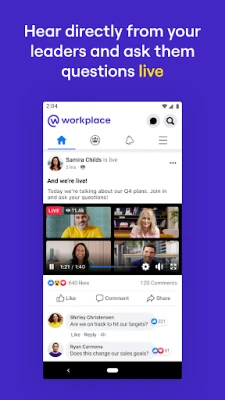
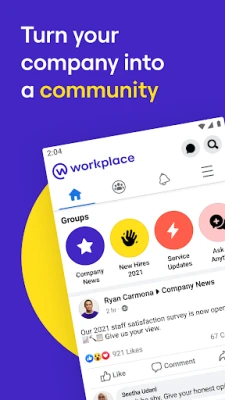
- News Feed – A centralized stream where company announcements, project updates, and relevant content appear in real time.
- Groups – Public or private groups let teams organize discussions around topics, departments, or initiatives.
- Chat & Messaging – One‑to‑one and group chats support text, emojis, file attachments, and quick reactions.
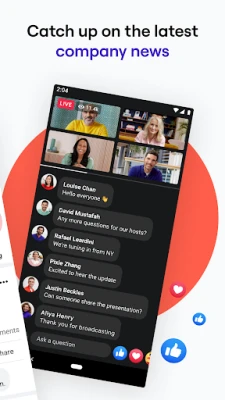
- Video Calls – Integrated video conferencing enables face‑to‑face meetings without leaving the app.
- File Sharing – Users can upload documents, images, and other files directly into conversations or groups.
- Integration Options – Workplace can connect with common productivity tools, allowing information to flow between platforms.
How It Works
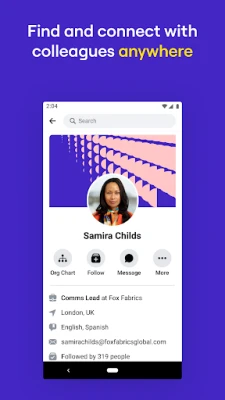
After installing the app, users sign in with their corporate credentials. The interface mirrors familiar social networking layouts: a feed at the top, navigation tabs for groups, chats, and notifications, and a profile section for personal settings. Content is organized by relevance and the groups a user belongs to, making it easy to find the information that matters most.
Practical Uses
- Distribute company‑wide announcements quickly.
- Facilitate cross‑functional project discussions.
- Host virtual town halls or training sessions.
- Share files and collaborate on documents in real time.
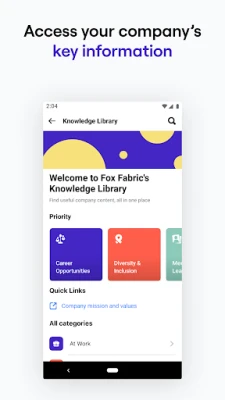
- Maintain a searchable archive of conversations and shared resources.
Installation Information
The app is available through the Google Play Store. Search for “Workplace from Meta” and tap Install. Once installed, launch the app and follow the on‑screen prompts to log in with your organization’s credentials.
Compatibility
Workplace from Meta runs on Android devices that meet the minimum system requirements set by the developer. Specific version numbers are not disclosed, but the app is regularly updated to support recent Android releases.
Things to Know Before Installing
- Access requires an account provided by your organization; the app cannot be used without proper credentials.
- Data is stored and managed according to your company’s policies and Meta’s enterprise security standards.
- Push notifications can be customized in the app settings to control the flow of alerts.
Who May Find It Useful?
Any business or nonprofit that needs a centralized, secure channel for internal communication can benefit from Workplace. It is especially helpful for distributed teams, remote workers, and organizations that value a social‑media‑like experience within a professional context.
Frequently Asked Questions
Do I need a Meta account to use Workplace?
No. Workplace uses separate enterprise credentials managed by your organization.
Can I use Workplace on devices other than Android?
Yes. Workplace is also available for iOS, web browsers, and desktop operating systems.
Is my data private?
Workplace follows enterprise‑grade security practices. Data handling is governed by your organization’s policies and Meta’s compliance frameworks.
Rate the App
User Reviews















Popular Apps










 Games
 Entertainment
 Communication
 E-mail
 Security
 Tools
 Media
 Internet
 Finance
 Design
 Education
 Android Firmwares
 Travel & Local
 Android
 Windows
 Linux