

Latest Version
Latest
September 19, 2026
Workday, Inc.
BUSINESS
Android
11
Free
com.workday.workdroidapp
Report a Problem
More About Workday Mobile App – Manage Your Workday Tasks on Android
What is Workday?
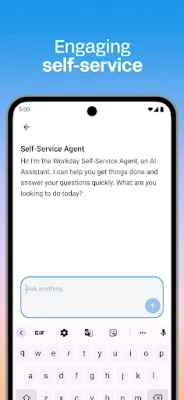
Workday is a free Android application developed by Workday, Inc. that consolidates a range of workplace functions into a single mobile interface. It is designed for employees and managers who need quick, on‑the‑go access to HR, payroll, time‑tracking and internal communication tools.
Key capabilities
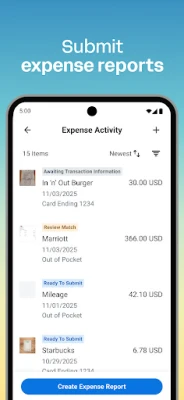
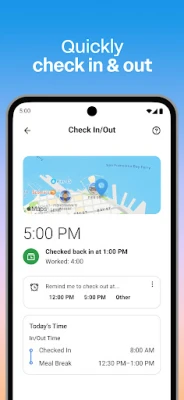
- Time and attendance: Check in and out of work, submit timesheets and expense reports.
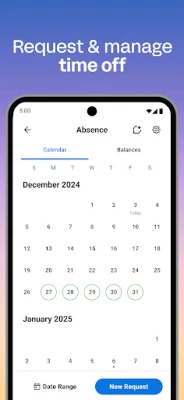
- Leave management: Request time off and receive push‑notification reminders about pending approvals.
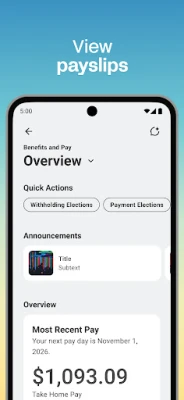
- Compensation insight: View payslips and payroll details directly in the app.
- Team interaction: Browse teammate profiles, discover internal gigs or job openings, and watch training videos.
- Manager tools: Approve employee requests, adjust roles, manage payroll changes, conduct performance reviews, and explore interactive reports.
How it works
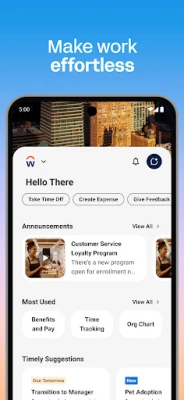
The app presents a clean, intuitive layout that groups related actions together, making it easy to locate the function you need. Push notifications keep you informed about upcoming deadlines or approvals, reducing the chance of missed tasks.
Installation and compatibility
Workday is listed as a free app on the Google Play Store under the package name com.workday.workdroidapp. No specific Android version, size or additional requirements are disclosed in the available data, so prospective users should refer to the Play Store listing for the latest compatibility details.
Considerations before installing
- Access to corporate data means the app relies on your organization’s Workday instance; you will need valid login credentials provided by your employer.
- The app uses biometric authentication and cloud‑based storage to protect information, but you should verify your organization’s security policies before linking personal devices.
Frequently asked questions
Do I need a Workday account to use the app?
Yes. The app connects to your employer’s Workday system, so a valid corporate account is required.
Can managers perform HR actions from the mobile app?
Managers can approve requests, adjust roles, manage payroll changes, conduct performance reviews and view team reports directly within the app.
Is the app free?
The application is offered at no cost to end users; however, any subscription or licensing fees are managed by the employing organization, not the individual.
How does the app keep my data secure?
Workday employs biometric authentication and stores data in the cloud rather than on the device, aligning with the company’s security standards.
Rate the App
User Reviews















Popular Apps










 Games
Games Entertainment
 Communication
 E-mail
 Security
 Tools
Tools Media
Media Internet
 Finance
 Design
 Education
 Android Firmwares
 Travel & Local
 Android
 Windows
 Linux
Linux