

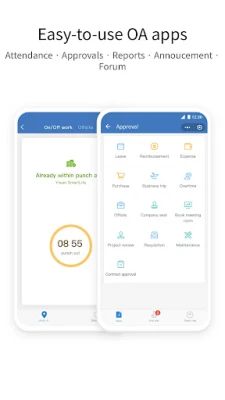

Latest Version
Latest
August 18, 2026
Tencent Technology (Shenzhen) Company Ltd.
BUSINESS
Android
179
Free
com.tencent.wework
Report a Problem
More About WeCom – Tencent’s Business Communication App
What is WeCom?
WeCom is a business‑focused communication platform created by Tencent Technology (Shenzhen) Company Ltd. It brings the familiar instant‑messaging experience of WeChat into a corporate setting, allowing employees to stay connected, share information and coordinate work from their Android phones.
Main features
- Instant messaging – One‑to‑one and group chats with real‑time syncing across devices.
- File sharing – Send documents, images and other files directly within a conversation.
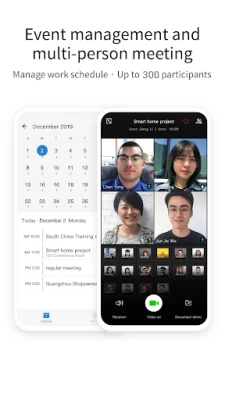
- Meeting scheduling – Built‑in tools let users propose times, check availability and create calendar events.
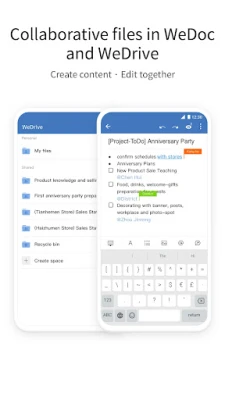
- Collaborative documents – Simple editing and viewing of shared documents without leaving the app.
- Enterprise directory – Administrators can import and manage employee contacts in bulk.
How it works
After installing the app, users log in with a corporate account provided by their organization. The interface mirrors the layout of WeChat, so existing WeChat users find the navigation intuitive. Messages are stored in the cloud, which enables seamless access from multiple devices, including desktops, tablets and smartphones.
Practical uses
- Quickly exchange project updates with teammates.
- Share meeting agendas and related files in a single chat thread.
- Coordinate schedules by proposing meeting times and receiving instant confirmations.
- Maintain a centralized contact list for all employees, making it easy to find the right person.
Installation information
The app is available for free on the Google Play Store. Search for the package name com.tencent.wework or the app name WeCom, then tap “Install”. The download size and Android version requirements are not specified, so the Play Store will indicate compatibility with your device during installation.
Things to know before installing
- Because the app is tied to a corporate account, you will need credentials from your organization to sign in.
- All data is stored in Tencent’s cloud services, which may be subject to your company’s data‑privacy policies.
- Standard Android permissions such as access to contacts, storage and microphone are required for core functionality.
Who may find it useful?
Small businesses, mid‑size enterprises and large corporations that already use Tencent’s ecosystem can benefit from WeCom’s integration with existing communication habits. Teams that need a secure, company‑managed chat solution with built‑in scheduling and file sharing will find the app particularly helpful.
Frequently asked questions
Is WeCom free to use?
Yes, the application is offered at no cost to end users. Organizations may have separate licensing arrangements with Tencent.
Can I add external contacts?
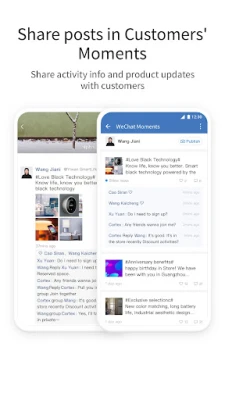
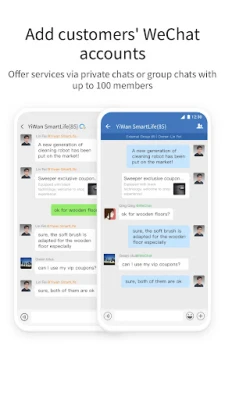
WeCom supports adding contacts from the public WeChat network, allowing businesses to communicate with customers or partners who use WeChat.
Does the app work on iOS?
WeCom is also available for iOS devices, but this page focuses on the Android version.
Rate the App
User Reviews















Popular Apps










 Games
Games Entertainment
 Communication
 E-mail
 Security
 Tools
Tools Media
Media Internet
 Finance
 Design
 Education
 Android Firmwares
 Travel & Local
 Android
 Windows
 Linux
Linux