



Latest Version
August 13, 2026
Cisco Systems, Inc.
BUSINESS
Android
268
Free
com.cisco.webex.meetings
Report a Problem
More About Webex Meetings – Secure Video Conferencing for Android
What is Webex Meetings?
Webex Meetings is Cisco’s mobile solution for real‑time video and audio collaboration. Designed for smartphones and tablets, the app lets users start or join virtual meetings from anywhere with an internet connection. It combines high‑definition video, clear audio, and interactive tools such as screen sharing, chat, and live reactions.
Main features
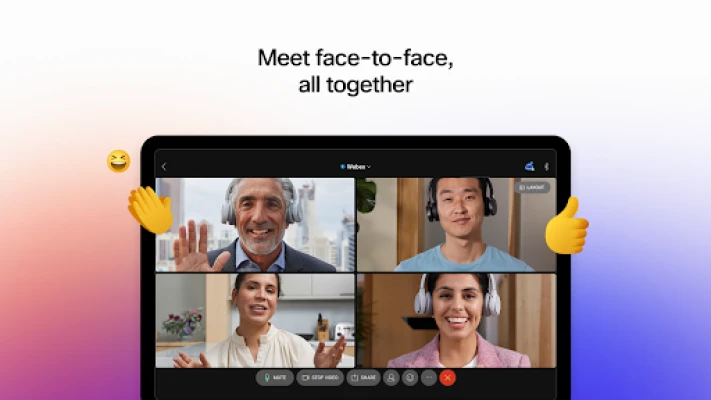
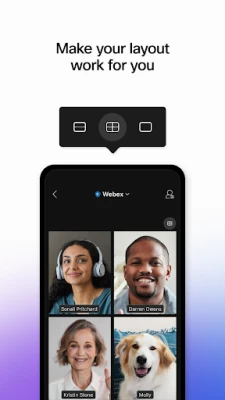
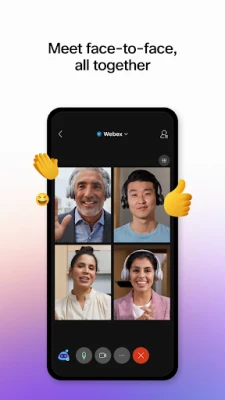
- Video and audio conferencing – Join meetings with up to several participants, view video in portrait or landscape mode, and switch between speaker and gallery layouts.
- Screen sharing – Present slides, documents, or any app screen to meeting attendees without leaving the meeting.
- In‑meeting chat – Send text messages, links, or files to participants while the call continues.
- Live reactions – Use emojis to give quick feedback without interrupting the speaker.
- Recording (when enabled by the host) – Capture audio, video, and shared content for later review.
How it works
After installing the app, you sign in with a Cisco Webex account or create a free account directly from the app. Once logged in, the home screen displays upcoming meetings, a button to start an instant meeting, and options to schedule a new session. To join a meeting, you can tap a link received via email or calendar, enter a meeting number, or select a scheduled event from the list. During a call, the toolbar at the bottom provides quick access to mute, video on/off, screen share, chat, and participant list.
Practical uses
Webex Meetings is useful for a range of scenarios:
- Remote work – Teams can hold daily stand‑ups, project reviews, or client presentations without needing a desktop.
- Education – Teachers can deliver lessons, share slides, and interact with students through chat and reactions.
- Personal gatherings – Families and friends can host virtual get‑togethers, birthday parties, or watch parties.
Installation information
The app is available through the Google Play Store. Search for “Webex Meetings” or use the package name com.cisco.webex.meetings. Tap “Install” and wait for the download to complete. The initial launch will prompt you to grant microphone and camera permissions, which are required for audio and video communication.
Compatibility and requirements
Webex Meetings runs on Android devices that meet the minimum system requirements set by Cisco. While the exact Android version is not listed, the app typically supports Android 8.0 (Oreo) and newer, and it performs best on devices with at least a dual‑core processor and a stable internet connection (Wi‑Fi or cellular data).
Things to know before installing
- Some features, such as meeting recording or advanced admin controls, may be limited to paid Webex plans.
- The service is not available in every country; check Cisco’s regional availability if you encounter connection issues.
- Data usage can be significant during high‑definition video calls; consider using Wi‑Fi for longer sessions.
Who may find it useful?
Anyone who needs reliable video conferencing on a mobile device can benefit from Webex Meetings. This includes business professionals, educators, students, freelancers, and casual users who want a straightforward way to stay connected.
Frequently asked questions
Do I need a Cisco account to use the app?
No. You can join meetings as a guest using a meeting link, but signing in provides access to scheduling, personal meeting rooms, and saved contacts.
Is the app free?
The core app is free to download and use for basic meetings. Additional features may require a subscription to a Cisco Webex plan.
Can I share my phone’s screen?
Yes. The screen‑share button lets you broadcast any open app or document to meeting participants.
What languages are supported?
The interface is available in multiple languages, and live captions or translation may be offered for certain meetings, depending on the host’s settings.
Rate the App
User Reviews















Popular Apps










 Games
Games Entertainment
 Communication
 E-mail
 Security
 Tools
Tools Media
Media Internet
 Finance
 Design
 Education
 Android Firmwares
 Travel & Local
 Android
 Windows
 Linux
Linux