



Latest Version
Latest
August 13, 2026
Cisco Systems, Inc.
BUSINESS
Android
270
Free
com.cisco.wx2.android.msintune
Report a Problem
More About Webex Intune – Cisco’s Secure Collaboration App
What is Webex Intune?
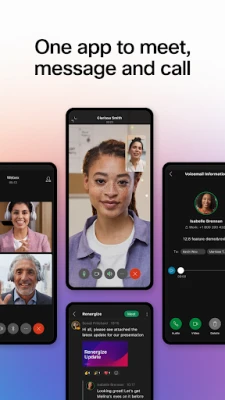
Webex Intune is a Cisco‑provided Android application that combines the core capabilities of the Webex collaboration suite—video meetings, instant messaging, and calling—with integration for Microsoft Intune device management. The app is intended for users whose organizations enforce mobile‑device policies through Intune, ensuring that corporate data remains protected while enabling real‑time teamwork.
Main capabilities
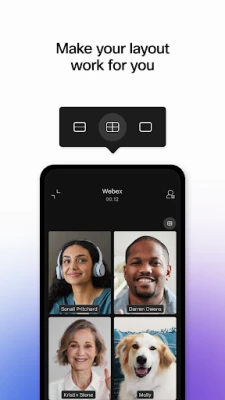
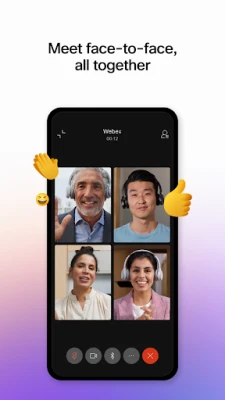
- Meetings: Join or host video conferences, share screens, and collaborate on content directly from your Android handset.
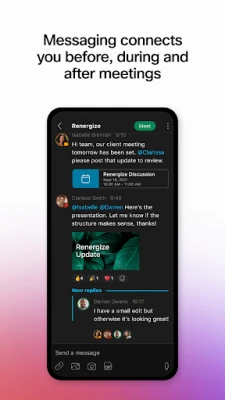
- Messaging: Exchange instant messages with individuals or groups, attach files, and keep conversation history within the secure environment.
- Calling: Use the built‑in calling functions to place and receive business calls, access voicemail, and manage call settings.
- Intune integration: The app respects device compliance policies, remote wipe commands, and other management actions configured in Microsoft Intune.
How it works
When you launch Webex Intune, the app checks the device’s compliance status with the policies defined in your organization’s Intune console. If the device meets the required criteria—such as encryption, password strength, or OS version—the app allows full access to meeting, messaging, and calling features. If the device falls out of compliance, certain functions may be restricted until the issue is resolved.
Practical uses
- Remote team meetings: Connect to a video call from anywhere, with the assurance that corporate security rules are enforced.
- Quick follow‑up chats: Switch from a meeting to a one‑to‑one or group chat without leaving the app.
- Business calling on the go: Use the integrated calling feature to stay reachable through your corporate phone number.
Installation information
The app can be downloaded from the Google Play Store. After installation, you will be prompted to sign in with your Cisco Webex credentials and to allow the app to communicate with Microsoft Intune. Follow the on‑screen instructions to complete device enrollment if required by your organization.
Compatibility and requirements
Webex Intune runs on Android devices that meet the minimum requirements set by both Cisco and Microsoft Intune. Specific OS version and hardware requirements are defined by your IT administrator, so you may need to check with them if you encounter installation issues.
Things to know before installing
- You will need a valid Cisco Webex account and appropriate licensing from your organization.
- The app will request permissions to access the camera, microphone, storage, and device identifiers—these are required for meeting and call functionality.
- Because the app integrates with Intune, certain device settings (e.g., screen lock, encryption) may be enforced automatically.
Who may find it useful?
Employees of enterprises that use Cisco Webex for collaboration and Microsoft Intune for device management will benefit most from Webex Intune. It is especially suited for mobile workers, field staff, and anyone who needs secure access to collaboration tools on a personal or corporate Android device.
Frequently asked questions
Do I need a separate license for Webex Intune?
The app itself is free to download, but you must have an active Webex subscription provided by your organization.
Can I use the app on a personal device?
Yes, provided the device complies with the Intune policies set by your IT department. Some organizations may require enrollment of personal devices.
What happens if my device becomes non‑compliant?
Depending on the policies in place, the app may limit access to meetings, messaging, or calling until the device is brought back into compliance.
Rate the App
User Reviews















Popular Apps










 Games
Games Entertainment
 Communication
 E-mail
 Security
 Tools
Tools Media
Media Internet
 Finance
 Design
 Education
 Android Firmwares
 Travel & Local
 Android
 Windows
 Linux
Linux