


Latest Version
August 16, 2026
EQUITYSOFT TECHNOLOGIES PVT. LTD.
BUSINESS
Android
56
Free
com.wapnotify.app
Report a Problem
More About WapNotify: WhatsApp Business – Team Messaging Made Simple
What is WapNotify?
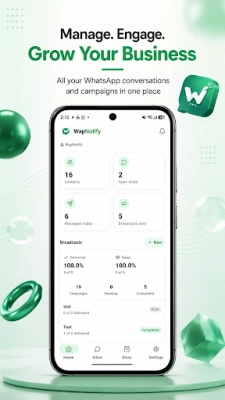
WapNotify is an Android client that connects to the official WhatsApp Business Cloud API. It lets small teams and businesses handle customer chats, send broadcast messages, and keep track of leads without leaving the mobile device.
Main features
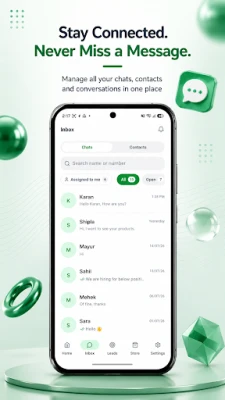
- Shared team inbox – All members see the same conversation history, so replies stay consistent.
- Quick replies and templates – Save frequently used messages and insert them with a tap.
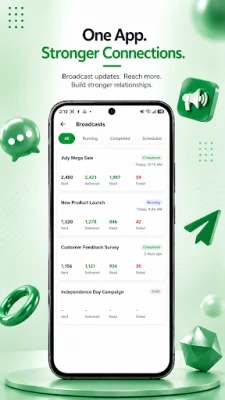
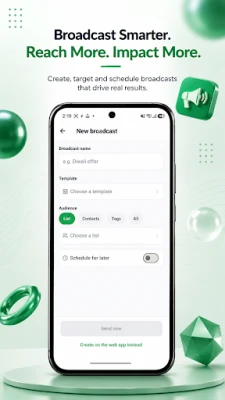
- Broadcast campaigns – Create a broadcast, monitor delivery and read status, and view a searchable history.
- Contact management – Add, edit, and search contacts; archive unwanted entries before permanent removal.
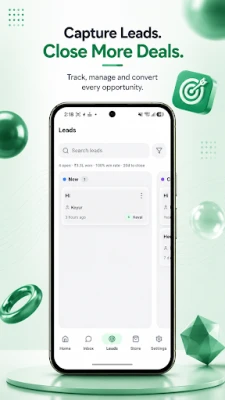
- Leads and pipeline view – Track opportunities through stages and see who is assigned to each lead.
- Push‑notification control – Choose which events trigger alerts and receive optional weekly email summaries.
- Multiple workspaces – Switch between different business accounts without logging out.
How it works
After installing the app, you sign in with your WapNotify account. The app then links to the WhatsApp Business number you have configured in the cloud platform. All messages, media files and status updates are synchronized in real time, so any team member can pick up a conversation where another left off.
Practical uses
- Customer support teams can answer queries quickly from anywhere.
- Sales representatives can send product quotations and follow up on leads directly from their phone.
- Marketing staff can launch time‑sensitive broadcast promotions and watch performance metrics live.
Installation information
Download the APK from a trusted source, then enable installation from unknown sources in your device settings if required. The app runs on Android devices that meet the minimum system requirements of the WhatsApp Business Cloud API (generally Android 5.0 or higher). No additional permissions beyond standard messaging and network access are required.
Things to know before installing
- You need an existing WhatsApp Business Cloud API account; the app does not create a WhatsApp number on its own.
- Team roles and permissions are managed through the WapNotify web console, not within the mobile app.
- Some advanced features such as lead pipelines or quotation PDFs may be limited to certain subscription plans.
Who may find it useful?
Small to medium businesses that rely on WhatsApp for customer interaction, including retail shops, service providers, and agencies, will benefit from the shared inbox and broadcast tools. Remote teams that need a consistent view of conversations also gain efficiency by using WapNotify.
Frequently asked questions
Is WapNotify free?
The base application is offered at no cost. Additional capabilities may require a paid plan offered by the developer.
Can I use the app with multiple WhatsApp numbers?
Yes, you can switch between different workspaces that are linked to separate WhatsApp Business numbers, provided each workspace is set up in the cloud platform.
Does the app store my messages?
Messages are synchronized with the WhatsApp Business Cloud service; the app does not retain a separate backup on the device.
Rate the App
User Reviews















Popular Apps










 Games
Games Entertainment
 Communication
 E-mail
 Security
 Tools
Tools Media
Media Internet
 Finance
 Design
 Education
 Android Firmwares
 Travel & Local
 Android
 Windows
 Linux
Linux