

Latest Version
Latest
August 21, 2026
Walmart
BUSINESS
Android
145
Free
com.walmart.android.seller
Report a Problem
More About Walmart Seller – Manage Your Marketplace Business on Android
What is Walmart Seller?
Walmart Seller is an official Android application created by Walmart for merchants who already sell on the Walmart Marketplace in the United States. It provides a mobile interface for many of the tools that sellers normally access through the web portal, allowing them to stay on top of their business while away from a computer.
Main features
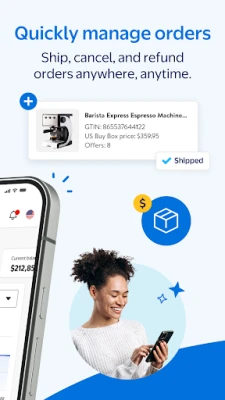
- Order management – View incoming orders, confirm shipments, process cancellations and issue refunds without needing a desktop.
- Listing updates – Preview how products appear on Walmart.com and adjust prices or inventory levels before publishing changes.
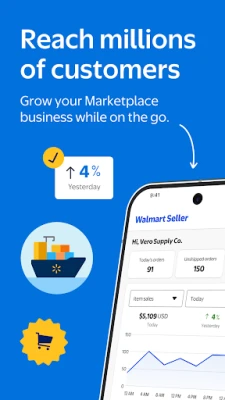
- Sales insights – Access a built‑in sales tracker that shows recent revenue, top‑selling items and other key metrics.
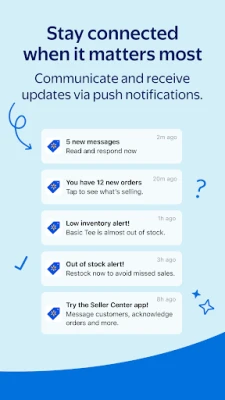
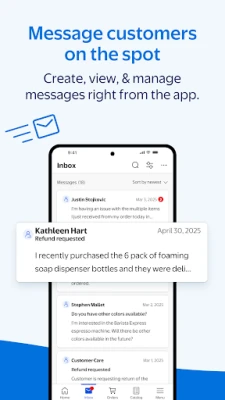
- Push notifications – Receive real‑time alerts for order status changes, buyer messages and important account updates.
- Support case handling – Open new support tickets, view existing cases and communicate with Walmart’s seller support team directly from the app.
- WFS shipment tracking – Monitor shipments that are fulfilled through Walmart Fulfillment Services, keeping inventory and delivery information up to date.
How it works
After installing the app, sellers sign in with the same credentials they use for the Walmart Marketplace web portal. Once authenticated, the dashboard presents a summary of recent activity, including pending orders and any unread messages. From there, users can navigate to specific sections such as Orders, Listings, Sales Tracker, or Support. Each section is designed for quick actions – for example, tapping an order opens a screen where the seller can mark it as shipped, add a tracking number, or issue a refund with a few taps.
Practical uses
- Respond to buyer inquiries while traveling or between appointments.
- Adjust pricing during promotional periods without waiting to log in on a desktop.
- Check daily sales performance to make informed inventory decisions.
- Resolve support issues on the go, reducing downtime.
Installation information
The app is distributed as a free download from the Google Play Store. Because it is an official Walmart product, the listing includes the developer name “Walmart” and the package identifier com.walmart.android.seller. Users should ensure they have a stable internet connection during installation and initial sign‑in.
Things to know before installing
- The app is intended for sellers who already have an active Walmart Marketplace account in the United States. New sellers must first register on the web portal before the mobile app can be used.
- All actions performed in the app affect the live marketplace listings, so it is advisable to double‑check price or inventory changes before confirming them.
- Push notifications may include sensitive order information; consider device security settings and lock screen visibility.
Who may find it useful?
Small‑to‑medium sized retailers, brand owners and third‑party merchants who sell on Walmart.com and need a portable way to keep their storefront up to date will benefit most from this app. It is especially helpful for sellers who manage multiple channels and need quick access to order status without switching between desktop tools.
Frequently asked questions
Do I need a separate account for the app?
No. The app uses the same credentials as the Walmart Marketplace seller portal.
Can I use the app to create new product listings?
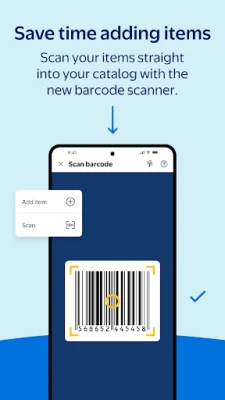
The app focuses on managing existing listings, updating prices and inventory, and handling orders. Creating entirely new listings is typically done through the web portal.
Is the app available outside the United States?
Currently the app is targeted at US Marketplace sellers only. International sellers should consult Walmart’s regional programs.
What should I do if I encounter a technical issue?
Use the built‑in support case feature to submit a ticket, or contact Walmart Seller Support through the web portal for more detailed assistance.
Rate the App
User Reviews















Popular Apps










 Games
 Entertainment
 Communication
 E-mail
 Security
 Tools
 Media
 Internet
 Finance
 Design
 Education
 Android Firmwares
 Travel & Local
 Android
 Windows
 Linux