

Latest Version
Latest
September 09, 2026
The General Automobile Insurance Services, Inc
BUSINESS
Android
10
Free
com.pgac.general.droid
Report a Problem
More About The General Insurance® App – Manage Your Auto Policy on Android
What is The General Insurance® App?
The General Insurance® App is a mobile companion for policyholders of The General Automobile Insurance Services, Inc. It lets you interact with your auto insurance account directly from your Android device, without needing to log into a web portal.
Main features
- Instant quotes – Request a new insurance estimate in a few taps.
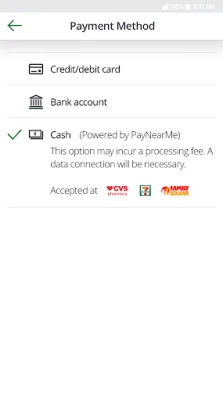
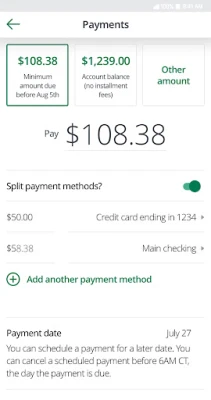
- Payments – Pay your premium or schedule future payments using the payment methods supported by the insurer.
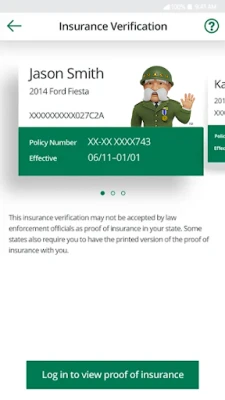
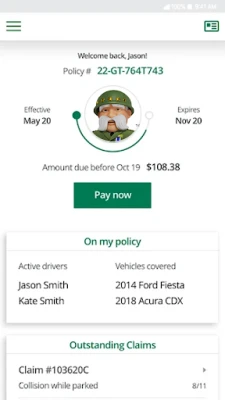
- Digital ID cards – View and download your virtual insurance cards after signing in. The app offers a landscape view for quick reference and a PDF version for full‑size printing.
- Claims management – Start a new claim, upload supporting photos, and track the status of an existing claim from start to finish.
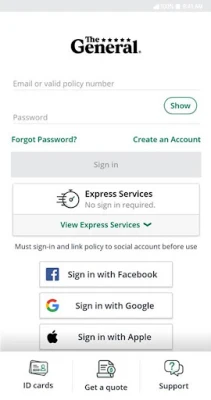
- Secure login – Sign in with your email address or use the biometric authentication (fingerprint or face) that your device provides.
How it works
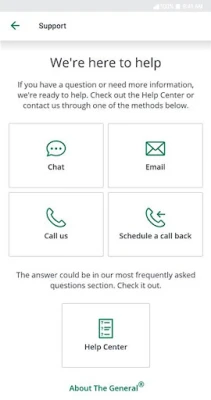
After installing the app, you create an account or log in with the email address linked to your policy. The first sign‑in may require verification, after which the app stores a secure token for future sessions. Once authenticated, the dashboard presents shortcuts to the most common tasks: getting a quote, making a payment, viewing ID cards, and filing a claim. Each section guides you through the necessary steps, offering help text and optional contact links for support.
Practical uses
- On‑the‑go quotes – If you’re shopping for a new vehicle or need to update coverage, you can generate a personalized quote without calling an agent.
- Quick payments – Set up a one‑time payment or schedule recurring payments to avoid missed due dates.
- Proof of insurance – Show your digital ID card to law enforcement or rental agencies directly from your phone, or export the PDF for printing.
- Fast claims filing – After an accident, capture photos and submit details immediately, which can speed up the processing time.
Installation information
The app is distributed as a free download. Search for "The General Insurance®" in the Google Play Store, verify the developer name (The General Automobile Insurance Services, Inc), and tap Install. The download size and Android version requirements are not disclosed publicly, so ensure your device has sufficient storage and runs a recent Android release.
Things to know before installing
- The app requires an active policy with The General to unlock most features.
- Some functionalities may be limited by state regulations; availability can vary by location.
- Biometric login works only on devices that support fingerprint or facial recognition.
Who may find it useful?
Current policyholders who prefer managing their auto insurance from a smartphone will benefit most. The app also helps prospective customers who want a quick quote before committing to a policy.
Frequently asked questions
Do I need an internet connection?
Yes. The app communicates with The General’s servers for quotes, payments and claim updates. Some information, like previously downloaded ID cards, can be viewed offline.
Is my personal data safe?
The app uses encrypted connections for all transactions and supports device‑level biometric authentication. For detailed privacy practices, refer to The General’s privacy policy on their official website.
Can I add multiple vehicles?
If your account includes more than one vehicle, the app lets you switch between them to view separate ID cards, payment schedules, and claim histories.
Rate the App
User Reviews















Popular Apps










 Games
Games Entertainment
 Communication
 E-mail
 Security
 Tools
Tools Media
Media Internet
 Finance
 Design
 Education
 IT Tools
 Travel & Local
 Android
 Windows
 Linux
Linux