
Latest Version
September 14, 2026
FLYER.US
BUSINESS
Android
2
Free
com.flyer.partner
Report a Problem
More About Teacher Assistant AI – Classroom Management Tool
What is Teacher Assistant AI?
Teacher Assistant AI is a mobile application designed for educators who want to streamline classroom administration. Developed by FLYER.US, the app offers tools for managing class schedules, distributing assignments, and reviewing student performance—all from a smartphone.
Main Features
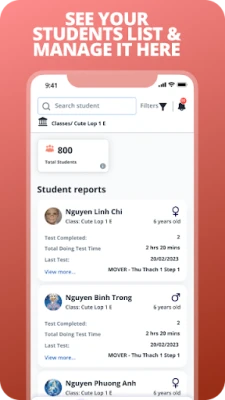
- Class organization: Create and edit class lists, set up timetables, and keep student contact information handy.
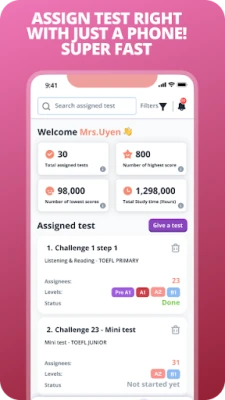
- Assignment distribution: Publish homework, quizzes, or projects with a few taps and notify students instantly.
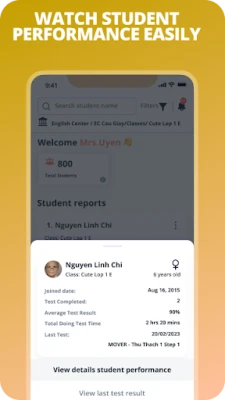
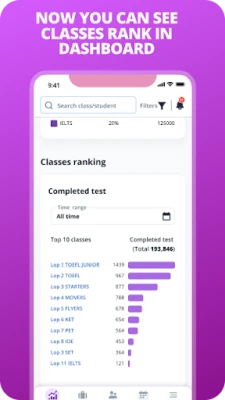
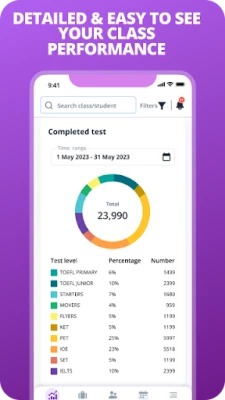
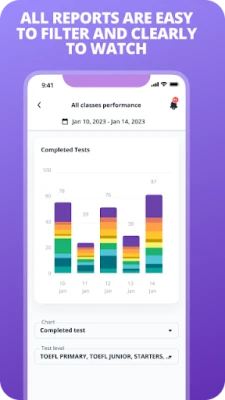
- Performance tracking: View basic analytics such as completed assignments, scores, and time spent on tasks.
- Dashboard for teachers: A simple overview screen lets educators see upcoming deadlines and recent activity at a glance.
How It Works
After installing the app, teachers sign in with an email address. They can then add classes manually or import a list if available. Assignments are created by selecting a class, entering a title, description, and due date, and then publishing. Students receive notifications and can submit their work through the app or a linked platform. Teachers can review submissions, assign grades, and add comments directly within the interface.
Practical Uses
- Keeping track of homework and test schedules without paper.
- Monitoring which students have submitted assignments and identifying those who may need extra support.
- Generating quick reports for parent‑teacher meetings.
Installation Information
The app is available for free on the Google Play Store. Search for "Teacher Assistant AI" or use the package name com.flyer.partner to locate it. Installation follows the standard Android process.
Things to Know Before Installing
- The app requires an internet connection for syncing data and sending notifications.
- All data is stored on the developer’s servers; review the privacy policy for details on data handling.
Who May Find It Useful?
Teachers at primary, secondary, or language schools who manage small to medium class sizes will benefit from the streamlined workflow. The app is also suitable for tutoring centers that need a simple way to assign and review work.
Frequently Asked Questions
Is the app free to use?
Yes, Teacher Assistant AI is offered at no cost.
Can I use the app on multiple devices?
Teachers can log in on any Android device, and their data will sync across sessions.
What kind of analytics are provided?
The app shows basic metrics such as the number of assignments completed, average scores, and time spent on tasks.
Rate the App
User Reviews











Popular Apps










 Games
Games Entertainment
 Communication
 E-mail
 Security
 Tools
Tools Media
Media Internet
 Finance
 Design
 Education
 IT Tools
 Travel & Local
 Android
 Windows
 Linux
Linux