


Latest Version
Latest
September 15, 2026
SuperOffice
BUSINESS
Android
2
Free
no.superoffice.pocket.j2me.SuperOffice
Report a Problem
More About SuperOffice Pocket CRM – Mobile Access to Your CRM
What is SuperOffice Pocket CRM?
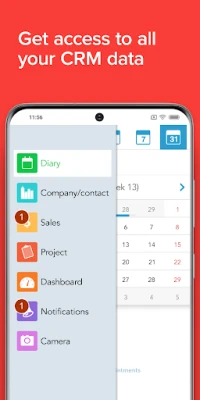
SuperOffice Pocket CRM is a mobile companion for the SuperOffice customer relationship management platform. It lets users retrieve and update core CRM information directly from an Android device, making it easier to stay productive while away from a desktop.
Main features
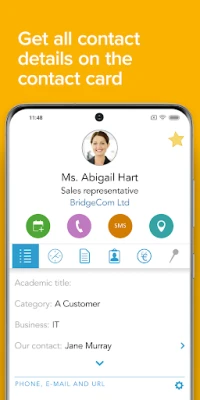
- Contact and company lookup – Search for customers, partners, or leads and view key details such as phone numbers, email addresses, and recent interactions.
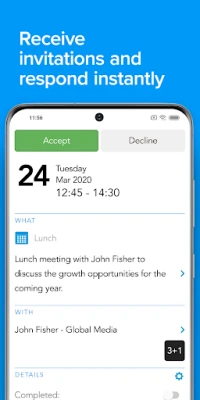
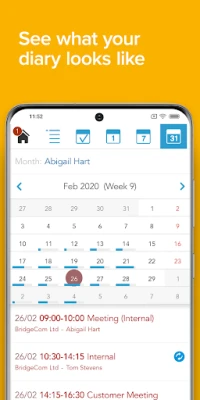
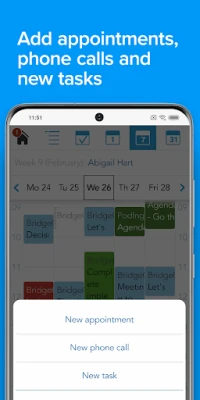
- Activity management – Create, edit, or reschedule meetings, calls, and tasks without needing a full computer.
- Sales overview – See current opportunities, pipeline stages, and basic metrics to keep sales goals in sight.
- Document access – Open attached files or notes linked to a record, ensuring you have the information you need during a conversation.
- Quick communication – Initiate a phone call or send a message to a contact directly from the app.
How it works
The app connects securely to your existing SuperOffice CRM instance using the credentials you already have for the web or desktop version. Once authenticated, the data is synchronized on demand, so you always see the latest information. Changes made on the device are sent back to the server, keeping the central database up‑to‑date.
Practical uses
Whether you are in a client meeting, traveling between offices, or simply away from your desk, SuperOffice Pocket CRM provides a lightweight way to:
- Confirm a client’s recent activity before a call.
- Log a quick note after a face‑to‑face conversation.
- Adjust a sales opportunity’s stage while on the road.
- Schedule follow‑up tasks to ensure nothing falls through the cracks.
Installation information
Download the app from the Google Play Store, then follow the on‑screen prompts to sign in with your SuperOffice credentials. The initial setup may request permission to access your contacts and phone functions, which are needed for the communication shortcuts.
Things to know before installing
- The app requires an active SuperOffice CRM subscription; it does not provide a standalone CRM solution.
- Internet connectivity is needed for data sync; offline access is limited to information already cached on the device.
- Because the app mirrors the server’s data, any permissions or field visibility settings configured in your organization will also apply on mobile.
Who may find it useful?
Sales representatives, account managers, field service technicians, and any team members who need real‑time CRM access while away from a computer will benefit from the convenience of SuperOffice Pocket CRM.
Frequently asked questions
Is the app free?
Yes, the app itself is offered at no cost, but it requires a valid SuperOffice CRM subscription.
Can I use the app on tablets?
The app is designed for Android phones and tablets; the interface adapts to larger screens.
What data is stored on the device?
Only the records you view are temporarily cached to improve performance. No permanent storage of CRM data occurs on the device.
How secure is the connection?
Communication between the app and the SuperOffice server uses encrypted protocols consistent with the web version.
Rate the App
User Reviews













Popular Apps










 Games
Games Entertainment
 Communication
 E-mail
 Security
 Tools
Tools Media
Media Internet
 Finance
 Design
 Education
 IT Tools
 Travel & Local
 Android
 Windows
 Linux
Linux