

Latest Version
Latest
September 09, 2026
StartMeeting
BUSINESS
Android
7
Free
com.startmeeting
Report a Problem
More About Start Meeting – Simple Video & Audio Conferencing for Android
What is Start Meeting?
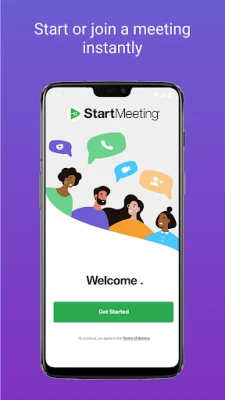
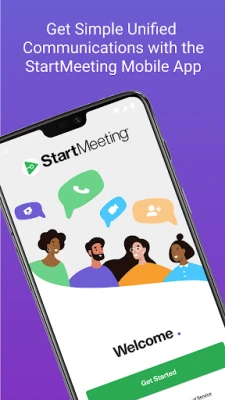
Start Meeting is an Android app that provides a platform for real‑time audio and video meetings. It is designed for businesses and teams that need a reliable way to connect remotely without complex setup.
Main Features
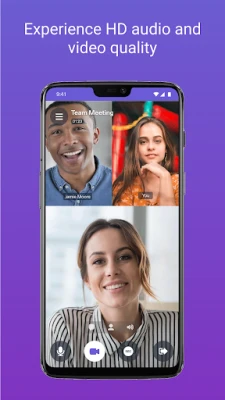
- HD audio and video calls – Join meetings with clear sound and high‑definition video.
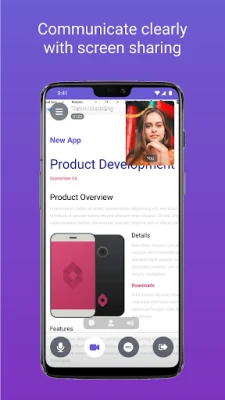
- Screen sharing – Present slides, documents or demos directly from your device.
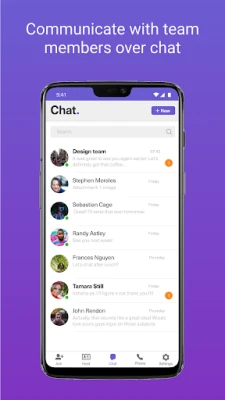
- In‑app chat – Switch between instant messaging and full‑screen video without leaving the meeting.
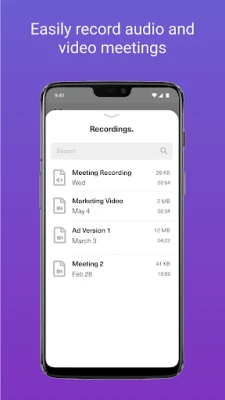
- Meeting recording – Capture the session for later review or sharing.
- Cloud storage – Store recordings and shared files in the app’s cloud space.
How It Works
After installing the app, create a free account or sign in with existing credentials. To start a meeting, set a date and time, then invite participants by sharing a meeting link or code. Participants open the link in the app or a web browser, enter the credentials, and join instantly. During the call you can enable your camera, share your screen, type messages, or record the session with a single tap.
Practical Uses
The app suits a range of scenarios:
- Team check‑ins – Quick video huddles for remote teams.
- Client presentations – Share screens and discuss proposals in real time.
- Training sessions – Record lessons for later distribution.
- Project reviews – Collaborate on documents while talking.
Installation Information
Start Meeting is available as a free download from the Google Play Store. The installation process follows the standard Android flow: tap Install, grant any required permissions, and launch the app from your app drawer.
Things to Know Before Installing
- The app requires an internet connection (Wi‑Fi or mobile data) for both audio and video streams.
- Permissions may include access to the camera, microphone and storage for screen sharing and recording.
- Account creation is optional for joining a meeting as a guest, but a full account unlocks scheduling and cloud storage features.
Who May Find It Useful?
Start Meeting is aimed at small to medium businesses, remote workers, educators and anyone who needs a quick, dependable way to hold virtual meetings on Android devices.
Frequently Asked Questions
Do I need a separate desktop client?
No. All core features are available within the Android app, though a web version can be used by participants without the app.
Can I record a meeting?
Yes. The recording option appears during a live session and saves the file to the app’s cloud storage.
Is there a limit to the number of participants?
The app supports multiple participants, but the exact limit depends on the plan you choose after the free trial.
How secure are the meetings?
Meetings are protected with standard encryption protocols used by most video‑conferencing services.
Rate the App
User Reviews














Popular Apps










 Games
Games Entertainment
 Communication
 E-mail
 Security
 Tools
Tools Media
Media Internet
 Finance
 Design
 Education
 IT Tools
 Travel & Local
 Android
 Windows
 Linux
Linux