

Latest Version
Latest
September 04, 2026
Screen-Magic Mobile Media Pvt Ltd
BUSINESS
Android
0
Free
co.smsmagic
Report a Problem
More About SMS-Magic – Mobile Messaging for Business
What is SMS-Magic?
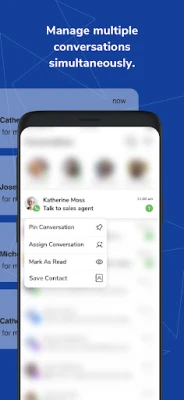
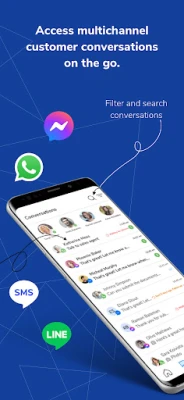
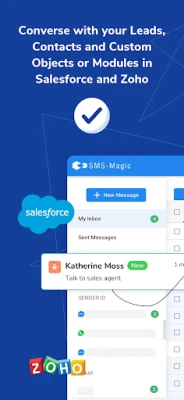
SMS-Magic is a mobile messaging client designed for businesses that need to keep in touch with customers across multiple channels. The app brings text messages, WhatsApp chats and Facebook Messenger conversations into a single interface on your Android device, so you can reply quickly without switching between separate apps.
Main capabilities
- Unified inbox – View incoming messages from SMS, WhatsApp and Messenger in one place.
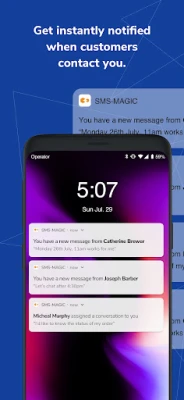
- Instant notifications – Get push alerts when a new lead or customer query arrives.
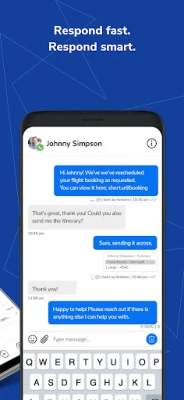
- Template support – Use pre‑written replies or rich‑media templates to speed up common interactions.
- Automation basics – Set up simple automated messages such as appointment reminders or status updates.
- Team assignment – Tag or forward a conversation to the appropriate colleague within the app.
How it works
After installing the app, you sign in with the credentials provided by your organization. The app then synchronises your existing conversation threads from the SMS-Magic service. New messages are delivered to the mobile inbox as push notifications, and you can reply directly from the app. For businesses that already use a CRM, the app can be linked to popular platforms, allowing you to push contact details or log interactions without leaving the messaging view.
Practical uses
- Sales outreach – Respond to inbound inquiries instantly, reducing the time it takes to move a prospect through the sales funnel.
- Customer support – Handle service tickets on the go, keeping response times low and customers satisfied.
- Appointment reminders – Send automated reminder messages to reduce no‑shows.
- Order updates – Notify customers of shipping status or payment confirmations via their preferred channel.
Installation and setup
The app is free to download from the Google Play Store. After installation, launch the app and follow the on‑screen prompts to connect to your organization’s SMS‑Magic account. If your company uses a CRM such as Salesforce or Zoho, you may be asked to grant additional permissions to enable synchronization.
Things to consider before installing
- Make sure you have an active SMS‑Magic account; the app works as a companion to that service.
- Push notifications require an internet connection; data usage will depend on the volume of messages.
- Some advanced automation features may need configuration on the web dashboard before they become available on the mobile app.
Who can benefit?
Any business team that relies on text‑based communication—sales, marketing, support or field service—can use SMS‑Magic to stay connected while away from a desktop. It is especially useful for small to medium enterprises that need a cost‑effective way to manage multichannel conversations without investing in separate apps for each platform.
Frequently asked questions
Is the app free?
Yes, the mobile client is offered at no cost. Access to the underlying SMS‑Magic service may be subject to your organization’s subscription plan.
Can I use the app without a CRM?
Absolutely. The app works as a standalone messaging tool; CRM integration is optional.
What platforms does it support?
The app runs on Android devices. Compatibility details such as minimum Android version are provided in the Play Store listing.
How secure are my messages?
Message security follows the standards set by the SMS‑Magic service. For specific compliance questions, consult your organization’s administrator.
Rate the App
User Reviews















Popular Apps










 Games
Games Entertainment
 Communication
 E-mail
 Security
 Tools
Tools Media
Media Internet
 Finance
 Design
 Education
 IT Tools
 Travel & Local
 Android
 Windows
 Linux
Linux