

Latest Version
Latest
September 08, 2026
SLACK TECHNOLOGIES L.L.C.
BUSINESS
Android
16
Free
com.Slack
Report a Problem
More About Slack – Team Messaging & Collaboration
What is Slack?
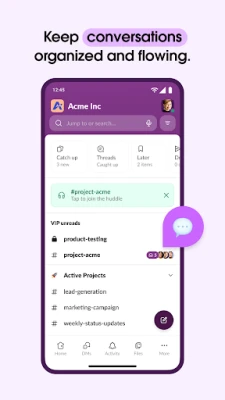
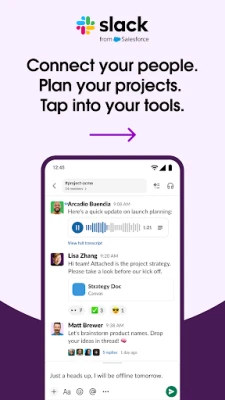
Slack is a cloud‑based messaging app designed for teams of any size. It replaces scattered email threads and ad‑hoc chat groups with a single workspace where conversations, files, and tools are kept together. Users create channels for projects, topics, or departments, making it easy to find relevant discussions and keep work organized.
Main features
- Channel‑based organization – Separate spaces for each team, project, or interest, with the option for private or public access.
- Direct messaging – One‑on‑one or small‑group chats for quick questions.
- File sharing – Drag and drop documents, images, or PDFs directly into conversations; files are searchable.
- Integrated search – Powerful search lets users locate messages, files, or links across all channels.
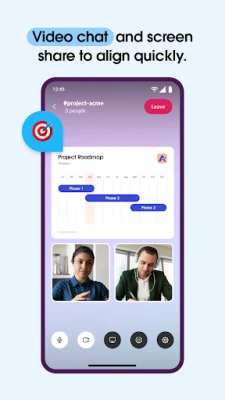
- Voice and video calls – Start a call from a channel or direct message, with screen‑sharing support.
- App integrations – Connect popular services such as Google Drive, Dropbox, and project‑management tools to bring updates into Slack.
How it works
After creating an account, users join a workspace and are invited to relevant channels. Within each channel, participants can post messages, react with emojis, and share files. Slack keeps a complete history, so new members can catch up on past discussions. The app also offers notification controls, allowing users to stay focused by muting less‑important channels.
Practical uses
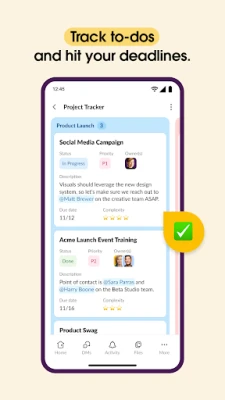
- Project coordination – Keep all project‑related chatter, documents, and task updates in a dedicated channel.
- Remote collaboration – Use voice or video calls to discuss ideas without leaving the chat environment.
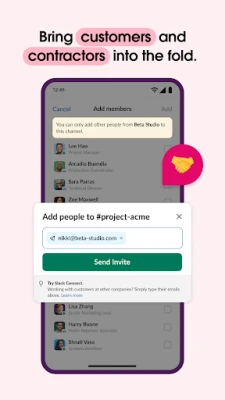
- Customer support – Create shared channels with external partners to streamline communication.
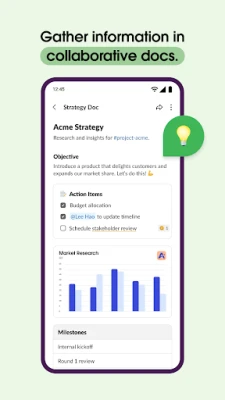
- Knowledge base – Pin important messages or files for easy reference by the whole team.
Installation information
Slack is available for free from the Google Play Store. Search for "Slack" by SLACK TECHNOLOGIES L.L.C., tap Install, and follow the on‑screen prompts. The app requires an internet connection for real‑time messaging and synchronization across devices.
Things to know before installing
- Account creation is required; users can sign up with an email address or use a single sign‑on provider.
- While the core messaging features are free, advanced administration and security tools are offered through paid plans.
- Data is stored in the cloud, so a reliable network connection is needed for full functionality.
Who may find Slack useful?
Slack benefits small startups, midsize companies, and large enterprises that need a centralized place for team communication. It is also helpful for cross‑functional groups, remote workers, and anyone who wants to replace fragmented email threads with a more organized chat system.
Frequently asked questions
Is Slack free to use?
Yes, Slack offers a free tier that includes unlimited messaging, searchable history (up to a limit), and basic integrations.
Can I use Slack on multiple devices?
Absolutely. The same workspace syncs across Android phones, tablets, and the web version, keeping conversations consistent.
How secure is the data shared in Slack?
Slack employs encryption for data in transit and at rest. Organizations can enable additional security settings through paid plans.
Rate the App
User Reviews














Popular Apps










 Games
Games Entertainment
 Communication
 E-mail
 Security
 Tools
Tools Media
Media Internet
 Finance
 Design
 Education
 IT Tools
 Travel & Local
 Android
 Windows
 Linux
Linux