

Latest Version
September 14, 2026
ServiceNow
BUSINESS
Android
7
Free
com.servicenow.fulfiller.mam.intune
Report a Problem
More About ServiceNow Agent – Intune
What is ServiceNow Agent – Intune?
ServiceNow Agent – Intune is a mobile client designed for ServiceNow service‑desk agents who need to stay productive while using devices managed by Microsoft Intune. The app combines ServiceNow’s ticket‑handling capabilities with Intune’s device‑security policies, allowing agents to access their work securely from a personal or corporate device.
Main capabilities
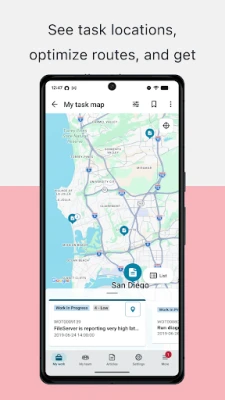
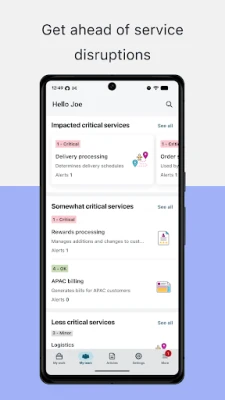
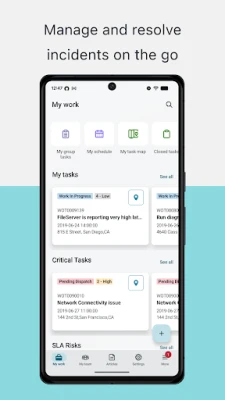
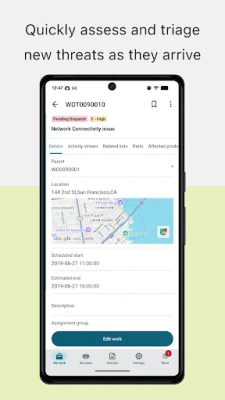
- Ticket management on the go – View, update, and resolve incidents, requests, and cases directly from the phone.
- Approval actions – Approve or reject workflow steps with simple swipe gestures.
- Offline access – Work on assigned items without an active internet connection; changes sync when connectivity returns.
- Device‑aware features – Leverage native capabilities such as camera, barcode scanning, location services, and signature capture where appropriate.
- Intune compliance enforcement – The app runs only on devices that meet the security policies defined by your organization’s Intune administrator.
How it works with Intune
When a device is enrolled in Microsoft Intune, the administrator can publish compliance rules that determine which apps are allowed to run. ServiceNow Agent – Intune checks the device’s compliance status at launch and will not start if the device does not meet the required criteria. This ensures that sensitive service‑desk data is only accessed from trusted devices.
Practical uses
- Field technicians can receive service requests, capture photos of equipment, and submit signatures without returning to a desktop.
- IT support staff can triage incidents while traveling, keeping response times low.
- HR or security teams can process employee requests securely from any location, provided the device complies with corporate policies.
Installation notes
The app is distributed through your organization’s managed app store or via a secure internal link. Installation requires a work account that is linked to your ServiceNow instance and a device that is enrolled in Microsoft Intune. After installing, you will be prompted to sign in with your corporate credentials.
Things to know before installing
- You must have a valid ServiceNow instance that supports the mobile agent functionality.
- The device must be enrolled in Microsoft Intune and meet any compliance policies set by your IT department.
- Some features may be restricted based on regional regulations or the specific policies your organization has applied.
Who will benefit?
Any ServiceNow service‑desk agent, field service worker, or support professional who needs to stay responsive while away from a traditional workstation will find this app useful. It is especially valuable in BYOD (bring‑your‑own‑device) scenarios where security and compliance are critical.
Frequently asked questions
Do I need an internet connection to use the app?
No. Core ticket‑viewing and editing functions are available offline, and the app syncs changes once a connection is restored.
Can I use the app on a personal device?
Yes, provided the device is enrolled in Intune and complies with your organization’s security policies.
What happens if my device falls out of compliance?
The app will stop functioning until the device meets the required compliance standards again.
Rate the App
User Reviews















Popular Apps










 Games
Games Entertainment
 Communication
 E-mail
 Security
 Tools
Tools Media
Media Internet
 Finance
 Design
 Education
 IT Tools
 Travel & Local
 Android
 Windows
 Linux
Linux