

Latest Version
Latest
September 14, 2026
Salesforce.com, inc.
BUSINESS
Android
6
Free
com.salesforce.authenticator
Report a Problem
More About Salesforce Authenticator – Secure Two‑Factor Login
What is Salesforce Authenticator?
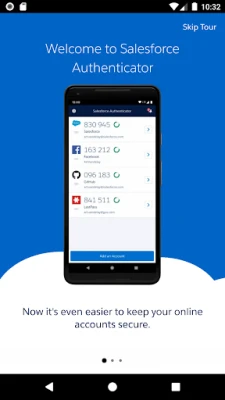
Salesforce Authenticator is a free Android app from Salesforce.com that helps you verify your identity when you sign in to services that support time‑based one‑time passwords (TOTP) or push‑based authentication. By linking the app to your account, you can confirm login attempts with a single tap, reducing the risk of unauthorized access.
Main features
- Push notifications – Receive a prompt on your phone whenever a login is attempted and approve or deny it instantly.
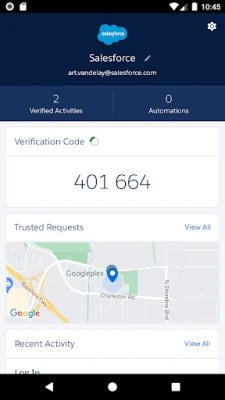
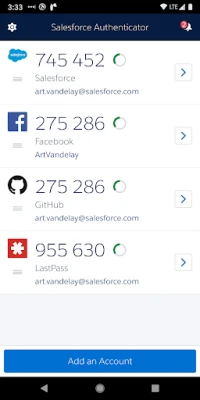
- One‑time codes – Generate 6‑digit codes that work even when you are offline or have limited connectivity.
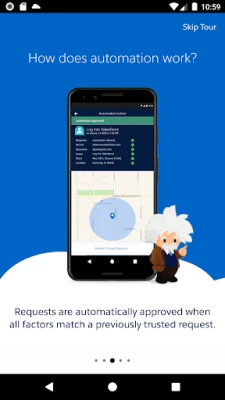
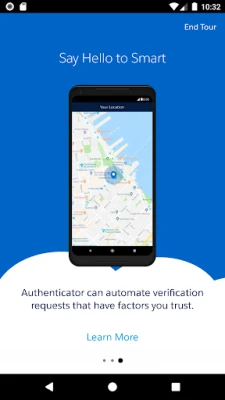
- Location‑aware approvals – When enabled, the app can use your device’s approximate location to automatically approve logins from trusted places.
- Battery‑friendly design – Location checks are performed only when you enter or leave a trusted area, minimizing impact on battery life.
How it works
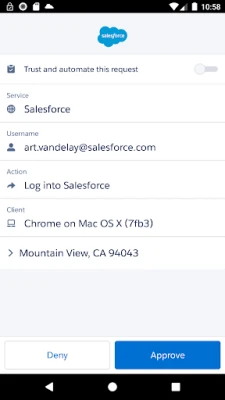
After installing the app, you link it to your Salesforce account (or any other service that accepts TOTP or push authentication) through the service’s security settings. Once linked, the app registers your device as a trusted factor. When you attempt to log in, the service sends a push notification to the app. You simply tap Approve or Deny. If you are offline, you can open the app to view a current verification code and type it into the login screen.
Practical uses
- Protecting Salesforce CRM access for sales, service, and marketing teams.
- Securing any third‑party application that supports standard authenticator apps.
- Reducing reliance on SMS‑based codes, which can be intercepted.
Installation information
Search for Salesforce Authenticator in the Google Play Store, tap Install, and grant the permissions the app requests during setup. The initial configuration requires an internet connection to register the device with your account.
Things to know before installing
- Make sure you have access to the account you plan to protect, as you will need to add the authenticator during the setup process.
- The app stores location data only on the device; it does not sync this information to the cloud.
- If you prefer not to use location‑based automation, you can disable it in the app’s settings.
Who may find it useful?
Anyone who manages sensitive business data in Salesforce or uses other services that accept authenticator apps will benefit from the added security. It is especially valuable for administrators, sales representatives, and mobile workers who need quick, reliable login verification.
Frequently asked questions
Do I need an internet connection to receive push notifications?
Yes, push notifications require a data connection. However, the generated one‑time codes work offline.
Can I use the app with non‑Salesforce accounts?
Yes, any service that supports standard TOTP or push authentication can be paired with Salesforce Authenticator.
Is my location data shared with Salesforce?
No. Location information is kept locally on your device and can be cleared or disabled at any time.
Rate the App
User Reviews














Popular Apps










 Games
Games Entertainment
 Communication
 E-mail
 Security
 Tools
Tools Media
Media Internet
 Finance
 Design
 Education
 IT Tools
 Travel & Local
 Android
 Windows
 Linux
Linux