

Latest Version
Latest
September 14, 2026
Salesforce.com, inc.
BUSINESS
Android
5
Free
com.salesforce.chatter
Report a Problem
More About Salesforce – Mobile CRM for Android
What is Salesforce Mobile?
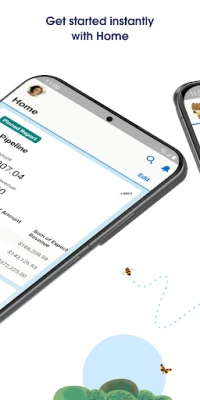
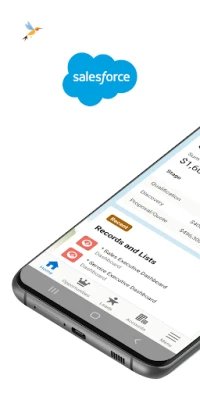
Salesforce Mobile is the Android companion for the Salesforce CRM platform. It lets users view and update records, track activities, and stay connected to their organization without needing a desktop browser.
Main capabilities
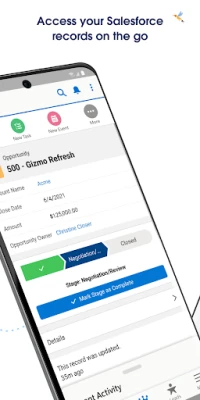
- Record access – Open accounts, contacts, leads, opportunities, cases and custom objects directly from your phone.
- Dashboard and reports – View charts and key metrics that are important to your role.
- Task and event management – Create, edit, and complete tasks or schedule events while you’re away from the office.
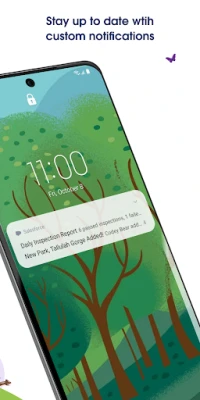
- Push notifications – Receive alerts when records change or when a workflow triggers a notification.
- Lightning components – Use mobile‑optimized Lightning pages that have been built for touch interaction.
How it works
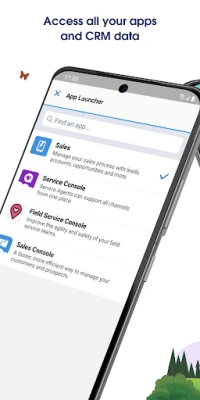
After installing the app, you sign in with the same credentials you use for the web version of Salesforce. The app then syncs with your organization’s cloud instance, presenting the data you are permitted to see. Navigation follows a familiar pattern: a home screen with cards for recent items, a menu for objects, and a search bar for quick lookup.
Practical uses
- Sales representatives can update opportunity stages after a client meeting, ensuring the pipeline stays current.
- Service agents can log case details on site, attach notes, and close tickets without returning to a desk.
- Managers can review dashboards on the commute, spotting trends and making decisions faster.
Installation information
The app is available from the Google Play Store. Search for “Salesforce” or use the package name com.salesforce.chatter. Tap “Install” and wait for the download to complete. No additional files are required.
Things to know before installing
- The app requires an active Salesforce subscription; it does not provide a standalone CRM.
- Access to specific objects and fields depends on the permissions set by your organization’s administrator.
- Internet connectivity is needed for most actions; some data can be cached for offline viewing, but updates will sync when a connection is restored.
Who may find it useful?
Anyone who needs real‑time access to Salesforce data while away from a computer – sales teams, field service technicians, account managers, and executives – can benefit from the mobile experience.
Frequently asked questions
Is the app free?
Yes, the mobile client is free to download. Usage depends on your existing Salesforce license.
Can I use the app on tablets?
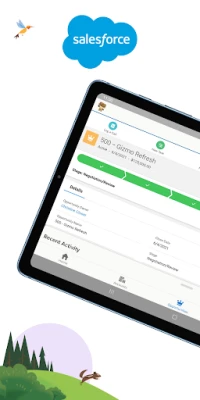
The same Android package works on phones and tablets, adapting the layout to larger screens.
What security measures are in place?
Authentication follows the same standards as the web platform, including multi‑factor authentication if enabled by your admin. Data is transmitted over encrypted connections.
Rate the App
User Reviews












Popular Apps










 Games
Games Entertainment
 Communication
 E-mail
 Security
 Tools
Tools Media
Media Internet
 Finance
 Design
 Education
 IT Tools
 Travel & Local
 Android
 Windows
 Linux
Linux