

Latest Version
Latest
September 11, 2026
RingCentral
BUSINESS
Android
13
Free
com.glip.mobile
Report a Problem
More About RingCentral – Unified Business Phone, Messaging & Meetings
What is RingCentral?
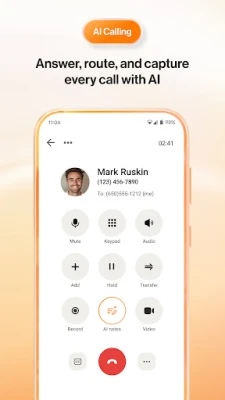
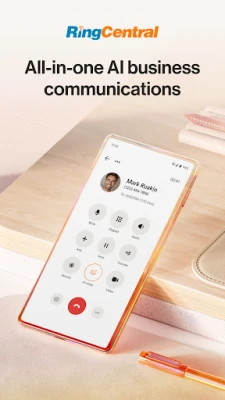
RingCentral is a mobile application that brings together voice calling, text messaging, team chat and video conferencing into one place. Designed for businesses of various sizes, it lets users manage their professional communications from an Android device without needing separate apps for each function.
Main features
- Business phone integration – Make and receive calls using a dedicated business number, with access to call history and voicemail.
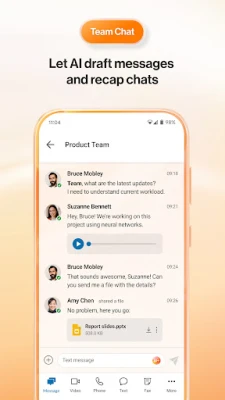
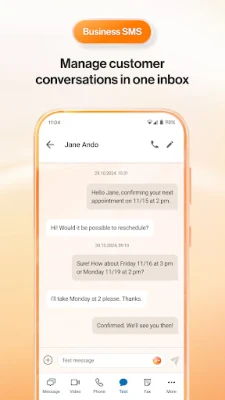
- SMS and team messaging – Send and receive text messages and internal chat messages, keeping customer and colleague conversations organized.
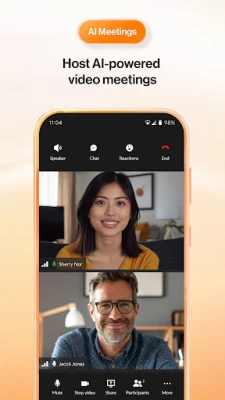
- Video meetings – Join or start video conferences directly from the app, supporting screen sharing and basic meeting controls.
- Contact management – Store and access business contacts, view recent interactions and sync with the device’s address book.
- Cross‑device continuity – Switch between phone, tablet and desktop while keeping the same communication threads.
How it works
After installing the app, users sign in with their RingCentral account credentials. The app then registers the device with the user’s business phone system, enabling inbound and outbound calls over the cellular or Wi‑Fi network. Messaging and meeting functions are linked to the same account, so a single login provides access to all communication channels.
Practical uses
- Field sales teams can place calls and reply to customer texts while on the road.
- Support agents can handle inbound calls, chat with customers, and log interactions without leaving the app.
- Remote workers can join video meetings and stay in touch with colleagues through instant messaging.
Installation information
The app is available for free on the Google Play Store. Users need an active RingCentral subscription to activate the service after installation. The download size and minimum Android version are not specified, so checking the store listing for the latest requirements is recommended.
Things to know before installing
- A RingCentral business account is required; the app does not provide a standalone free phone service.
- Data usage will depend on call length, video meeting quality and messaging volume.
- Permissions typically include access to the microphone, contacts and storage for call recordings and meeting files.
Who may find it useful?
Small to medium enterprises, remote teams, sales and support departments, and any organization that wants a single point of control for voice, text and video communications on Android devices.
Frequently asked questions
Do I need a separate phone number for the app?
No. The app uses the business number assigned to your RingCentral account, so you can place and receive calls without a personal SIM.
Can I use the app on multiple devices?
Yes. The same account can be logged in on several Android devices, and the service synchronizes calls, messages and meetings across them.
Is the app secure?
RingCentral follows standard enterprise security practices for data transmission and storage, but specific compliance details should be verified with the provider.
Rate the App
User Reviews











Popular Apps










 Games
Games Entertainment
 Communication
 E-mail
 Security
 Tools
Tools Media
Media Internet
 Finance
 Design
 Education
 IT Tools
 Travel & Local
 Android
 Windows
 Linux
Linux