






Latest Version
Latest
September 05, 2026
OpenPhone Technologies Inc
BUSINESS
Android
14
Free
com.openphone
Report a Problem
More About Quo – Business Phone System for Android
What is Quo?
Quo (formerly OpenPhone) is a mobile‑first phone solution designed for small businesses, startups and teams that need a professional calling experience without the overhead of traditional phone systems. Developed by OpenPhone Technologies Inc, the app provides a dedicated business number on your Android device, separating personal and work communications.
Main features
- Dedicated business number – Keep your personal number private while giving customers a reliable line to reach you.
- Call handling – Answer, forward, and place calls directly from the app. You can set custom greetings and voicemail.
- Messaging – Send and receive SMS messages using your business number, with support for group conversations.
- Contact integration – Store customer details alongside call and message histories, making it easy to reference past interactions.
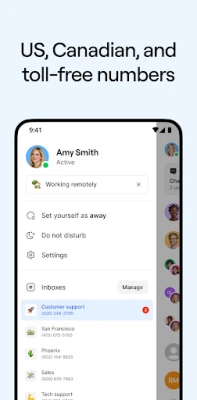
- Shared inbox – Team members can view incoming communications in a shared view, helping ensure nothing is missed.
- Notes and tags – Add internal notes or tags to contacts and conversations for quick context.
How it works
After installing Quo, you register for a business phone number through the app’s onboarding flow. The number is linked to your Android device, and the app routes calls and texts to the device using data or cellular networks. You can configure call forwarding to other devices or numbers if needed. All interactions are stored within the app, and you can export or back up data through standard Android backup mechanisms.
Practical uses
- Customer support – Respond to inquiries quickly without exposing personal contact details.
- Sales outreach – Use a professional number for cold calls or follow‑ups, keeping a record of each conversation.
- Team collaboration – Share a single business line among multiple team members, with each person seeing the full conversation history.
Installation information
Quo is available as a free download from the Google Play Store. Search for "Quo" or use the package name com.openphone to locate the app. Installation follows the standard Android process: tap Install, grant any required permissions, and launch the app.
Things to know before installing
- Because the app provides a business phone number, you will need to complete a verification step that may involve providing a valid email address and, in some regions, a payment method for number acquisition.
- The app requires an internet connection (Wi‑Fi or mobile data) to receive calls and messages when not using cellular voice.
- Permissions typically include access to the phone, contacts, and storage for call logs and message histories.
Who may find Quo useful?
Entrepreneurs, freelancers, small‑team startups, and any business that wants a clear separation between personal and professional communications will benefit from Quo’s approach. It is also suitable for remote teams that need a shared phone presence without investing in traditional PBX hardware.
Frequently asked questions
Is Quo free to use?
The base application is free to download and install. Certain features, such as acquiring a dedicated business number, may involve a subscription or one‑time fee, depending on the plan you choose.
Can I use Quo on multiple devices?
Yes, you can log into the same account on several Android devices, and calls or messages will be synchronized across them.
Does Quo work offline?
Calls and texts rely on an active data connection. Without internet, the app cannot receive inbound communications, though you can still place outgoing calls using the device’s cellular voice network if you have a separate personal line.
Is my data secure?
Quo stores communication data on encrypted servers and follows standard industry practices for data protection. Review the app’s privacy policy for detailed information.
Rate the App
User Reviews















Popular Apps










 Games
Games Entertainment
 Communication
 E-mail
 Security
 Tools
Tools Media
Media Internet
 Finance
 Design
 Education
 IT Tools
 Travel & Local
 Android
 Windows
 Linux
Linux