


Latest Version
Latest
August 15, 2026
Proton AG
BUSINESS
Android
116
Free
proton.android.meet
Report a Problem
More About Proton Meet – Secure Video Meetings for Android
What is Proton Meet?
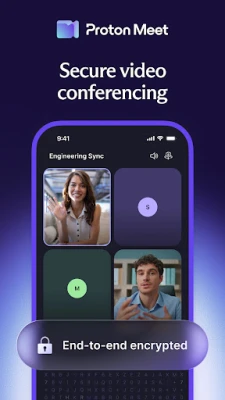
Proton Meet is a video‑conferencing application for Android devices that puts privacy at the core of every call. Developed by Proton AG, the same team behind Proton Mail and Proton VPN, the app uses end‑to‑end encryption to keep the content of your meetings private.
Main Features
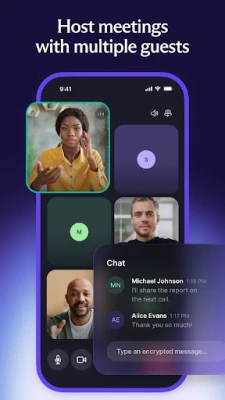
- End‑to‑end encryption – Calls, screen shares, and chat messages are encrypted from your device to the participants’ devices.
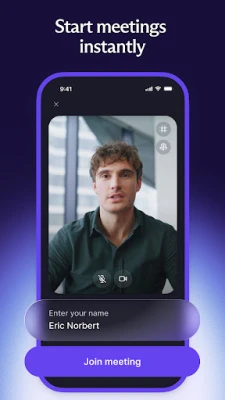
- Instant meeting links – Create a room with a single tap and share the link; participants do not need a Proton account or the app to join.
- Screen sharing and built‑in chat – Present documents or collaborate in real time while keeping the conversation within the same secure environment.
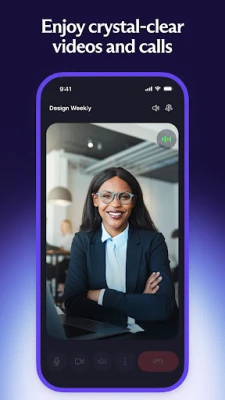
- Noise cancellation – Reduce background noise for clearer audio.
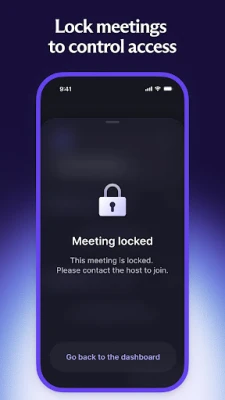
- Meeting controls – Hosts can lock a meeting, remove participants, and manage who can join.
- Integration with Proton Calendar – Schedule meetings directly from the calendar and generate links automatically.
How It Works
When you start a meeting, Proton Meet generates a unique, encrypted room identifier. The identifier is included in the shareable link, which you can send via any messaging platform. Because the encryption is performed on the device, no intermediate server can read the audio, video, or shared content. The app relies on the Messaging Layer Security (MLS) protocol, a modern cryptographic framework designed for group communication.
Practical Uses
Proton Meet is suitable for a range of scenarios where privacy matters:
- Business discussions – Confidential negotiations, board meetings, or client calls can be held without exposing sensitive information.
- Personal conversations – Family gatherings or friend catch‑ups stay private, even when using public Wi‑Fi.
- Remote collaboration – Teams can share screens and chat while ensuring that project details remain encrypted.
Installation Information
The app is available through the standard Android package distribution channels. To install, locate "Proton Meet: Secure Meetings" in the store, tap Install, and follow the on‑screen prompts. No additional configuration is required to start using encrypted calls.
Compatibility
Proton Meet runs on Android devices that meet the minimum system requirements defined by the Play Store. Specific version numbers are not disclosed, but the app is designed to work on recent Android releases.
Things to Know Before Installing
- The app is free to download and use.
- All communication is encrypted; however, the quality of video and audio depends on your network connection.
- No personal data is collected for advertising or analytics purposes.
Who May Find It Useful?
Anyone who values privacy in online communication can benefit from Proton Meet. This includes professionals handling confidential information, activists, journalists, and users who simply prefer not to have their conversations tracked.
Frequently Asked Questions
Do I need a Proton account to host a meeting?
No. You can create a meeting link without signing in, and participants can join using the link alone.
Is the app open source?
Yes. Proton Meet’s source code is publicly available, allowing independent verification of its security claims.
Can I schedule meetings in advance?
Yes. Using Proton Calendar, you can set up future meetings and have the app generate secure links automatically.
What happens if I lose the meeting link?
The link is unique to each session. If it is lost, you can end the current meeting and start a new one to generate a fresh link.
Rate the App
User Reviews















Popular Apps










 Games
Games Entertainment
 Communication
 E-mail
 Security
 Tools
Tools Media
Media Internet
 Finance
 Design
 Education
 Android Firmwares
 Travel & Local
 Android
 Windows
 Linux
Linux