

Latest Version
Latest
August 22, 2026
ProPTT2
BUSINESS
Android
88
Free
com.imptt.proptt
Report a Problem
More About ProPTT2 Video Push‑To‑Talk – Real‑Time Voice & Video Walkie‑Talkie
What is ProPTT2?
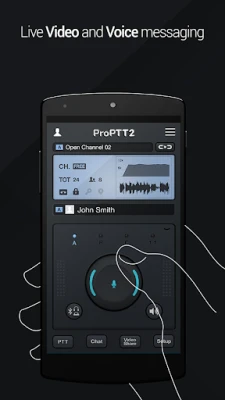
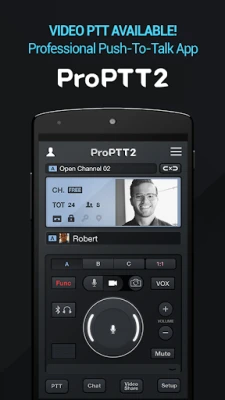
ProPTT2 is a free Android application that turns your smartphone into a walkie‑talkie with both voice and video capabilities. By pressing a single button, you can broadcast live audio or video to one or more contacts, creating an immediate, hands‑free communication channel.
Main Features
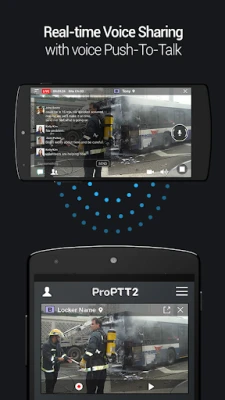
- Voice and video push‑to‑talk – Switch between audio‑only and live video streams with a tap.
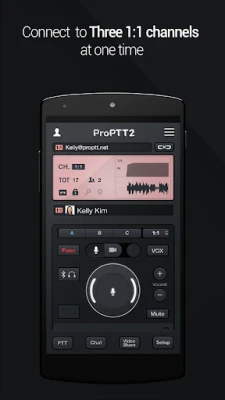
- One‑to‑one, group, and broadcast modes – Talk privately, with a small team, or to many listeners at once.
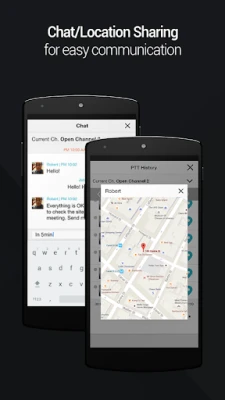
- Text chat and image sharing – Complement voice/video with quick messages and photos.
- Location sharing – Share your real‑time GPS position while you talk.
- History playback – Review recent push‑to‑talk sessions.
- Background operation – Keep the channel active even when the screen is off.
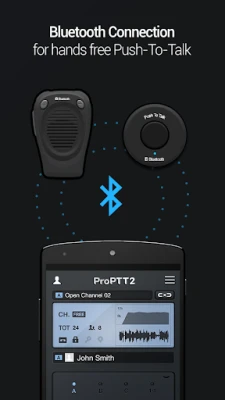
- Bluetooth and wearable support – Use external PTT buttons, headsets, or Android Wear devices for hands‑free operation.
How It Works
After installing ProPTT2, you can start as a guest to explore demo channels. For regular use, create a free account, which gives you a private channel and the ability to add friends. Once contacts are added, you can invite them to your channel or join theirs. Press the on‑screen PTT button (or a connected hardware button) to start broadcasting. The app streams audio or video in real time, and listeners receive the feed instantly.
Practical Uses
- Field work – Construction crews, utility workers, and inspectors can share live visuals of a site while staying hands‑free.
- Outdoor activities – Hikers, cyclists, and event organizers can coordinate without pulling out a phone for a call.
- Security and emergency response – Teams can transmit situational video quickly, improving response times.
- Remote collaboration – Small teams can discuss visual details without setting up a full video conference.
Installation Information
ProPTT2 is available through the Google Play Store. Search for the package name com.imptt.proptt or the app name, then tap Install. The app requires Android, but specific version requirements are not listed; it works on most modern devices that support standard Android services.
Things to Know Before Installing
- Data usage can be significant during video sessions; a Wi‑Fi connection is recommended for extended use.
- Location sharing is optional and can be disabled in the settings.
- The free account provides a single private channel; additional channels or extended features may require a paid pass.
Who May Find It Useful?
Anyone who needs instant, hands‑free communication—especially when visual context matters—will benefit from ProPTT2. This includes field technicians, event staff, outdoor enthusiasts, and small teams that prefer a walkie‑talkie style of interaction over traditional calls.
Frequently Asked Questions
- Do I need an internet connection? Yes, the app streams audio/video over the internet, so a data or Wi‑Fi connection is required.
- Can I use a Bluetooth headset? Yes, ProPTT2 supports Bluetooth PTT buttons and headsets for hands‑free operation.
- Is there a limit to the number of participants? The free version allows one‑to‑one and small group sessions; larger broadcasts may require a paid pass.
- Is my location shared automatically? Location sharing is optional and can be toggled in the app’s settings.
Rate the App
User Reviews















Popular Apps










 Games
 Entertainment
 Communication
 E-mail
 Security
 Tools
 Media
 Internet
 Finance
 Design
 Education
 Android Firmwares
 Travel & Local
 Android
 Windows
 Linux