


Latest Version
August 13, 2026
Innoloft
BUSINESS
Android
229
Free
com.loftos.partisan
Report a Problem
More About Partisan – for political pros
What is Partisan?
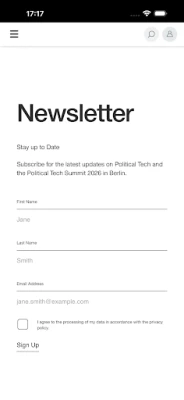
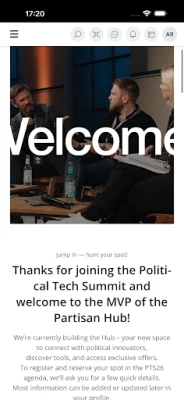
Partisan is a free mobile application designed for people who work in politics, public policy, advocacy, and related fields. It provides a dedicated space where campaign staff, elected officials, civil‑society organizers, and political consultants can connect, exchange ideas, and access practical resources that support their day‑to‑day work.
Main features
- Community networking – Find and follow other political practitioners, join topic‑based groups, and start private conversations.
- Insight sharing – Post short updates, articles, or data visualisations that are relevant to campaign strategy, legislative processes, or civic engagement.
- Resource library – Browse a curated collection of tools, templates, and case studies contributed by members of the community.
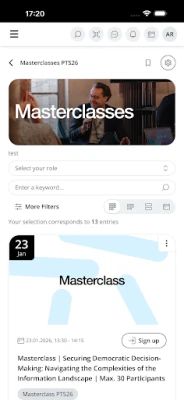
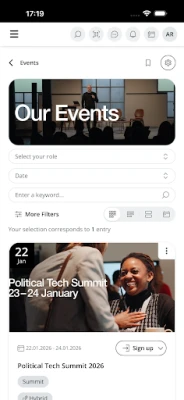
- Event calendar – Keep track of conferences, workshops, and webinars that are relevant to political work.
- Secure messaging – Communicate with peers using end‑to‑end encrypted chats, ensuring that sensitive discussions stay private.
How it works
After installing the app, users create a profile that highlights their role (e.g., campaign manager, policy analyst, NGO coordinator) and areas of interest. The platform then suggests connections and groups that match those interests. Content can be posted directly from the phone, and users can comment, like, or share posts within the community. The resource library is searchable by keyword, making it easy to locate templates for press releases, voter outreach plans, or data‑analysis scripts.
Practical uses
- Rapid peer advice – When a campaign faces an unexpected challenge, a quick question posted in the relevant group can generate multiple solutions from experienced colleagues.
- Staying current – The event calendar and news feed keep users aware of upcoming trainings, legislative updates, and technology releases that affect political work.
- Collaboration across sectors – By bringing together people from government, NGOs, and the private sector, Partisan encourages cross‑disciplinary projects such as joint voter‑education initiatives.
Who may find it useful?
Anyone involved in the political ecosystem can benefit, including:
- Campaign staff and consultants looking for best‑practice tools.
- Elected officials and their advisors who need a secure channel for peer discussion.
- Policy researchers and analysts seeking feedback on data visualisations.
- Advocacy groups that want to coordinate actions with like‑minded organisations.
Installation information
The app is available for free on the Google Play Store. Search for Partisan – for political pros or use the package name com.loftos.partisan to locate it. Installation follows the standard Android process: tap “Install,” grant the requested permissions, and launch the app once the download completes.
Things to know before installing
- The app is developed by Innoloft, a company that focuses on professional networking tools.
- Because the platform is aimed at professionals, users are encouraged to provide accurate profile information to foster trust.
- Standard Android permissions for network access and notifications are required; no additional device data is collected beyond what is necessary for account creation and messaging.
Frequently asked questions
Is Partisan free to use?
Yes, the application can be downloaded and used at no cost. Certain premium features may be introduced in the future, but the core networking and resource functions remain free.
Can I use Partisan on tablets?
The app is built for Android devices and works on tablets that meet the minimum system requirements for the Play Store version.
How is my data protected?
Messaging is encrypted, and the app follows standard Android security practices. Users should review the privacy policy within the app for detailed information.
Do I need a professional email address to join?
No specific email domain is required, but providing a work‑related email can help verify your professional affiliation.
Rate the App
User Reviews















Popular Apps










 Games
Games Entertainment
 Communication
 E-mail
 Security
 Tools
Tools Media
Media Internet
 Finance
 Design
 Education
 Android Firmwares
 Travel & Local
 Android
 Windows
 Linux
Linux