


Latest Version
Latest
August 28, 2026
Ooma
BUSINESS
Android
101
Free
com.ooma.office2
Report a Problem
More About Ooma Office Business Phone App – Mobile PBX for Android
What is Ooma Office?
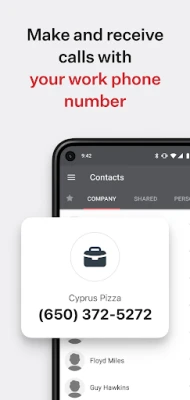
Ooma Office is a cloud‑based business phone system that lets you use a regular Android smartphone as a professional desk phone. By installing the app, you can access your business line, extensions, voicemail and call‑handling tools without needing separate hardware.
Main features
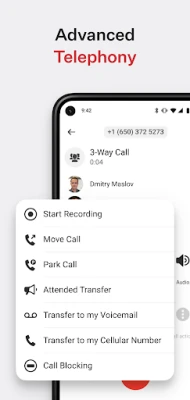
- Call routing and forwarding – Direct incoming calls to the app, your desk phone or another extension.
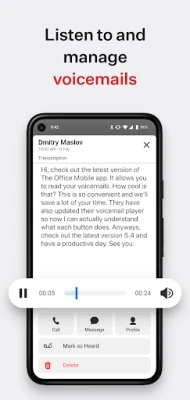
- Voicemail access – Listen to, delete or save voicemails directly from the mobile interface.
- Extension dialing – Reach coworkers by entering their extension number, just as you would on a traditional office phone.
- Call transfer – Move an active call to another extension or to a colleague’s mobile device.
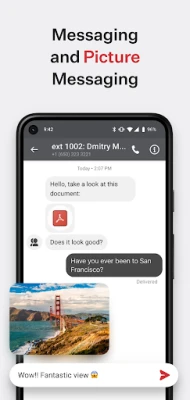
- Group messaging and calls – Initiate group conversations or conference calls with multiple team members.
- Desktop‑mobile sync – Seamlessly flip a call between a desktop handset and the Android app without dropping the conversation.
How it works
After logging in with your business phone number, extension and password, the app registers your device with Ooma’s cloud platform. Calls are delivered over the internet (VoIP) to the app, where the native Android interface presents familiar phone‑dialing controls. The app also syncs with any Ooma Office desk phones you have, keeping call status, voicemail and settings consistent across devices.
Practical uses
- Remote workers can answer the same business line they would at the office.
- Sales teams can join conference calls on the go without needing a separate conference bridge.
- Support staff can transfer calls to the appropriate department directly from their phone.
- Traveling executives can keep access to voicemail and call logs while away from their desk.
Installation information
Search for “Ooma Office Business Phone” in the Google Play Store, tap Install, and grant the permissions required for microphone and network access. Once installed, open the app, enter your credentials and follow the on‑screen setup wizard. No additional software is needed.
Compatibility
The app is designed for Android devices that support the current version of the Google Play Services framework. Specific OS version requirements are not listed, but the app generally works on devices that can run modern Android applications.
Things to know before installing
- Because the service uses VoIP, a stable internet connection (Wi‑Fi or cellular data) is required for clear call quality.
- Some mobile carriers may restrict or charge for VoIP traffic; check your carrier’s policy if you notice call issues.
- The app does not replace a traditional phone line; it works as part of an existing Ooma Office subscription.
Who may find it useful?
Small‑to‑medium businesses that already use Ooma Office, remote teams, field sales representatives, and any professional who needs a reliable business phone presence on a mobile device will benefit from the app.
Frequently asked questions
Do I need a separate Ooma Office account?
Yes. The app works with an active Ooma Office subscription; it does not provide a free phone service on its own.
Can I keep my existing phone number?
Existing Ooma Office users can log in with their current number and extensions. New users can choose a number during the Ooma Office sign‑up process.
Is the app free?
The app itself is free to download. Ooma Office charges a subscription fee per user, which is separate from the app cost.
What happens if I lose internet connectivity?
Calls will not be able to route through the app until a stable connection is restored. You can switch to a regular mobile carrier line if needed.
Rate the App
User Reviews















Popular Apps










 Games
 Entertainment
 Communication
 E-mail
 Security
 Tools
 Media
 Internet
 Finance
 Design
 Education
 Android Firmwares
 Travel & Local
 Android
 Windows
 Linux