


Latest Version
Latest
August 15, 2026
Serverdata.net, Inc.
BUSINESS
Android
86
Free
net.serverdata.newmeeting
Report a Problem
More About Online Meeting & Conferencing – Free Video & Audio Calls
What is Online Meeting & Conferencing?
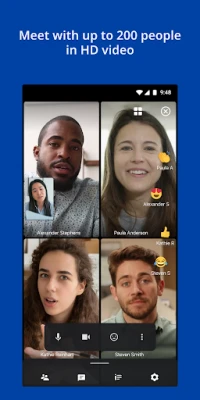
Online Meeting & Conferencing is a free Android application developed by Serverdata.net, Inc. that lets users join and host virtual meetings directly from their mobile devices. It focuses on providing a straightforward way to conduct video or audio calls, share screens, and manage participants without needing a desktop client.
Main features
- Video and audio meetings – Join or start meetings with clear HD video and audio.
- Screen sharing – Present slides, documents, or apps by sharing your device’s screen.
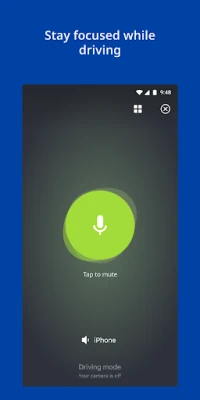
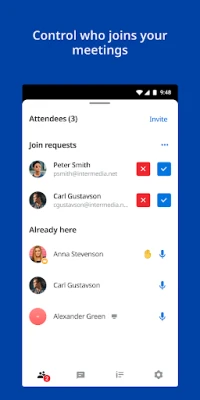
- Participant controls – See who is online, mute or unmute participants, and manage audio settings.
- Network flexibility – Works over Wi‑Fi or cellular data, adapting to the available connection.
How it works
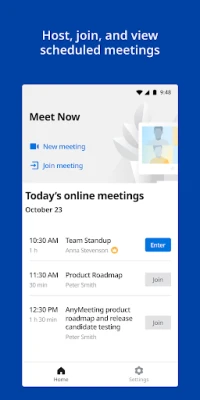
After installing the app, you sign in with the credentials provided by the meeting host. The interface lets you enter a meeting ID or follow a link to join. Once inside, you can switch between video, audio‑only, or screen‑share modes. The app displays a participant list, and hosts can control who speaks or shares their screen.
Practical uses
The app is suitable for remote work, classroom sessions, project collaborations, or casual catch‑ups. Because it runs on Android phones and tablets, users can attend meetings from virtually anywhere, making it handy for travelers or field workers.
Installation information
Download the APK from a trusted source, then follow the standard Android installation steps. You will need to enable installations from unknown sources if the app is not available through the official Play Store. After installation, grant the permissions required for camera, microphone, and screen capture when prompted.
Things to know before installing
- The app is designed to join meetings hosted on the corresponding Online Meeting service; it does not create independent meeting rooms.
- Review any applicable policies, such as emergency call handling, that may be included in the app’s terms of service.
- Ensure a stable internet connection for the best video and audio quality.
Who may find it useful?
Anyone who needs a mobile solution for virtual meetings—business professionals, educators, students, and casual users—can benefit from the app’s lightweight design and core conferencing tools.
Frequently asked questions
Do I need a separate account?
Access is typically provided by the meeting organizer, who supplies a meeting ID or invitation link.
Can I host a meeting from the app?
The primary purpose is to join existing meetings; hosting capabilities depend on the service linked to the app.
What permissions does the app require?
Camera, microphone, and screen‑capture permissions are needed for video, audio, and sharing functions.
Rate the App
User Reviews















Popular Apps










 Games
Games Entertainment
 Communication
 E-mail
 Security
 Tools
Tools Media
Media Internet
 Finance
 Design
 Education
 Android Firmwares
 Travel & Local
 Android
 Windows
 Linux
Linux