

Latest Version
Latest
September 03, 2026
OnePageCRM
BUSINESS
Android
5
Free
com.onepagecrm
Report a Problem
More About OnePageCRM – Simple CRM System for Android
What is OnePageCRM?
OnePageCRM is a mobile‑focused customer relationship management (CRM) tool designed for professionals who need a straightforward way to keep track of contacts, schedule follow‑ups, and monitor sales opportunities while on the go. The app emphasizes simplicity, allowing users to capture essential client information without the complexity of larger enterprise solutions.
Main features
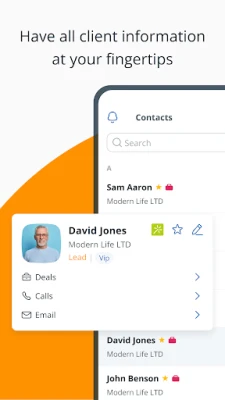
- Contact management – Store names, phone numbers, email addresses and custom notes for each client or prospect.
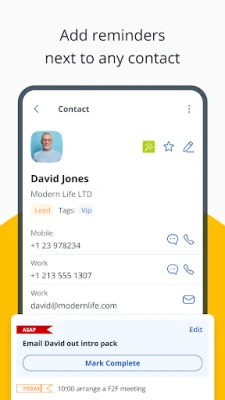
- Follow‑up reminders – Attach a reminder to any contact so you never miss a call, email or meeting.
- Sales pipeline view – Visualize deals in basic stages and update their status with a few taps.
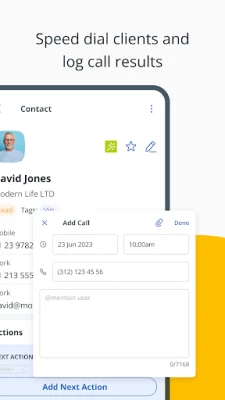
- In‑app calling – Initiate a phone call directly from a contact record.
- Email integration – Compose and send emails without leaving the app; sent messages are logged automatically.
- Notes and attachments – Add free‑form notes, attach files or voice recordings to contacts and deals.
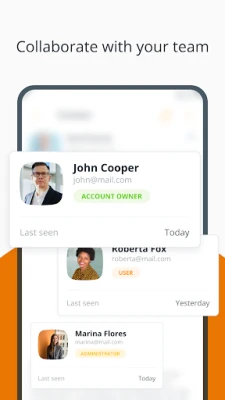
- Team collaboration basics – Assign contacts to teammates and use simple mentions to keep colleagues informed.
How it works
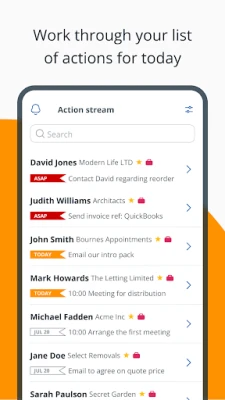
After creating a OnePageCRM account, you log in on your Android device. The main dashboard presents a list of contacts with any pending reminders highlighted. Tapping a contact opens a detail screen where you can edit information, add a new reminder, log a call, or start an email. Deals are managed from a separate section; each deal can be moved between stages such as "Prospecting," "Negotiation," or "Closed" with drag‑and‑drop or a menu selection.
Practical uses
- Sales representatives can quickly check which prospects need a follow‑up call and update deal status after a meeting.
- Consultants can keep project‑related notes attached to client contacts, ensuring that important details travel with the record.
- Small teams benefit from the ability to assign contacts and mention teammates, reducing the need for separate messaging tools.
Installation information
The app is available through the Google Play Store. Search for "OnePageCRM" or use the package name com.onepagecrm. Installation follows the standard Android process: tap Install, grant any requested permissions, and launch the app once the download completes.
Things to know before installing
- The app requires an active internet connection for account creation and data synchronization.
- All data is stored in the cloud under your OnePageCRM account; local storage is limited to cached information.
- Basic functionality is free; additional features may be offered through in‑app purchases or subscription plans, which are presented within the app.
Who may find it useful?
Freelancers, small‑business owners, sales agents, and consultants who need a lightweight CRM without the overhead of large platforms will appreciate OnePageCRM’s focus on core tasks such as contact tracking, reminders, and simple pipeline management.
Frequently asked questions
Do I need an internet connection to use the app?
Yes, an internet connection is required for initial account setup and for syncing changes across devices. Some cached data may be viewable offline, but new entries will not be saved until you reconnect.
Can I import contacts from my phone?
OnePageCRM provides an import option that lets you select contacts from your device’s address book and add them to your CRM database.
Is my data secure?
Data is transmitted over encrypted connections and stored on OnePageCRM’s servers. Review the developer’s privacy policy for detailed information on data handling.
Can I use the app with a team?
Yes, you can assign contacts to other users who also have OnePageCRM accounts and use the mention feature to notify teammates of updates.
Rate the App
User Reviews















Popular Apps










 Games
Games Entertainment
 Communication
 E-mail
 Security
 Tools
Tools Media
Media Internet
 Finance
 Design
 Education
 IT Tools
 Travel & Local
 Android
 Windows
 Linux
Linux