



Latest Version
September 01, 2026
NextIntelligence.ai
BUSINESS
Android
5
Free
so.rework.app.enterprise
Report a Problem
More About OfficeMail Enterprise – Secure Business Email for Android
What is OfficeMail Enterprise?
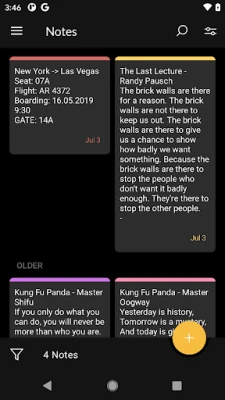
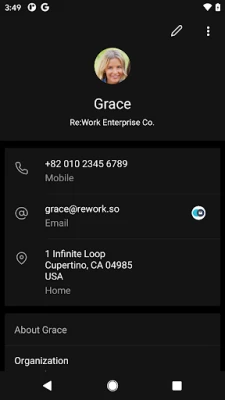
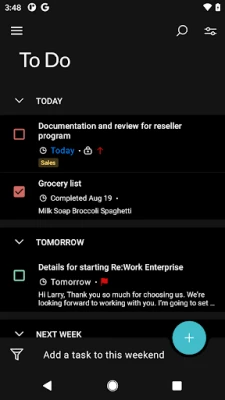
OfficeMail Enterprise is an Android email client designed for business environments that rely on Microsoft Exchange or Office 365. Developed by NextIntelligence.ai, the app provides a dedicated workspace for corporate email, calendar, contacts, tasks and notes, all synchronized through Exchange ActiveSync.
Main features
- Exchange ActiveSync support – Seamless connection to Exchange Server versions and Office 365.
- Shared mailboxes and calendars – Access team mailboxes and collaborative calendars directly from the device.
- Multiple accounts – Manage several work accounts in one interface.
- S/MIME encryption – Send and receive signed or encrypted messages when the server supports it.
- Rich‑text editor and HTML signatures – Create formatted messages and full‑HTML signatures without leaving the app.
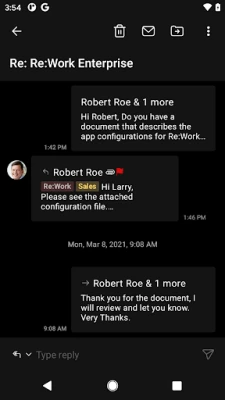
- Conversation view – Threaded email display for easier reading.
- Dark theme – Reduce eye strain and save battery on OLED screens.
- Notification categories – Separate alerts for mail, calendar and other items.
How it works
The app communicates with the Exchange server using the standard ActiveSync protocol. After entering your corporate credentials, OfficeMail Enterprise establishes a secure connection and begins pushing new items to the device. Users can choose which folders to sync, enabling selective push for high‑priority mail while keeping other folders offline.
Practical uses
OfficeMail Enterprise is suited for professionals who need reliable access to corporate email on the go. Typical scenarios include:
- Field staff receiving real‑time updates from a shared mailbox.
- Project teams coordinating meetings through a shared calendar.
- Executives handling encrypted communications via S/MIME.
Installation information
The application is offered as a free download from the Google Play Store. Installation follows the standard Android process: tap Install, grant any required permissions, and launch the app to begin configuration.
Compatibility
OfficeMail Enterprise runs on Android devices that support the Exchange ActiveSync protocol. Specific OS version requirements are not listed, but the app is built for modern Android releases and integrates with common mobile device management (MDM) solutions such as Microsoft Intune, AirWatch, Citrix and MobileIron.
Things to know before installing
- Because the app connects to corporate servers, you will need your work email address and password, and possibly additional authentication details (e.g., MFA tokens).
- Some features, like S/MIME, require server‑side configuration and appropriate certificates.
- The app does not include built‑in advertising; all functionality is focused on email and collaboration.
Who may find it useful?
Anyone who relies on Microsoft Exchange or Office 365 for daily communication can benefit from OfficeMail Enterprise. This includes sales teams, support staff, managers, and IT professionals who need a secure, feature‑rich email client on Android.
Frequently asked questions
Is OfficeMail Enterprise free?
Yes, the app is offered at no cost.
Can I use it with multiple Exchange accounts?
Yes, the client supports adding and managing several accounts simultaneously.
Does the app support modern authentication for Office 365?
Modern authentication is supported, allowing integration with Azure AD and MFA when configured on the server.
Is there a dark mode?
Yes, a dark theme is available in the settings.
Rate the App
User Reviews















Popular Apps










 Games
Games Entertainment
 Communication
 E-mail
 Security
 Tools
Tools Media
Media Internet
 Finance
 Design
 Education
 IT Tools
 Travel & Local
 Android
 Windows
 Linux
Linux