


Latest Version
Latest
August 13, 2026
NextIntelligence.ai
BUSINESS
Android
262
Free
com.ninefolders.hd3
Report a Problem
More About Nine – Email & Calendar for Android
What is Nine?
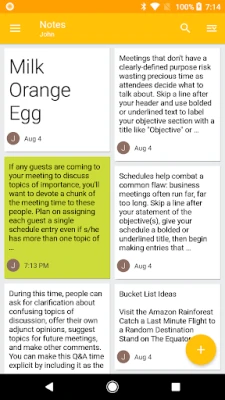
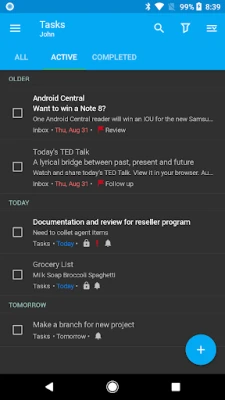
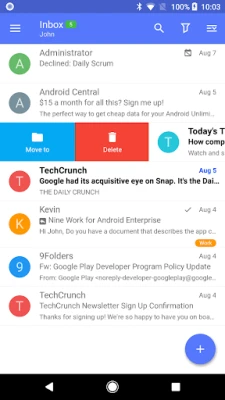
Nine is an Android application that lets you access Microsoft Exchange‑based email, calendar, contacts and tasks from your mobile device. Developed by NextIntelligence.ai, the app focuses on delivering a consistent experience for users who rely on Exchange services for work or personal communication.
Main features
- Exchange ActiveSync support – Connect directly to Exchange servers without an intermediate cloud service.
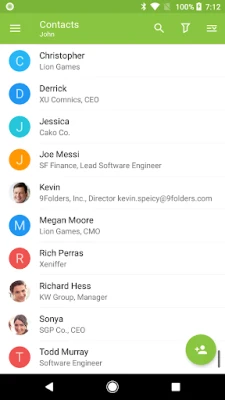
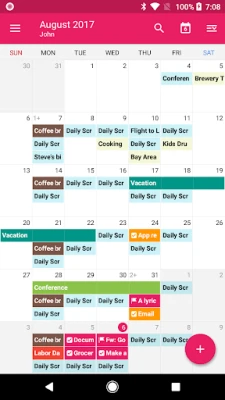
- Integrated calendar and contacts – Sync events and address book entries alongside your email.
- Rich‑text composition – Create formatted messages using a built‑in editor.
- Security options – Supports SSL/TLS connections and can work with client certificates.
- Conversation view – Group related messages for easier reading.
- Search – Combine local and server‑side search to find messages quickly.
How it works
After installing Nine, you add an Exchange account by entering your email address and password. The app communicates directly with your organization’s Exchange server using ActiveSync, pulling mail, calendar events, contacts and tasks to your device. All data is stored locally; Nine does not host user data on its own servers.
Practical uses
- Stay on top of work email while traveling.
- Manage meetings and appointments from the same app you read messages.
- Access corporate address lists without switching apps.
Installation information
The app is available as a free download. After installation, you will need to configure at least one Exchange account to start using its features. A trial period is offered, after which a license can be purchased if you wish to continue using the full set of capabilities.
Things to know before installing
- Requires an active Microsoft Exchange account that supports ActiveSync.
- All synchronized data is kept on the device; consider device security settings if you handle sensitive information.
- The free version includes a limited trial; continued use beyond the trial requires a paid license.
Who may find Nine useful?
Professionals who rely on Exchange for email and scheduling, small‑business owners managing multiple accounts, and anyone who prefers a single app for email, calendar and contacts on Android.
Frequently asked questions
Does Nine store my email on its own servers?
No. The app connects directly to your Exchange server and keeps all synchronized data on your device.
Can I use Nine with non‑Exchange email accounts?
Its primary focus is Exchange ActiveSync; support for other protocols is limited.
Is the app free?
Yes, the initial download is free and includes a trial period. Continued use after the trial requires purchasing a license.
Rate the App
User Reviews















Popular Apps










 Games
Games Entertainment
 Communication
 E-mail
 Security
 Tools
Tools Media
Media Internet
 Finance
 Design
 Education
 Android Firmwares
 Travel & Local
 Android
 Windows
 Linux
Linux