


Latest Version
Latest
September 05, 2026
Walmart
BUSINESS
Android
14
Free
com.walmart.squiggly
Report a Problem
More About MyWalmart – Walmart Associate Work Hub
What is MyWalmart?
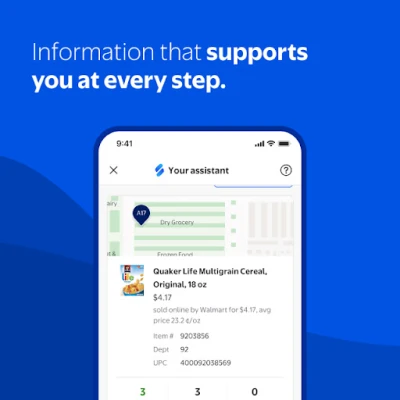
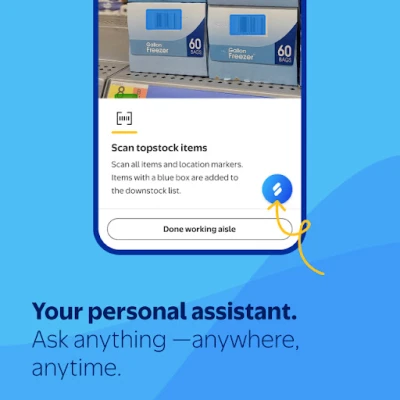
MyWalmart is an Android application created by Walmart for its store associates. It serves as a mobile workspace where employees can handle everyday tasks such as viewing schedules, requesting time off, swapping shifts, and staying connected with teammates. The app is offered free of charge and is intended for internal use by Walmart staff.
Main features
- Schedule management – View upcoming shifts, request time‑off, and swap or pick up available shifts with a few taps.
- Clock‑in/out – Record start and end times directly from the phone, reducing the need for separate time‑clock hardware.
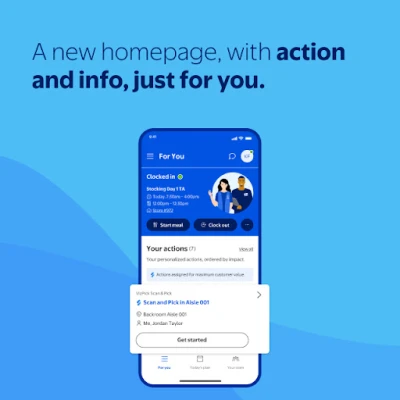
- Personalized feed – A home screen that surfaces the most relevant actions for the user, such as pending tasks or important announcements.
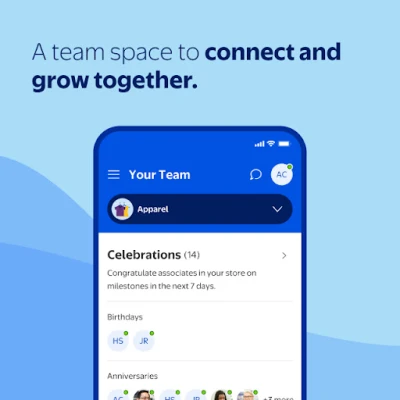
- Team communication – In‑app messaging and call capabilities let associates quickly reach coworkers or supervisors without leaving the sales floor.
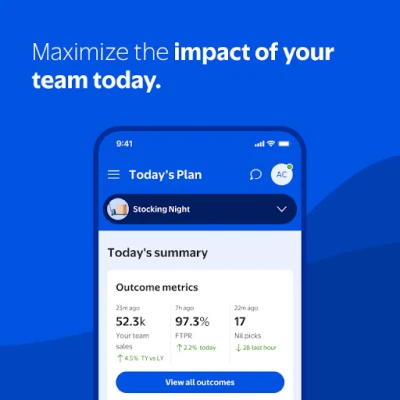
- Performance insights – Basic store performance metrics and goal tracking are available to help associates stay aware of how their team is doing.
How it works
After installing MyWalmart, users log in with their Walmart employee credentials. The app then syncs with Walmart’s internal systems to pull schedule data, task lists, and communication channels. A simple navigation bar lets users jump between the main sections: Home, Schedule, Clock‑In, Team, and Settings. Actions such as requesting a day off or swapping a shift trigger a request that is routed to the appropriate manager for approval.
Practical uses
- Check tomorrow’s shift while commuting to work.
- Swap a shift with a colleague when a personal conflict arises.
- Clock in as soon as you step onto the sales floor, eliminating paper timesheets.
- Send a quick message to a teammate about a stock issue without leaving the aisle.
- Review weekly performance snapshots to understand store goals.
Installation information
The app can be downloaded from the Google Play Store. Because it is intended for Walmart employees, the store may require a valid employee account to complete the installation and sign‑in process. The download size is modest, and the app does not require additional storage beyond the standard installation footprint.
Compatibility
MyWalmart runs on Android devices that meet Walmart’s internal minimum requirements. While specific OS version details are not publicly listed, the app is designed for modern Android smartphones and tablets typically used by store staff.
Things to know before installing
- You will need your Walmart employee username and password to access the app.
- The app accesses schedule and payroll‑related data, so a stable internet connection is recommended for real‑time updates.
- All communications are handled within Walmart’s secure network; no external messaging services are used.
Who may find it useful?
Any Walmart associate who works in a store environment—whether in sales, stocking, or management—can benefit from MyWalmart. The app streamlines routine administrative tasks, allowing employees to focus more on customer service and less on paperwork.
Frequently asked questions
Do I need a special device to run MyWalmart?
No special hardware is required. Any Android phone or tablet that can run standard apps from the Play Store should be sufficient.
Can I use the app for personal shopping?
No. MyWalmart is built for Walmart employees and accesses internal scheduling and communication tools that are not relevant to shoppers.
What should I do if I forget my login details?
Contact your store’s HR or IT support team. They can verify your identity and reset your credentials.
Is there a way to receive push notifications?
Yes. The app can send alerts for shift changes, approval requests, and important announcements, provided you allow notifications in your device settings.
Rate the App
User Reviews















Popular Apps










 Games
Games Entertainment
 Communication
 E-mail
 Security
 Tools
Tools Media
Media Internet
 Finance
 Design
 Education
 IT Tools
 Travel & Local
 Android
 Windows
 Linux
Linux