

Latest Version
Latest
September 04, 2026
Verizon Consumer Group
BUSINESS
Android
2
Free
com.vzbusiness
Report a Problem
More About My Verizon for Business – Manage Your Verizon Services
What is My Verizon for Business?
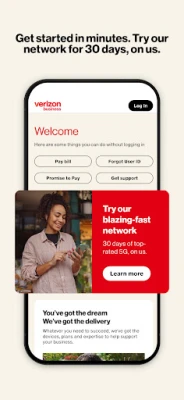
My Verizon for Business is a mobile client from Verizon Consumer Group that lets business owners and administrators stay connected to their Verizon account. The app provides a convenient way to view account information, monitor usage, and handle routine tasks without needing to log into a web portal.
Main features
- Account overview – See a summary of your business plan, active lines, and current balance.
- Bill management – Review recent statements, download PDFs, and pay outstanding amounts directly from the app.
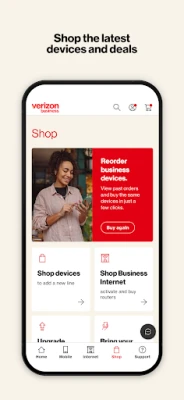
- Order tracking – Receive updates on device shipments, accessories, and service changes with push notifications.
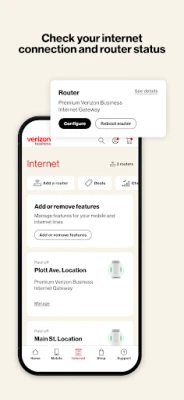
- Device inventory – View the list of devices linked to your account, check their status, and request upgrades or replacements.
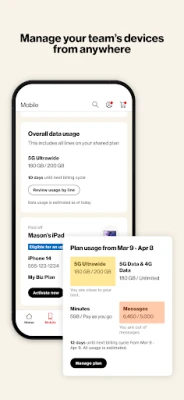
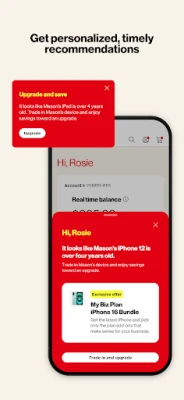
- Personalized insights – The app offers recommendations based on usage patterns to help you optimise your plan.
How it works
After installing the app, you sign in with the same credentials you use for the Verizon business portal. Once authenticated, the dashboard pulls the latest account data from Verizon’s servers. All interactions, such as paying a bill or requesting a device change, are processed through secure API calls, ensuring that the information you see is up‑to‑date.
Practical uses
Whether you are on the road visiting a client or working from a remote office, the app lets you:
- Check the current balance before making a purchase.
- Confirm that a newly ordered phone has shipped and estimate its arrival.
- Identify any over‑age data usage and adjust settings to avoid extra charges.
- Request a new device for an employee without navigating a desktop site.
Installation information
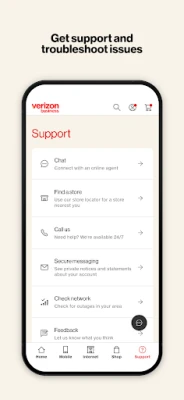
The app is available for free on the Google Play Store. Search for "My Verizon for Business" or use the package name com.vzbusiness to locate it. Installation follows the standard Android process: tap Install, grant any required permissions, and launch the app.
Things to know before installing
- The app requires an Android device with a Google Play Services framework; specific version requirements are not published, so a recent Android release is recommended.
- You will need your Verizon business account credentials to sign in.
- Push notifications are used for order and billing alerts; you can manage these in the device’s notification settings.
Who may find it useful?
Small‑to‑medium business owners, IT administrators, and anyone responsible for managing corporate mobile lines can benefit from quick access to account details and the ability to act on them without a computer.
Frequently asked questions
Do I need a separate Verizon account for this app?
No. The app works with the same business account you already have with Verizon.
Can I add new lines from the app?
You can request new devices or line upgrades, but full provisioning may still require a web portal or a sales representative.
Is my data secure?
The app uses encrypted connections to communicate with Verizon’s servers, following standard industry practices for mobile banking‑type applications.
Rate the App
User Reviews














Popular Apps










 Games
Games Entertainment
 Communication
 E-mail
 Security
 Tools
Tools Media
Media Internet
 Finance
 Design
 Education
 IT Tools
 Travel & Local
 Android
 Windows
 Linux
Linux