
Latest Version
Latest
September 14, 2026
VEBINAR TEKHNOLOGII, OOO
BUSINESS
Android
2
Free
ru.webinar.mobile
Report a Problem
More About MTS Link – Secure Online Meetings and Collaboration
What is MTS Link?
MTS Link is a mobile application designed for real‑time communication. It enables individuals and teams to create virtual meeting rooms, host webinars, and share content directly from an Android device. The app is developed by VEBINAR TEKHNOLOGII, OOO and is offered free of charge.
Main features
- Quick meeting creation – start a new session in just a couple of taps and receive a shareable link.
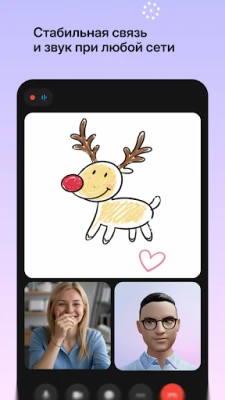
- Video and audio support – participants can join with or without video, and the audio quality adapts to network conditions.
- Screen and file sharing – presenters can display presentations, documents, or their screen for collaborative work.
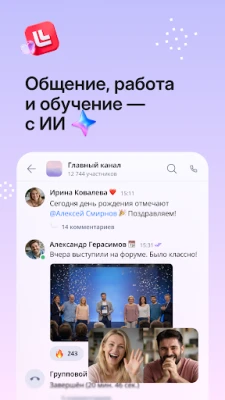
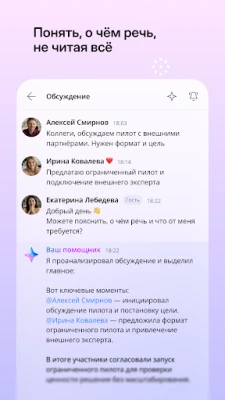
- In‑app chat – a text chat runs alongside the video stream, allowing questions and comments without interrupting the speaker.
- Polls and quizzes – organizers can launch simple polls to gather feedback during a session.
- Automatic recording – meetings can be recorded automatically for later review.
How it works
After installing MTS Link, you sign in with a personal account or use a guest option if the host permits it. The main dashboard shows upcoming meetings and provides a button to create a new one. When you start a meeting, the app generates a unique URL that can be copied or shared via messaging apps. Participants click the link, which opens the meeting directly in the app or in a web browser if they do not have the app installed.
Practical uses
The flexibility of MTS Link makes it suitable for a range of scenarios:
- Business conferences – host webinars for clients, partners, or internal staff.
- Remote education – teachers can present slides, demonstrate software, and interact with students through chat and polls.
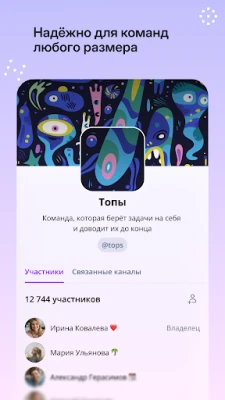
- Team collaboration – project teams can hold stand‑up meetings, share screens for code reviews, or discuss documents in real time.
- Customer support – support agents can start a video call to walk customers through troubleshooting steps.
Installation information
The app is distributed through standard Android channels. Search for MTS Link by its package name ru.webinar.mobile and tap Install. The download size and required Android version are not specified, so ensure your device runs a recent version of Android and has sufficient storage.
Things to know before installing
- Data handling is performed on servers located in Russia, which may be relevant for users with specific data‑residency requirements.
- The free version does not list any in‑app purchases or subscription tiers, but future updates could introduce optional features.
- Because the app focuses on live communication, a stable internet connection (Wi‑Fi or cellular data) is recommended for the best experience.
Who may find MTS Link useful?
Anyone who needs a straightforward way to connect face‑to‑face online can benefit from MTS Link. This includes small business owners, educators, remote workers, and community organizers who prefer a native Android solution without the overhead of larger platforms.
Frequently asked questions
Do I need an account to join a meeting?
Joining usually requires only the meeting link. Some hosts may require a sign‑in for security or to track attendance.
Can I record a meeting?
Yes, the app offers automatic recording, which can be enabled by the meeting host.
Is there a limit on meeting duration?
The current version does not impose a time limit on sessions.
How is my data protected?
Data is stored on servers operated by the developer in Russia. Specific security measures are not detailed publicly, so users should consider this when handling sensitive information.
Rate the App
User Reviews









Popular Apps










 Games
Games Entertainment
 Communication
 E-mail
 Security
 Tools
Tools Media
Media Internet
 Finance
 Design
 Education
 IT Tools
 Travel & Local
 Android
 Windows
 Linux
Linux