

Latest Version
Latest
August 13, 2026
Microsoft Corporation
BUSINESS
Android
320
Free
com.microsoft.azure
Report a Problem
More About Microsoft Azure – Cloud Management on Android
What is Microsoft Azure for Android?
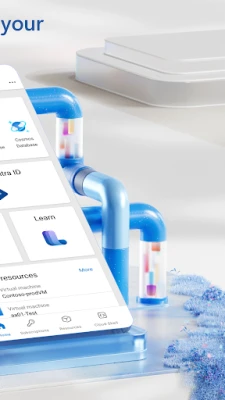
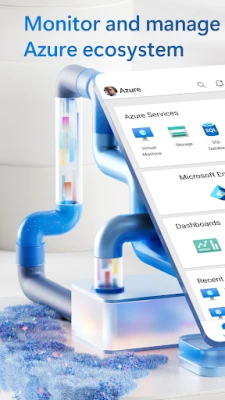
Microsoft Azure is the mobile companion to Microsoft’s cloud platform. It lets administrators and developers keep an eye on their Azure services directly from an Android smartphone or tablet. The app provides a streamlined view of resource health, usage metrics, and recent activity, helping you stay informed without needing a full desktop client.
Main capabilities
- Resource overview: See a list of your subscriptions, resource groups, and individual services such as virtual machines, web apps, databases, and storage accounts.
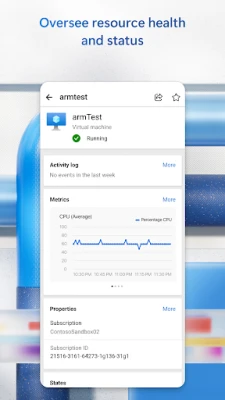
- Health monitoring: Get real‑time status indicators and key performance metrics for each resource, so you can quickly spot issues.
- Alerts and notifications: Receive push notifications when Azure detects problems, such as service outages or performance thresholds being exceeded.
- Basic control actions: From the app you can start, stop, or restart virtual machines and web apps, allowing you to respond to incidents without logging into the portal.
- Secure sign‑in: Uses your Microsoft account credentials and supports multi‑factor authentication for safe access.
How it works
After installing the app, you sign in with the same Microsoft account you use for the Azure portal. The app then pulls data from your subscriptions via Azure’s REST APIs. Information is presented in a concise, card‑based layout that groups resources by type and status. Tapping a resource opens a detail view where you can see recent metrics, view logs, and perform the limited set of actions the mobile client supports.
Practical uses
- Quickly verify that a newly deployed VM is running as expected.
- Respond to an alert about a web app’s health by restarting the service from your phone.
- Check usage trends before a scheduled maintenance window.
- Confirm that a backup job completed successfully while you’re away from the desk.
Installation information
The app is distributed through the Google Play Store. Search for "Microsoft Azure" or use the package name com.microsoft.azure. Installation follows the standard Android process: tap Install, grant any required permissions, and launch the app once the download completes.
Things to know before installing
- The app requires an active internet connection to retrieve data from Azure.
- Only the basic management actions listed above are available; more advanced configuration still requires the full Azure portal or desktop tools.
- Because the app accesses your cloud resources, ensure that you use a strong, unique Microsoft account password and enable multi‑factor authentication.
Who may find it useful?
IT administrators, DevOps engineers, and developers who manage Azure workloads on a regular basis will benefit from the ability to monitor and perform simple actions from anywhere. It is also handy for project managers who need a quick status check without diving into detailed dashboards.
Frequently asked questions
Do I need a paid Azure subscription to use the app?
No. The app itself is free, and you can sign in with any Azure account, whether you are on a free tier or a paid subscription.
Can I manage resources from multiple subscriptions?
Yes. After signing in, the app lists all subscriptions linked to your Microsoft account, and you can switch between them.
What permissions does the app request?
The app requests permission to access the internet and to send push notifications. No additional device permissions are required.
Is my data protected?
Authentication and data transmission use Microsoft’s standard security protocols, including TLS encryption. The app does not store your credentials on the device.
Rate the App
User Reviews















Popular Apps










 Games
Games Entertainment
 Communication
 E-mail
 Security
 Tools
Tools Media
Media Internet
 Finance
 Design
 Education
 Android Firmwares
 Travel & Local
 Android
 Windows
 Linux
Linux