

Latest Version
Latest
September 16, 2026
M3 Consulting Inc
BUSINESS
Android
7
$3.99
com.meeting.minutespro
Report a Problem
More About Meeting Minutes Pro – Efficient Meeting Management
What is Meeting Minutes Pro?
Meeting Minutes Pro is a dedicated Android tool designed for professionals, teams, and anyone who needs to keep clear records of meetings. Developed by M3 Consulting Inc, the app offers a focused environment for creating, editing, and storing minutes, participant lists, agendas, discussion notes, and follow‑up tasks.
Main features
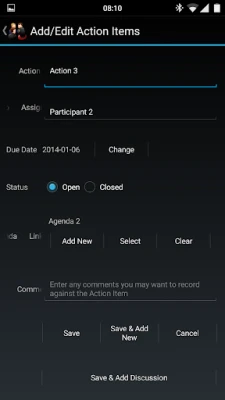
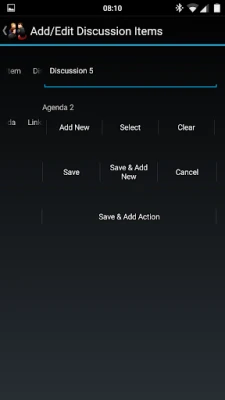
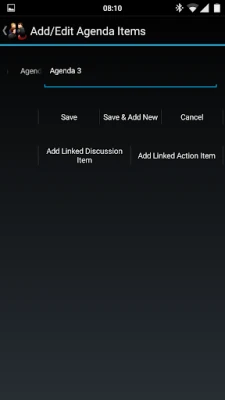
- Structured meeting records – Create separate sections for agenda items, discussion points, and action items within each meeting.
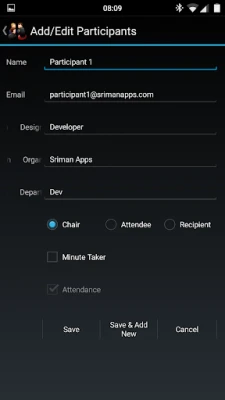
- Participant integration – Pull contact information from your device’s address book to quickly add attendees.
- Export options – Generate PDF, HTML, or Microsoft Word XML files for easy sharing via email or other apps.
- Action‑item tracking – Export action items as CSV for use in spreadsheet programs or sync them with your calendar.
- Backup and restore – Save the entire database or individual meetings for later recovery.
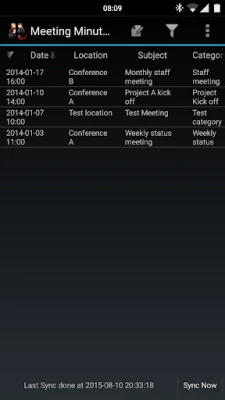
- Search and filter – Locate past meetings, contacts, or tasks using keywords, dates, or custom tags.
How it works
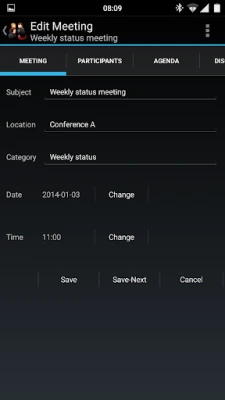
After installing the app, you start by creating a new meeting entry. The interface guides you through adding a title, date, and list of participants. You can then populate agenda items, record discussion notes, and assign action items with due dates and responsible persons. All entries are stored locally on the device, and you can export them at any time.
Practical uses
- Project managers can keep a single source of truth for meeting outcomes.
- Small business owners can share minutes with clients or partners without needing separate software.
- Students and academic groups can document study sessions and assign follow‑up tasks.
Installation information
The app is available for purchase at $3.99. After purchase, download and install it directly from the Google Play Store. No additional configuration is required to start using the core features.
Things to know before installing
- The app stores data on the device; consider regular backups if you rely on the information long term.
- Exported files are generated in standard formats (PDF, HTML, Word XML, CSV) that can be opened with common office applications.
- Integration with the device’s contacts simplifies participant entry but does not replace a full contact management system.
Who may find it useful?
Anyone who regularly conducts meetings—team leaders, consultants, educators, nonprofit coordinators, and freelancers—will benefit from a streamlined way to capture and distribute minutes.
Frequently asked questions
Can I import existing calendar events?
Meeting Minutes Pro allows you to select events from your calendar and import basic details, saving time when setting up a new meeting record.
Is there a way to automate backups?
Backups can be scheduled within the app; they run while the app is active, ensuring recent data is saved without manual effort.
What languages are supported?
The export formats support Unicode, so most languages that use standard scripts can be recorded and exported correctly.
Rate the App
User Reviews















Popular Apps










 Games
Games Entertainment
 Communication
 E-mail
 Security
 Tools
Tools Media
Media Internet
 Finance
 Design
 Education
 IT Tools
 Travel & Local
 Android
 Windows
 Linux
Linux